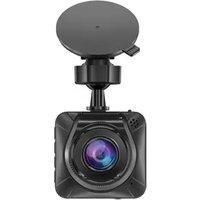
R460 2K - Dash cam Navitel - Free user manual and instructions
Find the device manual for free R460 2K Navitel in PDF.


Pick your language and provide your email: we'll send you a specifically translated version.
| Product Type | Dash cam (Car video recorder) |
| Brand | Navitel |
| Model | R460 2K |
| Video Resolution | 2K (2560x1440) at 30 fps |
| Lens Angle | 170° wide angle |
| Display | 3.0 inch LCD |
| Image Sensor | Sony IMX415 CMOS |
| Storage | microSD card up to 128 GB (Class 10 or higher) |
| Loop Recording | Yes, with automatic overwrite |
| Motion Detection | Yes, standby mode when parked |
| G-Sensor | 3-axis impact detection and emergency lock |
| GPS | Built-in with speed and route recording |
| Wi-Fi | Built-in for smartphone app control and file transfer |
| Power Supply | 12V car cigarette lighter adapter; built-in battery |
| Battery | Built-in rechargeable 400 mAh |
| Operating Temperature | -20°C to 70°C |
| Dimensions (approx.) | 90 x 50 x 35 mm |
| Weight (approx.) | 85 g |
| Safety Functions | Parking monitor, collision detection, lane departure warning |
| Maintenance | Clean the lens with a soft dry cloth; avoid solvents |
| Spare Parts & Repairability | Replacement mount and power cable available; battery serviceable |
| Warranty | 1-year manufacturer warranty |
Frequently Asked Questions - R460 2K Navitel
How do I install the Navitel R460 2K dash cam?
Attach the mounting bracket to the windshield using the adhesive pad, slide the camera into the bracket, connect the power cable to the car cigarette lighter, and route the cable along the windshield edge. Ensure the lens is positioned to capture the road clearly.
What memory card is recommended for the R460 2K?
Use a microSD card with a capacity of at least 16 GB and a speed class of Class 10 or UHS-I for reliable 2K recording. The dash cam supports cards up to 128 GB.
How do I enable loop recording?
Go to the settings menu, select Loop Recording, and choose a segment length (1/2/3 minutes). When enabled, the camera automatically overwrites the oldest videos when the card is full.
How do I set up GPS and speed camera alerts?
Ensure the GPS module is ON in settings and wait for satellite lock. Once connected, the dash cam logs your route and speed, and alerts you to speed cameras and red-light cameras using the built-in database.
How do I use the Wi-Fi feature with my smartphone?
Enable Wi-Fi on the dash cam, then connect your phone to its network (default name and password are in the manual). Open the Navitel Dashcam app to view live video, change settings, and download footage.
What should I do if the dash cam won't turn on?
Check the power cable and cigarette lighter adapter for proper connections. If the built-in battery is completely drained, connect the device to a powered USB port or car charger and wait a few minutes. Try a soft reset by pressing the reset hole with a pin.
How do I perform a factory reset?
Open the settings menu, select Restore Defaults or Factory Reset, and confirm. This will erase all custom settings and return the device to its original configuration.
How do I update the firmware?
Download the latest firmware from the official Navitel website onto a microSD card, insert it into the dash cam, and power on. The device will automatically detect the update and install it. Do not interrupt the process.
How do I clean the lens properly?
Use a soft, dry microfiber cloth to gently wipe the lens. Do not use any liquid cleaners or abrasive materials, as they may scratch or damage the lens coating.
How does parking monitoring work?
With parking mode enabled, the dash cam switches to a lower power state when the car is off. It detects motion or impact through the G-sensor and automatically records the surrounding area. A hardwire kit is required for continuous power, or the built-in battery for short periods.
User questions about R460 2K Navitel
0 question about this device. Answer the ones you know or ask your own.
Ask a new question about this device
No questions yet. Be the first to ask one.
Download the instructions for your Dash cam in PDF format for free! Find your manual R460 2K - Navitel and take your electronic device back in hand. On this page are published all the documents necessary for the use of your device. R460 2K by Navitel.
USER MANUAL R460 2K Navitel


Manual assistant
Powered by Anthropic
Waiting for your message
Product information
Brand : Navitel
Model : R460 2K
Category : Dash cam