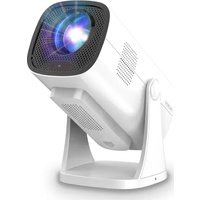
NeoPix 650 - Projector PHILIPS - Free user manual and instructions
Find the device manual for free NeoPix 650 PHILIPS in PDF.


Pick your language and provide your email: we'll send you a specifically translated version.
| Product Type | LED Video Projector |
| Resolution | 1920 x 1080 (Full HD) |
| Brightness | 3500 lumens |
| Contrast Ratio | 5000:1 |
| Display Technology | DLP |
| Light Source | LED |
| Light Source Lifespan | Up to 30,000 hours |
| Projection Size | 40" - 120" |
| Throw Ratio | 1.2:1 |
| Keystone Correction | ±40° (vertical) |
| Focus | Manual |
| Connectivity | HDMI, USB, VGA, AV, Audio Out, Wi-Fi |
| Built-in Speaker | 3W |
| Power Supply | AC 100-240V, 50/60Hz |
| Dimensions (W x D x H) | 224 x 185 x 95 mm |
| Weight | 1.5 kg |
| Accessories Included | Remote control, power cable, HDMI cable, user manual |
| Cleaning | Gently wipe the lens with a soft dry cloth |
| Safety | Do not look directly into the lens |
| Spare Parts | Replacement LED modules available from authorized service centers |
| Reparability | Modular design for easy maintenance and repair |
Frequently Asked Questions - NeoPix 650 PHILIPS
How do I adjust the focus on the Philips NeoPix 650?
Use the focus ring on the lens. Turn it gently until the image appears sharp and clear on the screen.
How can I connect the projector to Wi-Fi?
Go to the projector's settings menu, select Network, then choose your Wi-Fi network and enter the password. Ensure your projector supports Wi-Fi (model dependent).
What is the best projection distance for a 100-inch screen?
With a throw ratio of 1.2:1, place the projector approximately 2.7 meters (8.9 feet) from the screen to achieve a 100-inch diagonal image.
How do I connect external speakers to the projector?
You can connect external speakers via the 3.5mm audio output jack or via Bluetooth if your speakers support Bluetooth and the projector has that feature.
Can I play 4K content on the NeoPix 650?
Yes, the projector supports 4K input sources and will downscale them to its native 1080p resolution for playback.
How do I clean the projector lens?
Use a soft, dry microfiber cloth to gently wipe the lens. Avoid using any liquids or abrasive materials.
How to correct a trapezoidal image?
Use the keystone correction feature in the projector settings. You can adjust the vertical keystone up to ±40 degrees to square the image.
How often should I replace the LED light source?
The LED light source lasts up to 30,000 hours, which is roughly 8 hours per day for 10 years. Replacement is rarely needed but should be done by an authorized service center.
Can I connect a USB drive to play media?
Yes, insert a USB drive into the USB port. The built-in media player will recognize videos, photos, and music files, and you can navigate them via the on-screen menu.
Is the projector suitable for gaming?
Yes, the low input lag makes it suitable for casual gaming. Connect your console via HDMI and enable game mode if available for a better experience.
User questions about NeoPix 650 PHILIPS
0 question about this device. Answer the ones you know or ask your own.
Ask a new question about this device
No questions yet. Be the first to ask one.
Download the instructions for your Projector in PDF format for free! Find your manual NeoPix 650 - PHILIPS and take your electronic device back in hand. On this page are published all the documents necessary for the use of your device. NeoPix 650 by PHILIPS.
USER MANUAL NeoPix 650 PHILIPS

Manual assistant
Powered by Anthropic
Waiting for your message
Product information
Brand : PHILIPS
Model : NeoPix 650
Category : Projector