M4250-26G4F-PoE++ - Switch NETGEAR - Free user manual and instructions
Find the device manual for free M4250-26G4F-PoE++ NETGEAR in PDF.


Pick your language and provide your email: we'll send you a specifically translated version.
| Product Type | Managed PoE++ Switch |
| Brand | NETGEAR |
| Model | M4250-26G4F-PoE++ |
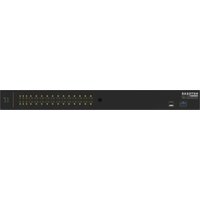
| Ports | 24 x 10/100/1000Base-T PoE++ and 4 x 10G SFP+ |
| PoE Standard | IEEE 802.3bt (PoE++) |
| PoE Power Budget | 720W |
| Switching Capacity | 128 Gbps |
| Forwarding Rate | 95.2 Mpps |
| MAC Address Table | 16K entries |
| VLAN Support | IEEE 802.1Q (up to 1024 VLANs) |
| Layer 2 Management | Yes |
| Dimensions | 440 x 350 x 43.2 mm |
| Weight | 5.6 kg |
| Power Supply | Internal 100-240V AC, 50/60Hz |
| Mounting | Rack mountable (1U) |
| Operating Temperature | 0°C to 50°C |
| Operating Humidity | 10% to 90% (non-condensing) |
| Safety Certifications | UL, CE, FCC |
| Maintenance | Clean with dry cloth; avoid liquids |
| Repairability | Spare parts available from NETGEAR |
| Warranty | Limited lifetime warranty |
Frequently Asked Questions - M4250-26G4F-PoE++ NETGEAR
How many PoE++ ports does the NETGEAR M4250-26G4F-PoE++ have?
It has 24 PoE++ ports that deliver up to 90W per port, ideal for high-power devices like PTZ cameras and access points.
What is the total PoE power budget of this switch?
The switch provides a total PoE power budget of 720W, ensuring ample power for multiple connected devices.
Can the 10G SFP+ ports be used for uplinks?
Yes, the 4 SFP+ ports support 10G fiber connections for high-speed backbone links and network aggregation.
Does this switch support VLAN configuration?
Yes, it supports IEEE 802.1Q VLANs, enabling network segmentation for improved security and performance.
What is the switching capacity of the M4250-26G4F-PoE++?
The switch offers a non-blocking switching capacity of 128 Gbps, handling heavy traffic effectively.
Is the switch suitable for rack mounting?
Absolutely, it is 1U rack mountable and includes mounting brackets for standard 19-inch racks.
What is the operating temperature range for this device?
The switch operates safely within a range of 0°C to 50°C (32°F to 122°F).
How should I maintain and clean the switch?
Use a soft dry cloth to clean the exterior. Avoid liquid cleaners and ensure proper ventilation around the unit.
Does NETGEAR offer a warranty for this product?
Yes, NETGEAR typically provides a limited lifetime warranty covering hardware defects.
How can I configure the switch?
The switch can be managed via a web-based interface, CLI, or SNMP, offering flexible network management options.
User questions about M4250-26G4F-PoE++ NETGEAR
0 question about this device. Answer the ones you know or ask your own.
Ask a new question about this device
No questions yet. Be the first to ask one.
Download the instructions for your Switch in PDF format for free! Find your manual M4250-26G4F-PoE++ - NETGEAR and take your electronic device back in hand. On this page are published all the documents necessary for the use of your device. M4250-26G4F-PoE++ by NETGEAR.
USER MANUAL M4250-26G4F-PoE++ NETGEAR

Manual assistant
Powered by Anthropic
Waiting for your message
Product information
Brand : NETGEAR
Model : M4250-26G4F-PoE++
Category : Switch