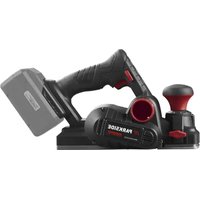
PTPK 400 C1 - Drill PARKSIDE - Free user manual and instructions
Find the device manual for free PTPK 400 C1 PARKSIDE in PDF.


Pick your language and provide your email: we'll send you a specifically translated version.
| Product Type | Corded Impact Drill |
| Model | PTPK 400 C1 |
| Brand | Parkside |
| Rated Power | 400 W |
| Rated Voltage | 220-240 V ~ 50 Hz |
| No-Load Speed | 0-2600 rpm |
| Impact Rate | 0-41600 bpm |
| Chuck Type | Keyless metal chuck |
| Chuck Capacity | 1.5-10 mm |
| Drilling Capacity in Wood | 25 mm |
| Drilling Capacity in Steel | 10 mm |
| Drilling Capacity in Concrete | 12 mm |
| Forward/Reverse | Yes |
| Variable Speed Control | Electronic stepless |
| Torque Settings | 20+1 |
| Power Cable Length | 2 m |
| Protection Class | II |
| Weight | 1.5 kg |
| Dimensions (L x W x H) | 24.5 x 19.5 x 6.5 cm |
| Additional Features | LED worklight, auxiliary handle, depth stop |
| Cleaning and Maintenance | Wipe with dry cloth, keep air vents clean |
| Spare Parts Availability | Replacement chuck, carbon brushes, switches |
| Certifications | GS, CE |
Frequently Asked Questions - PTPK 400 C1 PARKSIDE
How do I change the drill bit on the Parkside PTPK 400 C1?
The drill features a keyless metal chuck. Simply loosen the chuck by turning it counterclockwise, insert the bit, and tighten clockwise to secure.
Can this drill be used on concrete and masonry?
Yes, the impact mode is designed for concrete and masonry. Set the selector to percussion and use a masonry bit for best results.
What is the maximum drilling depth in wood and steel?
The maximum drilling capacity is 25 mm in wood and 10 mm in steel. Always use the appropriate speed and apply steady pressure.
How can I clean the PTPK 400 C1?
Disconnect the drill from the power supply before cleaning. Wipe the exterior with a soft, dry cloth and ensure the ventilation slots are free of dust.
Is an auxiliary handle included with this model?
Yes, the PTPK 400 C1 comes with an auxiliary handle that improves control during heavy-duty drilling. It can be mounted on either side.
How do I set the correct speed for screwing?
Use the torque adjustment ring to set a low torque for screws to avoid overtightening. Start with a low setting and increase as needed.
What should I do if the drill sparks excessively?
Excessive sparking may indicate worn carbon brushes. Stop using the drill and take it to a qualified service center to inspect or replace the brushes.
Can I use the LED worklight in dark areas?
Yes, the integrated LED worklight illuminates the work area automatically when the trigger is pressed, making it easy to drill in low-light conditions.
How should I store the drill after use?
Store the drill in a dry, clean place at room temperature. Avoid exposing it to moisture or extreme heat to prolong its lifespan.
Are spare parts available for this Parkside drill?
Yes, spare parts such as the chuck, carbon brushes, and power switch can be ordered through Parkside service centers or authorized dealers.
User questions about PTPK 400 C1 PARKSIDE
0 question about this device. Answer the ones you know or ask your own.
Ask a new question about this device
No questions yet. Be the first to ask one.
Download the instructions for your Drill in PDF format for free! Find your manual PTPK 400 C1 - PARKSIDE and take your electronic device back in hand. On this page are published all the documents necessary for the use of your device. PTPK 400 C1 by PARKSIDE.
USER MANUAL PTPK 400 C1 PARKSIDE


Manual assistant
Powered by Anthropic
Waiting for your message
Product information
Brand : PARKSIDE
Model : PTPK 400 C1
Category : Drill