
TUNESYNC POUR IPOD #F5U255EA - IPod audio accessories BELKIN - Free user manual and instructions
Find the device manual for free TUNESYNC POUR IPOD #F5U255EA BELKIN in PDF.


User questions about TUNESYNC POUR IPOD #F5U255EA BELKIN
0 question about this device. Answer the ones you know or ask your own.
Ask a new question about this device
Download the instructions for your IPod audio accessories in PDF format for free! Find your manual TUNESYNC POUR IPOD #F5U255EA - BELKIN and take your electronic device back in hand. On this page are published all the documents necessary for the use of your device. TUNESYNC POUR IPOD #F5U255EA by BELKIN.
USER MANUAL TUNESYNC POUR IPOD #F5U255EA BELKIN
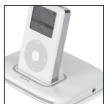
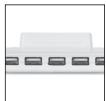
Charge, sync, and listen to your iPod while connecting up to 5 USB devices to your computer
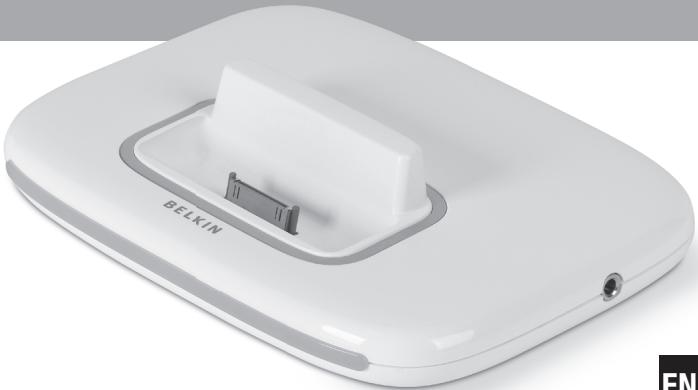
natural_image
White electronic device labeled 'BELKIN' with a gray internal component, shown against a plain background (no text or symbols on the device itself)
For:
iPod 5G (video), 4G, 3G, mini, photo and nano
User Manual
Charge, sync, and listen to your iPod while connecting up to 5 USB devices to your computer
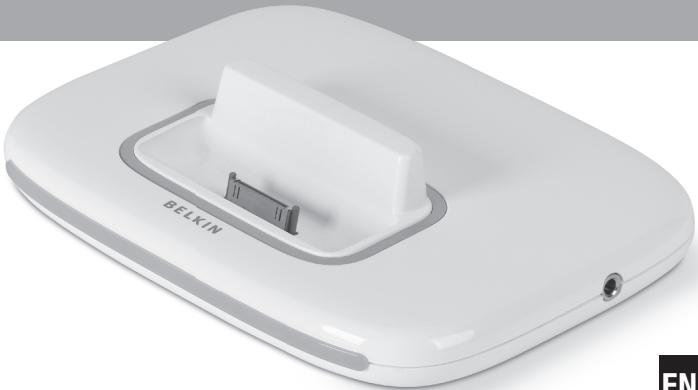
natural_image
White electronic device labeled 'BELKIN' with a gray internal component, shown against a plain background (no text or symbols on the device itself)EN

For:
iPod 5G (video), 4G, 3G, mini, photo and nano
User Manual
F5U255ea

Table of Contents
Introduction 01
Benefits 02
Specifications 02
System Requirements 03
Package Contents 03
Technical Specifications 04
Installation 05
PC Users 05
Mac Users 06
Setting up your iPod 07
Connecting your iPod 08
Disconnecting your iPod....09
Charging your iPod 10
Battery States....10
Information....11

EN

Introduction
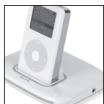
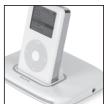
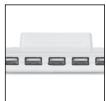
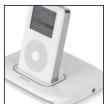
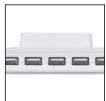
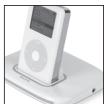
Congratulations and thank you for purchasing TuneSync for iPod. The latest innovation from USB leader Belkin integrates an iPod dock with a five-port USB 2.0 hub. With its slim and elegant design and top-load dock, this product saves valuable desktop space. It adds a convenient stereo-out jack that lets you listen to your music by connecting your stereo, powered speakers, or headphones while the iPod charges. With nine dock adapters, TuneSync works with the 10, 15, 20, 30, 40, and 60GB iPod as well as the mini and photo.
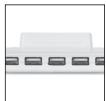
Designed to work seamlessly with all your USB 1.1 and USB 2.0 devices, the Belkin TuneSync for iPod lets you connect up to five USB 2.0 devices such as your printer, scanner, hard drive, digital camera, thumb drive, media readers, and more to your computer. LEDs monitor your device activity for master power status and port activity.
This hub also implements the new “Quad TT” architecture. Simply stated, when connected to a USB 2.0 host controller, each of the hub’s five downstream ports deliver a full 12Mbps of USB bandwidth for low- and full-speed devices while still providing total support for high-speed devices. This is especially important when connecting multiple, bandwidth-intensive, full-speed devices such as USB webcams, speakers, scanners, and external storage devices.
Introduction
| 1

EN
Introduction
Benefits
• Charges and syncs your iPod or iPod mini, or photo, nano or video
- Includes a stereo-out jack ideal for connecting your stereo, powered speakers, or headset
• Integrates iPod charging dock with a 5-port USB 2.0 hub
• Features a compact slim-line design
Specifications
• Supports charge function for iPod 3G, 4G, 5G (video), mini, nano and photo (compatibility with any size iPod that has a docking connector on the bottom)
• Compliant with Universal Serial Bus Specification 2.0 (data rate 1.5/12/480Mbps)
• Advanced Quad TT architecture for low- and full-speed devices
• Backward-compatible with Universal Serial Bus Specification 1.1 (data rate 1.5/12Mbps)
• Compatible with Windows ^® 98 SE, Me, 2000, and XP
• Approved by USB Implementers Forum (USB-IF)
• Support for Plug-and-Play specifications
• Support for "hot swapping" of USB devices
• Over-current detection and protection
• Individual Port-Status Indicator LEDs
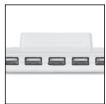
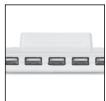
• 5 horizontally mounted 480Mbps downstream ports
• One iPod charging port
Introduction
| 2
Introduction
System Requirements
PC Users
- Pentium® processor-based computer with available USB 2.0 or USB 1.1 port
• Windows 98 SE, Me, 2000, and XP
Mac® Users
- Supports Hi-Speed USB 2.0 mode (480Mbps) on Apple® computers that are factory-equipped with USB 2.0-compliant ports; or on other Mac computers equipped with a USB 2.0 upgrade card
Note: Mac OS ^® versions prior to X v10.2.7 support only low- and full-speed modes. Mac OS X v10.2.7 (and above) supports low-, full-, and Hi-Speed USB 2.0 modes.
Package Contents
- TuneSync for iPod
• 9 Dock Adapters
• Power Adapter - USB Device Cable
- User Manual
Introduction
3

EN
Introduction
Technical Specifications
| Upstream Ports: | 1 |
| Downstream Ports: | 5 |
| iPod Charge Dock | 9 options |
| Per-Port Voltage: | DC +5V |
| Per-Port Current: | 500mA (max) |
| Power Mode: | Self-powered |
| Operating Temperature: | 5^ 40^ |
| Storage Temperature: | -20^ 60^ |
| Enclosure: | ABS |
| Power Supply: | Output: | DC 10V, 2A |
| Plug Size: | 3.5mm (outer) | |
| 1.0mm (center) | ||
| Plug Polarity: | Center Positive |
EN
Main Power LED
| Color Definitions | Off: | Not Operational |
| Red: | Operational |
Port-Status LED
| Color Definitions | Off: | Over Current Condition |
| Green: | Fully Operational | |
| Blue: | iPod is on |
Introduction | 4


Installation
PC Users
IMPORTANT NOTE: Please do not connect any USB devices to the hub until instructed to do so in step 4 of this installation procedure.
- Plug the AC adapter into a wall outlet or surge protector. Plug the DC connector into the DC power jack found on the rear of the hub.
- Plug the flat end (USB A connector) of the provided USB device cable into the downstream port of your computer or downstream port of another hub. Then plug the square end (USB B connector) of the device cable into the upstream port on the rear of the hub.
Important Note: The hub must be connected to a USB 2.0-compliant host in order to function in Hi-Speed USB 2.0 mode (480Mbps data rate). If the hub is connected to a USB 1.1-compliant host, it will operate only in low-speed or full-speed mode (1.5Mbps/12Mbps).
- Windows will now detect your hub and install the required driver support. (The Windows "Install New Hardware Wizard" may prompt you to provide your Windows Installation CD to complete the driver installation process.)
Important Note: High-speed hub drivers are included with most USB 2.0 PCI upgrade cards, and are preinstalled along with the PCI card drivers. If you purchased an upgrade card prior to the release of high-speed hub support, please check with your PCI card vendor for an updated USB 2.0 driver.
- Plug the USB A connector of the USB device, or an additional hub, into any of the downstream ports of the hub.
Important Note: When moving a device from one port on the hub to another, it may be necessary to reinstall the USB drivers for that device.
Installation

Installation
Mac Users
IMPORTANT NOTE: Please do not connect any USB devices to the hub until instructed to do so in step 3 of this installation procedure.
- Plug the AC adapter into a wall outlet or surge protector. Plug the DC connector into the DC power jack found on the rear of the hub.
- Plug the flat end (USB A connector) of the provided USB device cable into the downstream port of your computer or downstream port of another hub. Then plug the square end (USB B connector) of the device cable into the upstream port on the rear of the hub.
- Attach a USB 2.0 or 1.1 device to the hub and begin using it.
Note: The hub must be connected to a USB 2.0-compliant host in order to function in Hi-Speed USB 2.0 mode (480Mbps data rate). If the hub is connected to a USB 1.1-compliant host, it will operate only in low- and full-speed mode (1.5Mbps/12Mbps).
EN
Installation
Setting up your iPod
iPod works with the iTunes ^® music software included on the iPod CD. Use iTunes to import songs from your CD or digital music collection to your computer, or use the iTunes Music Store (available in some countries only) to purchase songs and download them to your computer. Then organize the songs and transfer them to your iPod.
To set up your iPod, charge the battery, install software from the iPod CD, and import songs from your music CD collection to your computer. Then, just transfer the songs to your iPod and start listening to music.
Step 1: Charge your Battery
Connect your iPod to the iPod power adapter using the iPod dock connector-to-FireWire cable. You can also use the TuneSync to charge your iPod without connecting the TuneSync to your computer.
Step 2: Install the Software
Insert the iPod CD into your computer and install iTunes and the iPod software.
Step3: Import Music to your Computer
Note: Please refer to your iPod user manual on "Learning to Use iPod" for more information on playing music and using some of its features; also see "Using iPod".
EN
Setting up your iPod
|7
Setting up your iPod
Connecting your iPod
TuneSync holds your iPod upright as it charges or transfers music. Using TuneSync, you can play music from your iPod over external powered speakers or a home stereo. You need an audio cable with a standard 3.5mm stereo mini plug (many external speakers already have this type of cable attached).
- Before you dock your iPod, install the proper insert into the dock on the front of the hub. Then you can plug in your iPod.
Installing the proper insert:
- Check the bottom of each insert for the label that identifies your iPod player's generation type and memory size.
- Place the insert into the dock.
-
Press on both sides to ensure it sits firmly in place.
-
After doing so, simply place your iPod into the dock.
Note: Orient the connectors on the dock and your iPod correctly—the iPod should face forward. Each connector can only be inserted one way.
Note: TuneSync will charge your iPod while your iPod is in the dock
- A blue status LED will light once you have docked your iPod and your computer recognizes it.
- You are now ready to play or transfer music to and from your iPod.
Setting up your iPod
Setting up your iPod
Disconnecting your iPod
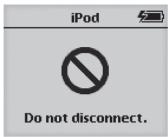
Never disconnect your iPod while music is being transferred. You can easily see if it's OK to disconnect your iPod by looking at the screen.
- If you see the main menu or a large battery icon, you can disconnect the iPod from your computer.
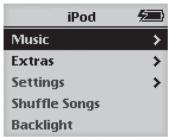
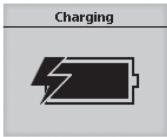
- If you see the "Do not disconnect" message, eject your iPod before disconnecting it from your computer.
To eject your iPod:
• On a Mac computer:
- Select your iPod in the iTunes "Source" list and click the "Eject" button.
- You can also eject your iPod by dragging the iPod icon on the desktop to the trash.
• On a Windows PC:
- Click the "Safely Remove Hardware" icon in the Windows system tray and select your iPod.
Setting up your iPod
|9
Setting up your iPod
Charging your iPod
Your iPod has an internal, non removable battery. If your iPod isn't used for a while, the battery may need to be charged.
The iPod battery is 80-percent charged in about an hour, and fully charged in about four hours. If you charge the iPod while transferring files or playing music, it may take longer.
If the battery icon in the upper-right corner of the iPod screen shows a lightning bolt, the battery is charging.
Battery States
When the iPod is not connected to a power source, a battery icon in the top-right corner of the iPod screen shows about how much charge is left.

Battery about halfway charged
If iPod is connected to a power source, the battery icon animates to show that the battery is charging.
EN

Battery charging
If you connect iPod to a power source and the battery icon does not animate, the battery is fully charged.

Battery fully charged
You can disconnect and use iPod before it is fully charged.
Note: Rechargeable batteries have a limited number of charge cycles and may eventually need to be replaced. Battery life and number of charge cycles vary by use and settings. For more information, go to www.apple.com/batteries.
Setting up your iPod
10

DECLARATION OF CONFORMITY WITH FCC RULES FOR ELECTROMAGNETIC COMPATIBILITY
We, Belkin Corporation, of 501 West Walnut Street, Compton, CA 90220, declare under our sole responsibility that the product:
F5U255ea
to which this declaration relates:
Complies with Part 15 of the FCC Rules. Operation is subject to the following two conditions: (1) this device may not cause harmful interference, and (2) this device must accept any interference received, including interference that may cause undesired operation.
FCC Statement
CE Declaration of Conformity
We, Belkin Corporation, declare under our sole responsibility that the F5U255ea, to which this declaration relates, is in conformity with Generic Emissions Standard EN 55022:1998 Class B, EN50081-1 and with Generic Immunity Standard EN50082-1 1992.
Belkin Corporation Limited Lifetime Product Warranty
Belkin Corporation warrants this product against defects in materials and workmanship for its lifetime. If a defect is discovered, Belkin will, at its option, repair or replace the product at no charge provided it is returned during the warranty period, with transportation charges prepaid, to the authorized Belkin dealer from whom you purchased the product. Proof of purchase may be required.
This warranty does not apply if the product has been damaged by accident, abuse, misuse, or misapplication; if the product has been modified without the written permission of Belkin; or if any Belkin serial number has been removed or defaced.
THE WARRANTY AND REMEDIES SET FORTH ABOVE ARE EXCLUSIVE IN LIEU OF ALL OTHERS, WHETHER ORAL OR WRITTEN, EXPRESSED OR IMPLIED, BELKIN SPECIFICALLY DISCLAIMS ANY AND ALL IMPLIED WARRANTIES, INCLUDING, WITHOUT LIMITATION, WARRANTIES OF MERCHANTABILITY AND FITNESS FOR A PARTICULAR PURPOSE.
No Belkin dealer, agent, or employee is authorized to make any modification, extension, or addition to this warranty.
BELKIN IS NOT RESPONSIBLE FOR SPECIAL, INCIDENTAL, OR CONSEQUENTIAL DAMAGES RESULTING FROM ANY BREACH OF WARRANTY, OR UNDER ANY OTHER LEGAL THEORY, INCLUDING BUT NOT LIMITED TO LOST PROFITS, DOWNTIME, GOODWILL, DAMAGE TO OR REPROGRAMMING OR REPRODUCING ANY PROGRAM OR DATA STORED IN OR USED WITH BELKIN PRODUCTS.
Some states do not allow the exclusion or limitation of incidental or consequential damages or exclusions of implied warranties, so the above limitations or exclusions may not apply to you. This warranty gives you specific legal rights, and you may also have other rights that vary from state to state.
Information
11

EN
BELKIN®
www.belkin.com
Belkin Ltd.
Express Business Park
Shipton Way, Rushden
NN10 6GL, United Kingdom
+44 (0) 1933 35 2000
+44 (0) 1933 31 2000 fax
Belkin B.V.
Boeing Avenue 333
1119 PH Schiphol-Rijk, The Netherlands
+31 (0) 20 654 7300
+31 (0) 20 654 7349 fax
Belkin GmbH
Hanebergstrasse 2
80637 Munich, Germany
+49 (0) 89 143405 0
+49 (0) 89 143405 100 fax
Belkin SAS
130 rue de Silly
92100 Boulogne Billancourt, France
+33 (0) 1 41 03 14 40
+33 (0) 1 41 31 01 72 fax
Belkin Tech Support
Europe: 00 800 223 55 460
© 2005 Belkin Corporation. All rights reserved.
All trade names are registered trademarks of respective manufacturers listed. iPod, iTunes, Mac OS, Mac, and Apple are trademarks of Apple Computer, Inc., registered in the U.S. and other countries.
P75016ea

BELKIN®

Made for
iPod
natural_image
White electronic device labeled 'BELKIN' with a gray internal component, shown against a plain background (no text or symbols on the device itself)
Pour :
Express Business Park
Shipton Way, Rushden
Assistance Technique Belkin
Europe : 00 800 223 55 460
Apple Computer, Inc.,
natural_image
White electronic device with a small internal component labeled 'BELKIN' (no additional text or symbols visible)

Für:
iPod 5G (video), 4G, 3G, mini, photo und nano
DE
Benutzerhandbuch
F5U255ea

Inhaltsverzeichnis
Einführung....01
Vorzüge 02
Express Business Park
Shipton Way, Rushden
natural_image
White electronic device with a small rectangular component and 'BELKIN' branding on the side (no other text or symbols visible)
Geschikt voor:
iPod 5G (video), 4G, 3G, mini, photo en nano
NL
Handleiding
F5U255ea

Inhoud
Inleiding....01
Productkenmerken 02
Beschrijving 02
Systeemvereisten 03
De iPod uitstoten:
Express Business Park
Shipton Way, Rushden
natural_image
White electronic device labeled 'BELKIN' with a gray internal component, shown against a plain background (no text beyond brand name)
Para:
iPod 5G (vídeo), 4G, 3G, mini, foto y nano
ES
Manual del usuario
F5U255ea

Express Business Park
Shipton Way, Rushden
natural_image
White electronic device with a small internal component labeled 'BELKIN' (no additional text or symbols visible)
Per:
iPod 5G (video), 4G, 3G, mini, photo e nano
Manuale utente
F5U255ea
IT

Indice
Introduzione....01
Vantaggi 02
Specifiche 02
Requisiti del sistema 03
Per estrarre l'iPod:
• Da un computer Mac:
Express Business Park
Shipton Way, Rushden
Express Business Park
Shipton Way, Rushden
NN10 6GL, United Kingdom
+44 (0) 1933 35 2000
+44 (0) 1933 31 2000 fax
Belkin B.V.
Boeing Avenue 333
1119 PH Schiphol-Rijk, The Netherlands
+31 (0) 20 654 7300
+31 (0) 20 654 7349 fax
Belkin GmbH
Hanebergstrasse 2
80637 Munich, Germany
+49 (0) 89 143405 0
+49 (0) 89 143405 100 fax
Belkin SAS
130 rue de Silly
92100 Boulogne Billancourt, France
+33 (0) 1 41 03 14 40
+33 (0) 1 41 31 01 72 fax
Belkin Tech Support
Europe: 00 800 223 55 460
© 2005 Belkin Corporation. All rights reserved.
All trade names are registered trademarks of respective manufacturers listed. iPod, iTunes, Mac OS, Mac, and Apple are trademarks of Apple Computer, Inc., registered in the U.S. and other countries.
P75016ea

- User Manual
- Table of Contents
- Introduction 01
- Installation 05
- Setting up your iPod 07
- Information....11
- Introduction
- Benefits
- Specifications
- System Requirements
- PC Users
- Mac® Users
- Package Contents
- EN
- Installation
- IMPORTANT NOTE: Please do not connect any USB devices to the hub until instructed to do so in step 4 of this installation procedure.
- Mac Users
- IMPORTANT NOTE: Please do not connect any USB devices to the hub until instructed to do so in step 3 of this installation procedure.
- Setting up your iPod
- Step 1: Charge your Battery
- Step 2: Install the Software
- Step3: Import Music to your Computer
- Connecting your iPod
- Installing the proper insert:
- Disconnecting your iPod
- To eject your iPod:
- Charging your iPod
- Battery States
- DECLARATION OF CONFORMITY WITH FCC RULES FOR ELECTROMAGNETIC COMPATIBILITY
- FCC Statement
- CE Declaration of Conformity
- Belkin Corporation Limited Lifetime Product Warranty
- BELKIN®
- Belkin Ltd.
- Belkin B.V.
- Belkin GmbH
- Belkin SAS
- Belkin Tech Support
- Assistance Technique Belkin
- Benutzerhandbuch
- Inhaltsverzeichnis
- Einführung....01
- Geschikt voor:
- Handleiding
- Inhoud
- Inleiding....01
- De iPod uitstoten:
- Para:
- Manual del usuario
- Per:
- Manuale utente
- Indice
- Introduzione....01
- Vantaggi 02
- Per estrarre l'iPod:
Brand : BELKIN
Model : TUNESYNC POUR IPOD #F5U255EA
Category : IPod audio accessories