
PROFESSIONAL SERIES GOLD AX750 80PLUS GOLD, PROFESSIONAL SERIES GOLD AX750 80PLUS GOLD, PROFESSIONAL SERIES GOLD AX850 80PLUS GOLD - PC Power Supply CORSAIR - Free user manual and instructions
Find the device manual for free PROFESSIONAL SERIES GOLD AX750 80PLUS GOLD, PROFESSIONAL SERIES GOLD AX750 80PLUS GOLD, PROFESSIONAL SERIES GOLD AX850 80PLUS GOLD CORSAIR in PDF.



| Product Type | PC Power Supply |
| Brand | Corsair |
| Models | AX750 (750W) and AX850 (850W) |
| Energy Certification | 80 PLUS Gold |
| Rated Power | 750 W (AX750) / 850 W (AX850) |
| Maximum Efficiency | Up to 90% at 50% load |
| Form Factor | ATX |
| Dimensions (approx.) | 150 x 86 x 160 mm |
| Cabling | Fully Modular |
| Fan | Silent 140 mm dual ball bearing |
| Single +12V Rail | Yes, for maximum compatibility |
| Built-in Protections | Overvoltage, overload, undervoltage, short circuit |
| Capacitors | Japanese high quality |
| AC Input | Universal 90-264 V |
| Supported Standards | ATX12V 2.31, EPS12V 2.92, backward compatible ATX12V 2.2/2.01 |
| Main Connectors | 1x ATX 24-pin, 2x EPS12V 8-pin, 4x PCI-E, 2-4x SATA, 2x peripheral |
| Warranty | 7 years |
| Technical Support | Lifetime |
| Approvals | CE, UL, TUV, CCC, BSMI, GOST-R |
| Recommended Maintenance | Regular dusting of grilles and fan |
Frequently Asked Questions - PROFESSIONAL SERIES GOLD AX750 80PLUS GOLD, PROFESSIONAL SERIES GOLD AX750 80PLUS GOLD, PROFESSIONAL SERIES GOLD AX850 80PLUS GOLD CORSAIR
User questions about PROFESSIONAL SERIES GOLD AX750 80PLUS GOLD, PROFESSIONAL SERIES GOLD AX750 80PLUS GOLD, PROFESSIONAL SERIES GOLD AX850 80PLUS GOLD CORSAIR
0 question about this device. Answer the ones you know or ask your own.
Ask a new question about this device
Download the instructions for your PC Power Supply in PDF format for free! Find your manual PROFESSIONAL SERIES GOLD AX750 80PLUS GOLD, PROFESSIONAL SERIES GOLD AX750 80PLUS GOLD, PROFESSIONAL SERIES GOLD AX850 80PLUS GOLD - CORSAIR and take your electronic device back in hand. On this page are published all the documents necessary for the use of your device. PROFESSIONAL SERIES GOLD AX750 80PLUS GOLD, PROFESSIONAL SERIES GOLD AX750 80PLUS GOLD, PROFESSIONAL SERIES GOLD AX850 80PLUS GOLD by CORSAIR.
USER MANUAL PROFESSIONAL SERIES GOLD AX750 80PLUS GOLD, PROFESSIONAL SERIES GOLD AX750 80PLUS GOLD, PROFESSIONAL SERIES GOLD AX850 80PLUS GOLD CORSAIR
PROFESSIONAL SERIES™ GOLD
AX650
AX750
AX850
AX1200
ATX POWER SUPPLY
MANUAL · MANUEL · MANUALE · MANUELLE
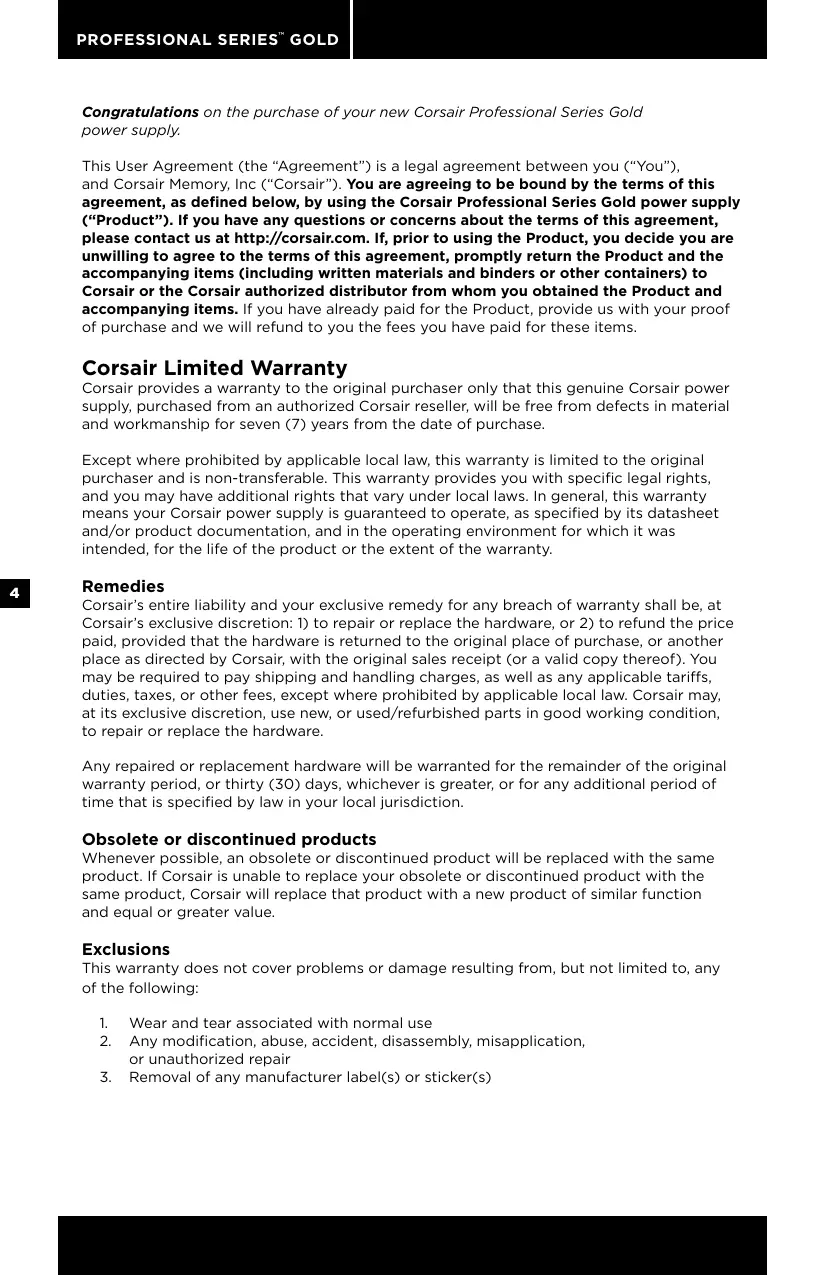
Congratulations on the purchase of your new Corsair Professional Series Gold power supply.
This User Agreement (the "Agreement") is a legal agreement between you ("You"), and Corsair Memory, Inc ("Corsair"). You are agreeing to be bound by the terms of this agreement, as defined below, by using the Corsair Professional Series Gold power supply ("Product"). If you have any questions or concerns about the terms of this agreement, please contact us at http://corsair.com. If, prior to using the Product, you decide you are unwilling to agree to the terms of this agreement, promptly return the Product and the accompanying items (including written materials and binders or other containers) to Corsair or the Corsair authorized distributor from whom you obtained the Product and accompanying items. If you have already paid for the Product, provide us with your proof of purchase and we will refund to you the fees you have paid for these items.
Corsair Limited Warranty
Corsair provides a warranty to the original purchaser only that this genuine Corsair power supply, purchased from an authorized Corsair reseller, will be free from defects in material and workmanship for seven (7) years from the date of purchase.
Except where prohibited by applicable local law, this warranty is limited to the original purchaser and is non-transferrable. This warranty provides you with specific legal rights, and you may have additional rights that vary under local laws. In general, this warranty means your Corsair power supply is guaranteed to operate, as specified by its datasheet and/or product documentation, and in the operating environment for which it was intended, for the life of the product or the extent of the warranty.
Remedies
Corsair's entire liability and your exclusive remedy for any breach of warranty shall be, at Corsair's exclusive discretion: 1) to repair or replace the hardware, or 2) to refund the price paid, provided that the hardware is returned to the original place of purchase, or another place as directed by Corsair, with the original sales receipt (or a valid copy thereof). You may be required to pay shipping and handling charges, as well as any applicable tariffs, duties, taxes, or other fees, except where prohibited by applicable local law. Corsair may, at its exclusive discretion, use new, or used/refurbished parts in good working condition, to repair or replace the hardware.
Any repaired or replacement hardware will be warranted for the remainder of the original warranty period, or thirty (30) days, whichever is greater, or for any additional period of time that is specified by law in your local jurisdiction.
Obsolete or discontinued products
Whenever possible, an obsolete or discontinued product will be replaced with the same product. If Corsair is unable to replace your obsolete or discontinued product with the same product, Corsair will replace that product with a new product of similar function and equal or greater value.
Exclusions
This warranty does not cover problems or damage resulting from, but not limited to, any of the following:
- Wear and tear associated with normal use
- Any modification, abuse, accident, disassembly, misapplication, or unauthorized repair
-
Removal of any manufacturer label(s) or sticker(s)
-
Any improper operation, including any use not in accordance with any supplied product instructions
- Connection to any improper voltage supply
- Use of consumables, such as replacement batteries, not supplied by Corsair, except where such restriction is prohibited by applicable local law.
- Any other cause which does not relate to a product defect in materials or workmanship
Also excluded from this warranty are counterfeit products; that is, products that Corsair, at its sole discretion, determines were not manufactured by Corsair or any of its authorized manufacturing partners.
Limitation of liability
CORSAIR SHALL NOT BE LIABLE FOR ANY SPECIAL, INCIDENTAL, INDIRECT, OR CONSEQUENTIAL DAMAGES WHATSOEVER, INCLUDING BUT NOT LIMITED TO LOSS OF PROFITS, REVENUE, OR DATA (WHETHER DIRECT OR INDIRECT) OR COMMERCIAL LOSS FOR BREACH OF ANY EXPRESS OR IMPLIED WARRANTY ON YOUR PRODUCT EVEN IF CORSAIR HAS BEEN ADVISED PREVIOUSLY OF THE POSSIBILITY OF SUCH DAMAGES. Some local laws do not allow the exclusion or limitation of special, indirect, incidental or consequential damages, so this limitation or exclusion may not apply in your jurisdiction.
Duration of implied warranties
EXCEPT AS PROHIBITED BY APPLICABLE LAW, ANY IMPLIED WARRANTY OR CONDITION OF MERCHANTABILITY OR FITNESS FOR A PARTICULAR PURPOSE ON THIS HARDWARE PRODUCT IS LIMITED IN DURATION TO THE DURATION OF THE APPLICABLE LIMITED WARRANTY PERIOD FOR YOUR PRODUCT. Some local laws do not allow limitations on how long an implied warranty may last, so this limitation may not apply in your jurisdiction.
National statutory rights
Consumers may have legal rights under applicable national legislation governing the sale of consumer goods. Such rights are not affected by the warranties in this Limited Warranty.
No other warranties
No Corsair employee, dealer, or other agent is authorized to make any modification, extension, or addition to this warranty.
How to make a warranty claim
Before submitting a warranty claim, we suggest you contact our technical support group or visit corsair.com and review the support section for technical assistance. A simple fix for your problem may be found there.
Generally, valid warranty claims should be processed through your original point of purchase during the first thirty (30) days after purchase. This period may vary depending on where you purchased your product; please verify the return policy with the retailer where you purchased your product. Any warranty claims that cannot be processed through your original point of purchase should be addressed directly to Corsair. Our customer service contact information can be found on the web at corsair.com/contact or in the documentation included with your product.
Introduction: Ideal for high-performance PCs Unprecedented power protection
The Corsair Professional Series Gold power supply pushes the state of the art for reliable delivery of clean power under imperfect conditions. If you require mission-critical stability or you simply want one of the best power supplies available, the Professional Series Gold is for you.
A true modular cabling system
All cables detach from the power supply. During installation, this gives you the flexibility of using only the cables you need for a clean system build with optimal airflow. And, when it's time to replace or upgrade your power supply, it can be removed from your system without interfering with your cabling - the cables stay in place and connect to your new fully-modular Corsair power supply.
Incredible efficiency
With 90% efficiency at 50% load, the Corsair Professional Series Gold power supply runs quieter, generates minimal excess heat, and saves you money every month. It's earned the 80 Plus* Gold seal of approval, your guarantee that you're making the right choice for smart, efficient power delivery.
Corsair Advantages
Your Corsair Professional Series Gold power supply is packed with the latest technology and features:
It supports the latest ATX12V 2.31 and EPS 2.92 standards and is backward compatible with ATX12V 2.2 and ATX12V 2.01 systems.
- An ultra-quiet double ball-bearing fan delivers excellent airflow at an exceptionally low noise level by varying fan speed in response to temperature.
- Up to 90% energy efficiency at real world load conditions means less heat generation and lower energy bills.
0.99 Active Power Factor Correction provides clean and reliable power.
Universal AC input from 90-264V. No more hassle of flipping that tiny red switch to select the voltage input!
- A dedicated single +12V rail offers maximum compatibility with the latest components.
- Over-voltage and over-power protection, under-voltage protection, and short circuit protection provide maximum safety to your critical system components.
- High-quality Japanese capacitors provide uncompromised performance and reliability.
- The completely modular cable system allows you to use only the cables you need. Power supply upgrade and replacement is easy, as the cables only need to be disconnected at the power supply.
- Low-profile, flat cable design reduces air friction and helps maximize airflow through your computer's chassis.
- A Seven year warranty and lifetime access to Corsair's legendary technical support and customer service.
Power supply specifications
Dimensions:
AX650/750/850: 150mm (W) x 86mm (H) x 160mm (L);
AX1200: 150mm (W) × 86mm (H) × 200mm (L);
MTBF: 100,000 hours
| MODEL | AX650 | AX750 | AX850 | AX1200 | ||||
| AC INPUT RATING | ||||||||
| AC INPUT | 90-264V | |||||||
| INPUT CURRENT | 8-4A | 9-4.5A | 10-5A | 15A | ||||
| FREQUENCY | 50Hz~60Hz | |||||||
| DC OUTPUT RATING | ||||||||
| Max Load | Max output | Max Load | Max output | Max Load | Max output | Max Load | Max output | |
| +3.3V | 25A | 125W | 25A | 125W | 25A | 125W | 30A | 180W |
| +5V | 25A | 25A | 25A | 30A | ||||
| +12V | 54A | 648W | 62A | 744W | 70A | 840W | 100.4A | 1204.8W |
| -12V | 0.5A | 6W | 0.5A | 6W | 0.5A | 6W | 0.8A | 9.6W |
| +5VSB | 3A | 15W | 3A | 15W | 3A | 15W | 3.5A | 17.5W |
| TOTAL POWER | 650W | 750W | 850W | 1204.8W | ||||
Package contents
- Corsair Professional Series Gold power supply unit
AC power cord
Cable ties
Mounting screws
Corsair cable configuration
| MODEL | AX650 | AX750 | AX850 | AX1200 | ||||
| ATX CABLE (24-PIN) | Qty. | 1 | 1 | 1 | 1 | |||
| Connectors per cable | 1 | 1 | 1 | 1 | ||||
| Length | 610mm ± 25mm | 610mm | 610mm | 610mm | ||||
| EPS12V CPU CABLE (8-PIN) | Qty. | 1 | 2 | 2 | 2 | |||
| Connectors per cable | 1 | 1 | 1 | 1 | ||||
| Length | 650mm ± 25mm | 650mm | 650mm | 610mm | ||||
| PCI-E CABLE | Qty. | 4 | 4 | 4 | 6 | |||
| Connectors per cable | 1 | 1 | 1 | 1 | ||||
| Length | 600mm ± 25mm | 600mm | 600mm | 610mm | ||||
| SATA CABLE | Qty. | 2 | 2 | 2 | 2 | 2 | 3 | 2 |
| Connectors per cable | 4 | 4 | 2 | 4 | 2 | 4 | 2 | |
| Length | 850mm ± 25mm | 850mm | 550mm | 850mm | 550mm | 750mm | 500mm | |
| PERIPH-ERAL CABLE | Qty. | 2 | 2 | 2 | 3 | |||
| Connectors per cable | 4 | 4 | 4 | 4 | ||||
| Length | 850mm ± 25mm | 850mm | 850mm | 750mm | ||||
| FLOPPY ADAPTER | Qty. | 2 | 2 | 2 | 2 | |||
| Connectors per cable | 1 | 1 | 1 | 1 | ||||
| Length | 101mm ± 5mm | 101mm | 101mm | 101mm | ||||
Notes:
- Floppy connectors are attached to the end of the peripheral cable.
- The ATX power connector has a detachable 4-pin mechanism in order to support either a 24-pin or a 20-pin socket on the motherboard.
- The EPS12V power connector has a detachable 4-pin mechanism in order to support either an 8-pin socket or a 4-pin "P4/12V" socket on the motherboard.
Installation
Before proceeding with installation, please read this manual in its entirety.
Step A: Removing your existing power supply
If you are building a new system, skip to Step B.
- Disconnect the AC power cord from your wall outlet or UPS and from the existing power supply.
- Disconnect all the power cables from your video card, motherboard and all other peripherals.
- Follow the directions in your chassis manual and uninstall your existing power supply.
- Proceed to Step B.
Step B: Installing the Corsair Professional Series Gold power supply
- Make sure the power supply's AC power cable is not connected.
- Follow the directions in your chassis manual and install the power supply with the screws provided.
- Connect the main 24-pin power cable. The main 24-pin power cable has a detachable 4-pin mechanism in order to support either a 24-pin or a 20-pin socket on the motherboard.
a. If your motherboard has a 24-pin socket, you may connect the 24-pin main power cable from the power supply directly to your motherboard.
b. If your motherboard has a 20-pin socket, you must detach the 4-pin cable from the 24-pin connector, and then plug the 20-pin cable onto your motherboard without connecting the 4-pin connector.
- Connect the 8-pin +12V (EPS12V) cable.
a. If your motherboard has an 8-pin +12V socket, connect the 8-pin cable directly to your motherboard.
b. If your motherboard has a 4-pin socket, detach the 4-pin from the 8-pin cable, and then plug this 4-pin cable directly to your motherboard.
WARNING: The detachable 4-pin from the 24-pin main connector is not a "P4" or "+12V" connector. Serious damage can be caused if you use it in place of a "P4" or "+12V" connector.
- Connect the peripheral cables, PCI-Express cables, and SATA cables.
a. Connect the peripheral cables to your hard drive and CD-ROM/DVD-ROM power sockets.
b. Connect the SATA cables to your SATA SSD or hard drive's power sockets.
c. Connect the PCI-Express cables to the power sockets of your PCI-Express video cards if required.
d. Connect the peripheral cables to any peripherals requiring a small 4-pin connector.
e. Make sure all the cables are tightly connected.
- Connect the AC power cord to the power supply and turn it on by pushing the switch to the ON position (marked with "I").
Congratulations! You have completed installation of your new Corsair Professional Series Gold power supply and your system is ready to go!
Important Safety Information CAUTION ELECTRIC SHOCK HAZARD!

- Install in accordance with all manufacturer instructions and safety warnings. Failure to do so may result in damage to your power supply or system, and may cause serious injury or death.
- High voltages are present in the power supply. Do not open the power supply case or attempt to repair the power supply; there are no user-serviceable components.
- This product is designed for indoor use only.
- Do not use the power supply near water, or in high temperature or high humidity environments.
- Do not install near any heat sources such as radiators, heat registers, stoves, or other apparatus that produce heat.
- Do not insert any objects into the open ventilation or fan grill area of the power supply.
- Do not modify the cables and/or connectors included with this power supply.
- If this power supply uses modular cables, use only manufacturer supplied cables. Other cables might not be compatible and could cause serious damage to your system and power supply.
- The 24-pin main power connector has a detachable 4-pin connector. This 4-pin connector is not a P4 or ATX 12V connector. Do not force this cable in the P4 or ATX +12V socket on the motherboard.
- Failure to comply with any manufacturer instructions and/or any of these safety instructions will immediately void all warranties and guarantees.
Safety and Agency Approvals
FCC FCC Rules Part 15, Class B
ICES ICES-003
CE EN 55022:2006 + A1:2007, Class B
EN61000-3-2:2006 Class D
EN61000-3-3: 1995 + A1:2001 + A2:2005
EN55024:1998 + A1:2001 + A2:2003
IEC61000-4-2:1995 + A1:1998 + A2:2000
IEC61000-4-3:2006
IEC61000-4-4:2004
IEC61000-4-5:2005
IEC61000-4-6:2003 + A1:2004 + A2:2006
IEC61000-4-8:1993 + A1:2000
IEC61000-4-11:2004
UL/CUL UL60950-1
CSA C22.2 NO.60950-1
C-TICK AS/NZS CISPR 22:2006, CLASS B
TUV EN 60950-1
CB IEC 60950-1
CCC GB4943
GB9254
GB17625.1
BSMI CNS14336
CNS13438
GOST R IEC 60950-1-2005
R 51318.22-99
R 51318.24-99
R 51317.3.2-2006
R 51317.3.3-99
ROHS 2002/95/EC, Restriction of Hazardous Substances Directive
2002/96/EC, Waste Electrical and Electronic Equipment Directive
ROHS China Order No.39, Administration on the Control of Pollution Caused By Electronic Information Products
(China)
AX650/750/850: 150 mm (l) × 86 mm (P) × 160 mm (L)
AX1200: 150 mm( I) × 86 mm( P) × 200 mm( L)
MTBF: 100,000 heures.
| MODELE | AX650 | AX750 | AX850 | AX1200 | ||||
| ENTRÉE CA NOMINALE | ||||||||
| ENTRÉE CA | 90-264V | |||||||
| COURANT D'ENTRÉE | 8-4A | 9-4.5A | 10-5A | 15A | ||||
| FRéQUENCY | 50Hz-60Hz | |||||||
| SORTIE CC NOMINALE | ||||||||
| Charge Maximale | Sortie Maximale | Charge Maximale | Sortie Maximale | Charge Maximale | Sortie Maximale | Charge Maximale | Sortie Maximale | |
| +3.3V | 25A | 125W | 25A | 125W | 25A | 125W | 30A | 180W |
| +5V | 25A | 25A | 25A | 30A | ||||
| +12V | 54A | 648W | 62A | 744W | 70A | 840W | 100.4A | 1204.8W |
| -12V | 0.5A | 6W | 0.5A | 6W | 0.5A | 6W | 0.8A | 9.6W |
| +5Vsb | 3A | 15W | 3A | 15W | 3A | 15W | 3.5A | 17.5W |
| PUISSANCE TOTALE | 650W | 750W | 850W | 1204.8W | ||||
ROHS 2002/95/EC, Restriction of Hazardous Substances Directive
WEEE 2002/96/EC, Waste Electrical and Electronic Equipment Directive
AX650/750/850: 150mm (B) x 86mm (H) x 160mm (L)
AX1200: 150mm (B) x 86mm (H) x 200mm (L)
ROHS China Order No. 39, ,Administration on the Control of Pollution
AX650/750/850: 150mm (A) x 86mm (A) x 160mm (F)
AX1200: 150mm (A) x 86mm (A) x 200mm (F)
Hn Ondn n3 cotpydnKOB, dInepeoB nIy nprynx areHTOB kOMpaHnn Corsair He nMeET nonHomOChn BHCOTb n3MeHeHn, paCunpeHn nn DoabaneHn B Hactoayu rapaHTnIO.
OtnpaBka Tpe6oBaHn no rapaHTnn
Ipepe OTnpaBko Tpe6oBaHn IIO rapaHTn Mbl peKomeHdyem Bam CBzA3bC C haWe cny6oB texHnuecko NpOePkN INI NOcETNb Be6-caIT corsair.com IN3yUHTb MaTePnaJIbI PO TexHnuecko pOdEeKke.Bo3MOxHNo,3TO NOMoXeT Bam hAIIN PpOCToe peSeHne Bo3HKnUePiO6JIeMbI.
Kak npabnlo, Tpe6obAHnno Iop rapaHTmI DOnJHKbI 6bIb O6pa6ToHb MeCTOM oprInHaJIbHOI npOdaJN npOyKaT B TeueHne NepBbIX 30 (Tpduatn) dHe n C MOMENTA npo6pTeHn. IpoJOnJXtEnbHOCTb 3TO npEPOJa MOpETa HMeHnTcB A3BaSCIMOCTN OT MCTa npNo6peTeHnnpOyKaT.Y3NaHTe Y npOdaBaP npAbaNl Bo3BpTa npOyKaT. Bce Tpe6obAHn no rapaHTn, KOTOpBie He mOryt b6bI np6a6ToHaB V MeCTe OpiRnHaBOH npOdaXn, DOnJHKbI 6bITb NepedaHb HENoCpeDCTBeHHo KOMMaHm Corsair. KOHTAKTHUo INHΦOpMaUHn HaWe cNyKbI npOderjKnn MoxHo Na HauTn Ha Be6-caite corsair.com/contact nIN B DOkUMeHTaUH N BaWemy npOdykTy.
BVeJeHne
Becnpepeendthna3auntaPiTaHnA
Cepn Corsair Professional Series Gold noDNHMaet NCKycsTBO NOdaHnaHaeXHOrO YCTORO nHTAHnI pR HEnJealbHbIX yCNOBIAx HA HOBYO BicOTy. EcnI Bam Heo6XoIMMa 6eKOMPnPoMnCCha CTaBNbHoct, INN BY pIOCTO XOTNE IMETb OINH 3I LyuYmX cyUeCTBlyuXh 6LOKOB nTaNHa, Corsair cepn Professional Series Gold -3TO 6NoK NTANHaJnBac.
Hactoaa Custema MoynbNx Ka6enei
B cepin Corsair Professional Series Gold BCE ka6eIM MOryT 6bITb OTcoEINHeHb OT bLOKa NITAHn. PnU yCTAHOBKe 6bOKa NITAHn 3TO DaET BAM HeO6XoDmYIO T6KoCTb NCN0B3OBAHn TOIbKO Tpe6yeMbx Ka6eNe i C6OpKn iJealbHOi CNCTeMb i COTIMaJIbHbIM BO3dyXOTOKOM. TaKKe, B cIyae 3aMeHb 6bOKa NITAHn, OH MOxet 6bITb I3BLeueH n3 CNCTeMb 6e3 Ka6eNe, KOTOpbl octAHyTCHa MeTe Ha MeTe IN MOryT 6bITb IOkNIOUeHb K BaWEmy HObOMY IOHOCTBIO MOdYbHOMY 6bOKy NITAHn Corsair.
HeBepoTHa3 0ΦΦeKtNBHOCTb
06ecneuBra 3ΦeKTHBcHbTb 90% npn 50% harpy3ke, bloKn PtTaHn Corsair cepn Professional Series Gold paOtaoT Tnue, npom3BoaT MeHbSe Tnna I KHOOMr BaAn DehBr Ot Mecua K MecaU. 3acnyKeHHa cerTpNkaucaIg «80 Plus Gold» - 3TO Ba7a rapaHTn npabInbHocTn Bblbopa CepE3Horo, 3ΦeKTHBOrO 6noka NtAHnA
PpenmyeCTBa 6JOKOB nHTaHna Corsair
Блok петань Corsair cepи Professional Series Gold co3dah Ha ochobe HOBENIX texhoolm n 6bnaet cambim COBepeHbIMn xapaKtepncTikamn.
- Пдержka НовшeroстадраТ ATX12V 2.31 n EPS12V 2.92 n o6paTHa COBmecTmOcTb C cnCTemAmn ATX12V 2.2 n ATX12V 2.01.
- Практуческ Бсесушимь BEHTДАТОР со сдбоевнIM NOДИПИНКOM и ретулроваимЕ чесla о6./mн.ВЗавICМССТОТ OT Temператы,об ecseпeвиBaOШи OTлчнь o6dYb пи ИСКЛЮЧЕТБИЗН ИЗ3КOM yPOBHE ушma.
- ΘΦΦeKTHBHOCTb Do 90% (πρι TINHΟΗ Ḥαργ3Ke) ΘΗΥaετ MeHbIe ΕηΠΟΒΙδηΕνη έ Μηθλθε ΕΗρροΝΟΤρεδηΕν έ
AKTINBHaKoppeKunFaKToPA MoUHocTn (APFC) C KOaΦmIeHTOM O.99, 06ecneuBaIoUaCTaBnIbHyIO NaJeKHyIO pOauy PntaHn. - YHnBepcaIbHaia noIepKka BxOndHoro HanpJxHeNHa: 90-264B. BolbWe HnKaKx KpaChbix nepeKJIouatenei!
- Bыдениная сенийшина петашия +12В дя мakсимально COBmectIMOCTN C HOBeшиMuKOMNoHEHTAMN.
MakImaHnA 3a6bNbHOCTb 3HePrcOHa6KHeHn KPIITUeCKn BaXhbIX C1CtEMbIX KOMNoHETOB, 3aUHTo OT PneBbIeHn HAprrKeHn IIN MOuHOCTn, NOHNKeHn HAprrKeHn IN KOPOTKO r3AmbKaHn. -
BbICOKOKaueCTBeHHbIe IyIOHCKne KOHNDeHcTaOpbl, O6ecNeuHbAlOuIe 6eCKOMnpOMnCCHyU HAdExJHOCTb I pON3BODInTeJIbHOCTb.
-
Понностью мodyльная ka6ьная систema пОЗВOLЯгET ИСПОЛьЗОВАТBJ TOnьКо TE Ka6ели, КOTорbie hyЖны Bam. Oсуцесвгьт bMOdeрнИЗAZUIO n 3aMeHy 6NoKa PITAHNЯ PpoSe, NOckOLbKy ka6elNi hyxHo OTcoeINHЯТBJ TOnьKO OT 6NoKa PITAHNЯ.
Hn3KoPpOΦnIbHbIyIaIh IINcKnx Ka6eJeYMeHb7aET Bo3dyuHoe CoNPOTNBLeHne, yTO PO3BOJlAET yLyUHHTb BO3dyXoo6MeH BHyTpN KOpNyCa BaWero KOMNbIoTepa.
CemnneTna rapaHTnI nOcTyN k ycnyram OTnUH O3apeKomeHDoBaWse c6e Cnyk6bI Texnuecko IIOdepxKn I NoclenpOaXHOrO 06cnykBaHm KOMnHaHn Corsair.
Texnueckne xapaktepnctmkn 6loka nntaHna
Pa3Mepbl:
AX650/750/850: 150mm (LJ) x 86mm (B) x 160mm (Γ)
AX1200: 150mm (L) x 86mm (B) x 200mm (Γ)
CpeHHeBpem8e30Tka3Ho npa60bI:100,000 yacOB
| MOДЕЛь | AX650 | AX750 | AX850 | AX1200 | ||||
| BXODHоI TOK (ПЕРМ.) | ||||||||
| BXODHоE HAПРЯЖЕНИ (ПЕРМ.) | 90-264Вt | |||||||
| BXOD.TOK | 8-4A | 9-4.5A | 10-5A | 15A | ||||
| ЧАСТОТА | 50Гц~60Гц | |||||||
| Быходнoi TOK (ПОCT.) | ||||||||
| MAК. HA附УЗКА | MAK. MOUПСТь | MAK. HA附Y3KA | MAK. MOUПСТь | MAK. HA附Y3KA | MAK. MOUПСТь | MAK. HA附Y3KA | MAK. MOUПСТь | |
| +3.3B | 25A | 125Вt | 25A | 125Вt | 25A | 125Вt | 30A | 18OBt |
| +5B | 25A | 25A | 25A | 30A | ||||
| +12B | 54A | 648Вt | 62A | 744Вt | 70A | 84OBt | 100.4A | 1204.8Вt |
| -12B | 0.5A | 6Вt | 0.5A | 6Вt | 0.5A | 6Вt | 0.8A | 9.6Вt |
| +5B (PE3EPВНА шINHA) | 3A | 15Вt | 3A | 15Вt | 3A | 15Вt | 3.5A | 17.5Вt |
| ПОЛHа MOUПСТь | 65OBt | 75OBt | 85OBt | 1204.8Вt | ||||
KomiJIeKtaIaIa
Блok петань сери Corsair сери Professional Series Gold
Ka6eIb nItaHnI nepeMeHHoro Toka
CTaKnIpaKa6eNei
MOHTIPOBOUHbIe 60JIbI
KoHnrgpauqna Ka6ene Corsair
Safety and Agency Approvals
FCC FCC规则第15部分,B类
ICES ICES-003
CE EN55022:2006+A1:2007,B类
EN61000-3-2:2006D类
EN61000-3-3: 1995 + A1:2001 + A2:2005
EN55024:1998 + A1:2001 + A2:2003
IEC61000-4-2:1995 + A1:1998 + A2:2000
IEC61000-4-3:2006
IEC61000-4-4:2004
IEC61000-4-5:2005
IEC61000-4-6:2003 + A1:2004 + A2:2006
IEC61000-4-8:1993 + A1:2000
IEC61000-4-11:2004
UL/CUL UL60950-1
EMAIL: support@corsair.com
FACEBOOK: facebook.com/corsair
BLOG: blog.corsair.com

FORUM: forum.corsair.com
TWITTER: twitter.com/corsairmemory
AUDIO PAGE: corsair.com/audio
USA and CANADA: (800) 205-7657
INTERNATIONAL: (510) 657-8747
FAX: (510) 657-8748

CORSAIR
46221 Landing Parkway • Fremont • California • 94538 • USA
- PROFESSIONAL SERIES™ GOLD
- Corsair Limited Warranty
- Remedies
- Obsolete or discontinued products
- Exclusions
- Limitation of liability
- Duration of implied warranties
- National statutory rights
- No other warranties
- How to make a warranty claim
- Introduction: Ideal for high-performance PCs Unprecedented power protection
- A true modular cabling system
- Incredible efficiency
- Corsair Advantages
- Power supply specifications
- Package contents
- Notes:
- Installation
- Important Safety Information CAUTION ELECTRIC SHOCK HAZARD!
- Safety and Agency Approvals
- OtnpaBka Tpe6oBaHn no rapaHTnn
- BVeJeHne
- Becnpepeendthna3auntaPiTaHnA
- Hactoaa Custema MoynbNx Ka6enei
- HeBepoTHa3 0ΦΦeKtNBHOCTb
- PpenmyeCTBa 6JOKOB nHTaHna Corsair
- Texnueckne xapaktepnctmkn 6loka nntaHna
- KomiJIeKtaIaIa
Brand : CORSAIR
Model : PROFESSIONAL SERIES GOLD AX750 80PLUS GOLD, PROFESSIONAL SERIES GOLD AX750 80PLUS GOLD, PROFESSIONAL SERIES GOLD AX850 80PLUS GOLD
Category : PC Power Supply