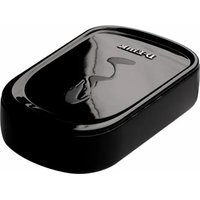
DSA-3100P - Printer D-LINK - Free user manual and instructions
Find the device manual for free DSA-3100P D-LINK in PDF.


Pick your language and provide your email: we'll send you a specifically translated version.
| Brand | D-Link |
| Model | DSA-3100P |
| Type of product | Wireless print server |
| Connectivity | USB 2.0, Wi-Fi |
| Wireless standard | IEEE 802.11a/b/g/n |
| Frequency band | 2.4 GHz and 5 GHz |
| USB ports | 1 x USB 2.0 for printer |
| Main functions | Shares a USB printer over a network, supports wireless printing and print server mode |
| Supported operating systems | Windows, macOS, Linux |
| Printing protocols | LPR, IPP, RAW TCP/IP, NetBEUI |
| Dimensions (W x D x H) | 90 x 60 x 25 mm |
| Weight | 120 g |
| Power supply | 5V DC, 2A |
| Power consumption | 2.5 W (max) |
| Operating temperature | 0°C to 40°C |
| Storage temperature | -20°C to 60°C |
| LED indicators | Power, USB, Wireless |
| Buttons | Reset, Wi-Fi Protected Setup (WPS) |
| Security features | WEP, WPA/WPA2, WPS |
| Maintenance and cleaning | Keep the device free of dust; use a dry cloth. No special cleaning required. |
| Safety | Use only the supplied power adapter; avoid exposure to moisture. |
| Spare parts and repairability | No user-serviceable parts inside; contact technical support for repairs. |
| Package contents | DSA-3100P, AC adapter, Quick Installation Guide |
| Warranty | 1 year limited warranty |
Frequently Asked Questions - DSA-3100P D-LINK
How do I set up the DSA-3100P for the first time?
Connect the DSA-3100P to your router using an Ethernet cable, then plug the USB printer into the device. Open a web browser, enter the device's IP address, and follow the setup wizard. For wireless installation, press the WPS button on both the router and the DSA-3100P.
Which printers are compatible with the DSA-3100P?
The DSA-3100P supports most USB printers, including HP, Canon, Epson, and Brother models. It works with inkjet, laser, and multi-functional printers that have a standard USB 2.0 port.
Can I use the DSA-3100P with Windows 10?
Yes, the DSA-3100P is compatible with Windows 10, as well as Windows 11, Windows 8, and Windows 7. You need to install the printer driver from the printer manufacturer and then configure the print server using the D-Link utility.
How do I connect the DSA-3100P to my wireless network?
You can connect using WPS or manually. Press the WPS button on your router and then on the DSA-3100P within 2 minutes. Alternatively, access the web-based setup page, go to Wireless Settings, and enter your network name (SSID) and password.
How do I install the printer driver on my computer?
First, install the printer driver from the printer manufacturer's website. Then, run the D-Link DSA-3100P setup utility to add the printer. The utility will automatically detect the print server and create a virtual printer port.
What should I do if my printer is not detected by the DSA-3100P?
Check that the printer is powered on and connected via USB. Verify the USB cable is not damaged. Access the DSA-3100P web page to confirm the USB device is listed. If not, restart the print server and try another USB cable. Also, ensure the printer driver is correctly installed.
Can I connect more than one printer to the DSA-3100P?
No, the DSA-3100P has one USB port and supports only one printer at a time. To print from multiple printers, you would need an additional print server or connect them directly to your computer.
How do I reset the DSA-3100P to factory defaults?
Insert a paperclip into the reset hole on the device and hold for 10 seconds until the power LED flashes. The device will restart and restore factory settings: IP address 192.168.0.50, username "admin", password blank.
How do I update the firmware of the DSA-3100P?
Download the latest firmware from the D-Link support website. Log in to the web-based setup page, go to Administration > Firmware Update, browse to the downloaded file, and click Upload. Do not power off during the update.
What security features does the DSA-3100P support?
The DSA-3100P supports WEP, WPA, and WPA2 encryption for wireless communication. It also features a WPS button for easy secure setup. For additional protection, you can change the default administrator password and disable the SSID broadcast.
User questions about DSA-3100P D-LINK
0 question about this device. Answer the ones you know or ask your own.
Ask a new question about this device
No questions yet. Be the first to ask one.
Download the instructions for your Printer in PDF format for free! Find your manual DSA-3100P - D-LINK and take your electronic device back in hand. On this page are published all the documents necessary for the use of your device. DSA-3100P by D-LINK.
USER MANUAL DSA-3100P D-LINK


Manual assistant
Powered by Anthropic
Waiting for your message
Product information
Brand : D-LINK
Model : DSA-3100P
Category : Printer