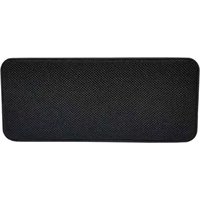
SPBTDISCO - Loudspeaker Sunstech - Free user manual and instructions
Find the device manual for free SPBTDISCO Sunstech in PDF.


Pick your language and provide your email: we'll send you a specifically translated version.
| Product Type | Portable Bluetooth Speaker |
| Brand | Sunstech |
| Model | SPBTDISCO |
| Color Options | Black, Red, Blue (as per variant) |
| Dimensions (W x H x D) | Approx. 25 cm x 12 cm x 10 cm |
| Weight | Approx. 800 g |
| Battery Capacity | Li-ion 1500 mAh |
| Playback Time | Up to 5 hours at 50% volume |
| Charging Time | Approx. 3 hours via USB |
| Bluetooth Version | v4.2 with A2DP profile |
| Wireless Range | 10 meters (30 feet) |
| Supported Audio Formats | MP3, WAV, FLAC (via USB/SD) |
| Connectivity | Bluetooth, AUX-in, USB port, MicroSD slot, FM tuner |
| Microphone | Yes, for hands-free calling |
| LED Light Effects | Yes, multicolor disco mode |
| Output Power | 10W (RMS) |
| Power Source | Built-in rechargeable battery, USB charging |
| Housing Material | ABS plastic with metal speaker grill |
| Care and Cleaning | Wipe with a soft dry cloth; do not use solvents |
| Safety | Keep away from water; use the supplied USB cable |
| Spare Parts and Repairability | Replaceable battery; other parts not user serviceable |
| General Information | Free user manual available for download in PDF |
Frequently Asked Questions - SPBTDISCO Sunstech
How do I pair my smartphone with the SPBTDISCO speaker?
Turn on the speaker and press the Bluetooth button until the indicator flashes. Then go to your phone's Bluetooth settings, search for 'SPBTDISCO', and connect. Once paired, the indicator will turn solid.
Can I charge my phone from the speaker?
No, the USB port on this speaker is designed for music playback from flash drives, not for charging other devices. Use the dedicated charging port for powering the speaker itself.
Does the SPBTDISCO have a built-in FM radio?
Yes, it includes a FM tuner. Press the mode button to cycle through Bluetooth, FM radio, USB, and SD card modes. In FM mode, press and hold the play button to auto-scan and save available stations.
How do I play music from an SD card or USB drive?
Insert a microSD card or USB drive with MP3/WAV/FLAC files into the corresponding slot. The speaker will automatically detect and play the audio. Use the play/pause and track buttons to control playback.
What is the wireless range of the speaker?
The Bluetooth range is up to 10 meters (33 feet) in open air. Obstacles like walls or metal objects may reduce this distance.
Can I use the speaker as a hands-free device for calls?
Yes, the built-in microphone allows you to accept and make calls while connected via Bluetooth. Use the play/pause button to answer or end a call.
How long does the battery last on a full charge?
The 1500 mAh battery provides up to 5 hours of playback at 50% volume. Battery life may vary depending on volume level and features used (e.g., lighting effects).
How do I charge the speaker?
Connect the included Micro USB cable to the charging port on the speaker, then plug it into a USB power adapter or computer. A red LED indicates charging, and it turns off when full. Charging typically takes about 3 hours.
Is the speaker waterproof?
No, the SPBTDISCO is not waterproof. Keep it away from liquids to avoid damage. If exposed, wipe it immediately and do not charge until completely dry.
How do I reset the speaker if it stops responding?
Turn off the speaker, then press and hold the power button for 10 seconds. This should force a shutdown. Then power it on again. If the issue persists, charge the speaker fully before trying again.
User questions about SPBTDISCO Sunstech
0 question about this device. Answer the ones you know or ask your own.
Ask a new question about this device
No questions yet. Be the first to ask one.
Download the instructions for your Loudspeaker in PDF format for free! Find your manual SPBTDISCO - Sunstech and take your electronic device back in hand. On this page are published all the documents necessary for the use of your device. SPBTDISCO by Sunstech.
USER MANUAL SPBTDISCO Sunstech


Manual assistant
Powered by Anthropic
Waiting for your message
Product information
Brand : Sunstech
Model : SPBTDISCO
Category : Loudspeaker