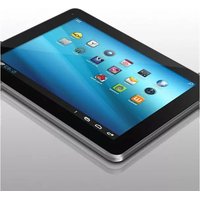
Cinepad AT107F - Tablet Aluratek - Free user manual and instructions
Find the device manual for free Cinepad AT107F Aluratek in PDF.


Pick your language and provide your email: we'll send you a specifically translated version.
| Product Type | Tablet |
| Brand | Aluratek |
| Model | Cinepad AT107F |
| Display Size | 10.1 inches |
| Display Resolution | 1280 x 800 pixels |
| Processor | Quad-core 1.3 GHz |
| RAM | 1 GB |
| Internal Storage | 16 GB |
| Expandable Storage | microSD card slot |
| Operating System | Android 4.4 KitKat |
| Connectivity | Wi-Fi 802.11 b/g/n, Bluetooth 4.0 |
| Cameras | Front and rear cameras |
| Battery | Rechargeable lithium-polymer, 5000 mAh |
| Power Supply | AC adapter via micro USB |
| Dimensions | 262 x 168 x 10 mm |
| Weight | 580 g |
| Audio | Built-in speaker and microphone |
| Ports | Micro USB, headphone jack |
| Sensors | G-sensor |
| Included Accessories | AC adapter, user manual |
| Maintenance | Wipe with soft dry cloth |
| Cleaning | Do not use harsh chemicals |
| Safety Warning | Avoid extreme temperatures |
| Repairability | Battery not user-replaceable |
| General Information | For full instructions, download the PDF manual |
Frequently Asked Questions - Cinepad AT107F Aluratek
How do I perform a factory reset on the Aluratek Cinepad AT107F?
To perform a factory reset, go to Settings > Backup & Reset > Factory Data Reset and follow the on-screen instructions. This will erase all data, so make sure to back up your important files first.
Can I expand the storage on the Cinepad AT107F?
Yes, the tablet has a microSD card slot that supports cards up to 32GB. Insert a microSD card into the slot to expand storage for photos, videos, and apps.
How do I update the operating system on my Aluratek tablet?
To check for updates, go to Settings > About Tablet > System Updates. If an update is available, follow the prompts to download and install it. Ensure your battery is above 50% before updating.
Why isn't my tablet charging?
First, check that the AC adapter and micro USB cable are firmly connected. Try a different outlet or cable. If the tablet still doesn't charge, the battery might need calibration or replacement. Avoid using non-certified chargers.
How do I connect to a Wi-Fi network?
Open Settings > Wi-Fi, toggle it on, and select your network from the list. Enter the password when prompted. The tablet will remember the network for future connections.
How can I take a screenshot on the Cinepad AT107F?
Press and hold the Power button and the Volume Down button simultaneously for a couple of seconds. The screenshot will be saved in the Gallery or Photos app.
What is the best way to clean the screen?
Power off the tablet, then use a soft, lint-free cloth slightly dampened with water or a screen cleaner. Do not spray liquid directly on the screen and avoid abrasive materials that may scratch the display.
Can I replace the battery myself?
The battery is not user-replaceable. Opening the device may void the warranty and damage the tablet. If the battery fails, contact Aluratek support or a certified technician for battery service.
How do I transfer files from the tablet to a computer?
Connect the tablet to your computer using a micro USB cable. On the tablet, select File Transfer or MTP mode from the notification bar. Then you can browse and copy files from your computer.
My tablet is freezing or running slow. What should I do?
Try restarting the device by holding the Power button and selecting Restart. If the issue persists, clear the cache from Settings > Storage or close unused apps. A factory reset can also resolve persistent performance issues, but back up your data first.
User questions about Cinepad AT107F Aluratek
0 question about this device. Answer the ones you know or ask your own.
Ask a new question about this device
No questions yet. Be the first to ask one.
Download the instructions for your Tablet in PDF format for free! Find your manual Cinepad AT107F - Aluratek and take your electronic device back in hand. On this page are published all the documents necessary for the use of your device. Cinepad AT107F by Aluratek.
USER MANUAL Cinepad AT107F Aluratek


Manual assistant
Powered by Anthropic
Waiting for your message
Product information
Brand : Aluratek
Model : Cinepad AT107F
Category : Tablet