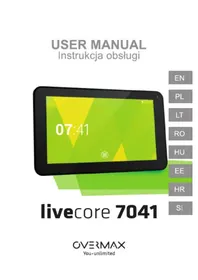
Livecore 7041 - Tablet Overmax - Free user manual and instructions
Find the device manual for free Livecore 7041 Overmax in PDF.


Pick your language and provide your email: we'll send you a specifically translated version.
| Product Type | Tablet |
| Brand | Overmax |
| Model | Livecore 7041 |
| Display Size | 7 inches |
| Display Resolution | 1024 x 600 pixels |
| Operating System | Android 4.4 KitKat |
| Processor | Quad-core 1.3 GHz |
| RAM | 1 GB |
| Internal Storage | 8 GB |
| Expandable Storage | microSD up to 32 GB |
| Battery Capacity | 2500 mAh |
| Connectivity | Wi-Fi 802.11 b/g/n, Bluetooth 4.0 |
| Front Camera | 0.3 MP |
| Rear Camera | 2 MP |
| Dimensions | 190 x 110 x 10 mm |
| Weight | 300 g |
| Power Supply | USB charging with AC adapter |
| Main Functions | Web browsing, multimedia playback, e-book reading, gaming |
| Maintenance | Clean with soft dry cloth; avoid liquids |
| Safety | Keep away from water and heat sources |
| Spare Parts & Repairability | Authorized Overmax service center |
| General Information | Portable personal entertainment device |
Frequently Asked Questions - Livecore 7041 Overmax
How do I turn on the tablet for the first time?
Press and hold the power button until the screen lights up. On first use, follow the setup wizard to select language and connect to Wi-Fi.
How can I connect to Wi-Fi?
Go to Settings > Wireless & Networks > Wi-Fi, enable it, select your network and enter the password.
How do I insert a microSD card for additional storage?
Locate the memory card slot on the side of the tablet. Insert the card with the gold contacts facing down until it clicks. Then go to Settings > Storage to mount it.
How long does the battery take to charge?
Use the included USB cable and AC adapter. Charging time is approximately 3-4 hours. A full charge provides up to 5 hours of active use.
How can I reset the tablet to factory settings?
Go to Settings > Backup & reset > Factory data reset. This erases all data, so make a backup first.
How do I take a screenshot on the tablet?
Press and hold the Power button and Volume Down button simultaneously for a second. The screenshot will be saved in the Gallery.
How can I transfer files from the tablet to a computer?
Connect the tablet to a computer via a USB cable. Select File Transfer mode on the tablet, and the internal storage will appear as a drive on the computer.
How do I update the Android operating system?
Go to Settings > About tablet > System update to check for OTA updates. Ensure you have a stable Wi-Fi connection and sufficient battery.
Why is the tablet running slowly?
Close background apps via the Recent Apps button, clear cache, disable unused services, or perform a factory reset if necessary.
How can I save battery life?
Reduce screen brightness, turn off Wi-Fi and Bluetooth when not in use, limit background data, and use power-saving mode if available.
User questions about Livecore 7041 Overmax
0 question about this device. Answer the ones you know or ask your own.
Ask a new question about this device
No questions yet. Be the first to ask one.
Download the instructions for your Tablet in PDF format for free! Find your manual Livecore 7041 - Overmax and take your electronic device back in hand. On this page are published all the documents necessary for the use of your device. Livecore 7041 by Overmax.
USER MANUAL Livecore 7041 Overmax
Manual assistant
Powered by Anthropic
Waiting for your message
Product information
Brand : Overmax
Model : Livecore 7041
Category : Tablet