Nl-707537 - Router Icidu - Free user manual and instructions
Find the device manual for free Nl-707537 Icidu in PDF.


Pick your language and provide your email: we'll send you a specifically translated version.
| Product Type | Router |
| Brand | Icidu |
| Model | NL-707537 |
| Wireless Standard | IEEE 802.11n |
| Frequency Band | 2.4 GHz |
| Max Wireless Data Rate | 300 Mbps |
| WAN Interface | 1 x 10/100 Ethernet |
| LAN Interfaces | 4 x 10/100 Ethernet |
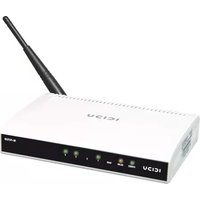
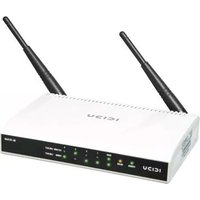
| Antenna Type | External, Detachable |
| Number of Antennas | 2 |
| Security Modes | WEP, WPA-PSK, WPA2-PSK |
| WPS Support | Yes |
| Firewall | NAT and SPI |
| Quality of Service (QoS) | Supported |
| Configuration Interface | Web-based HTTP |
| LED Indicators | Power, WAN, LAN, WLAN |
| Buttons | Reset, WPS |
| Power Supply | DC 9V, 0.6A |
| Dimensions (Approx.) | 150 x 110 x 30 mm |
| Weight (Approx.) | 200 g |
| Operating Temperature | 0°C to 40°C |
| Storage Temperature | -20°C to 70°C |
| Maintenance | Keep the device clean and dry; avoid exposure to dust. |
| Repairability | Contact a qualified technician for any repairs. |
| Cleaning | Use a soft, dry cloth to wipe the exterior. |
Frequently Asked Questions - Nl-707537 Icidu
How do I reset the Icidu NL-707537 router to factory defaults?
Press and hold the Reset button on the back panel for about 10 seconds using a paperclip. Wait for the router to reboot. The default login credentials are usually admin/admin.
How can I set up my NL-707537 router for the first time?
Connect the router to your modem via the WAN port, then connect your computer to one of the LAN ports. Open a web browser and go to 192.168.1.1. Log in with the default username and password, and follow the Quick Setup wizard.
What is the default IP address of the NL-707537 router?
The default IP address is 192.168.1.1. The default login credentials are admin for both username and password.
How do I change the Wi-Fi password on my NL-707537?
Log in to the router's web interface, go to Wireless Settings, and locate the Security settings. Enter a new passphrase in the WPA/WPA2 field and click Save/Apply.
Can I update the firmware of the NL-707537 router?
Yes, you can. Visit the Icidu support website, find the firmware for the NL-707537 model, and then download it. In the router's web interface, go to System Tools > Firmware Upgrade, choose the file, and click Upgrade.
How do I fix intermittent internet connection with my router?
First, power cycle the router and modem. Ensure the WAN cable is properly connected. Check the LED indicators on the front panel. If the issue persists, try changing the wireless channel and avoid interference from other devices.
What does the WPS button on the NL-707537 do?
The WPS button enables Wi-Fi Protected Setup. Push it and then press the WPS button on your client device within 2 minutes to securely connect without entering a password.
How can I configure port forwarding on this router?
Log in to the web interface, navigate to Forwarding or Virtual Server, and create a new rule. Enter the local IP, protocol (TCP/UDP), and port range. Click Save to apply.
My router's Wi-Fi signal is weak. How can I improve coverage?
Position the router in a central location, high above furniture. Avoid placing near metal objects or walls. You can also adjust the antennas to a vertical position and consider changing the transmit power to high in the settings.
How do I back up the router configuration?
In the web interface, go to System Tools > Backup and Restore. Click Backup to save a configuration file to your computer. To restore, use the same page to upload the file.
User questions about Nl-707537 Icidu
0 question about this device. Answer the ones you know or ask your own.
Ask a new question about this device
No questions yet. Be the first to ask one.
Download the instructions for your Router in PDF format for free! Find your manual Nl-707537 - Icidu and take your electronic device back in hand. On this page are published all the documents necessary for the use of your device. Nl-707537 by Icidu.
USER MANUAL Nl-707537 Icidu
Manual assistant
Powered by Anthropic
Waiting for your message
Product information
Brand : Icidu
Model : Nl-707537
Category : Router