VL-SN1000 - Intercom PANASONIC - Free user manual and instructions
Find the device manual for free VL-SN1000 PANASONIC in PDF.


Pick your language and provide your email: we'll send you a specifically translated version.
| Brand | Panasonic |
| Model | VL-SN1000 |
| Product Type | Video intercom master station |
| Display | 4.3-inch colour TFT LCD |
| Camera Support | Compatible with Panasonic VL series outdoor video stations |
| Audio Features | Two-way hands-free intercom with noise suppression |
| Call Function | Call notification from outdoor unit with adjustable ringer volume |
| Unlock Function | Electric door lock release button |
| Mounting Type | Wall-mounted (bracket included) |
| Wiring | 2-wire non-polarised connection |
| Power Supply | AC adapter (input 100-240 V, output 12 V DC) |
| Power Consumption | Approx. 9 W during operation |
| Operating Temperature | -10°C to 50°C |
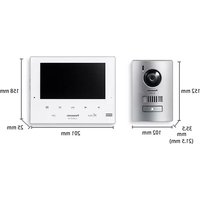
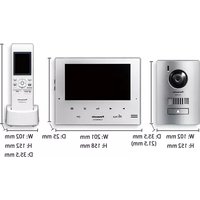
| Dimensions (Monitor) | Approximately 170 mm × 130 mm × 32 mm |
| Weight (Monitor) | Approximately 450 g |
| Package Contents | Master station, AC adapter, mounting bracket, screws, user manual |
| Compatibility | Works with Panasonic VL-V300 series door stations |
| Safety | CE certification, low-voltage operation |
| Cleaning | Wipe with a soft dry cloth; do not use solvents |
| Maintenance | Regularly check connections and update firmware if available |
| Reparability | Replaceable wiring and external units; spare parts available from Panasonic service centres |
| Energy Saving | LCD backlight automatically turns off when not in use |
Frequently Asked Questions - VL-SN1000 PANASONIC
How do I install the Panasonic VL-SN1000 master station?
Mount the bracket on a wall using the included screws, then clip the master station onto the bracket. Connect the power adapter and the 2-wire cable from the outdoor unit. Ensure all connections are secure before switching on.
Can I connect multiple indoor monitors to one outdoor camera?
The VL-SN1000 supports additional monitors when using a compatible expansion unit from the Panasonic VL series. Up to three indoor stations can be connected, allowing you to answer the door from various rooms.
How do I adjust the ringer volume?
Press the Menu button on the monitor, navigate to "Call Settings", and select "Ringer Volume". Use the arrow keys to choose from several levels or turn it off entirely.
What should I do if the video image is black and white or poor?
First, check the camera lens for dirt or obstructions. Ensure the outdoor unit has a clear view and adequate lighting. If the problem persists, verify that the video wiring is properly connected and not damaged.
Can I operate the VL-SN1000 without an outdoor camera?
Yes, the intercom functions can be used for audio communication alone, but the video display will remain blank when no camera is connected. For full functionality, a compatible Panasonic outdoor camera is recommended.
How do I reset the VL-SN1000 to factory settings?
Press and hold the Reset button (located on the side of the device) for about 5 seconds using a pointed object. This restores all settings to factory defaults, including display brightness and ringer tones.
Is the VL-SN1000 compatible with older Panasonic intercom systems?
It is designed to work with the VL series of outdoor stations. Older systems may require a converter unit to match the signal standards. Check the Panasonic compatibility table before integrating.
How can I clean and maintain the VL-SN1000?
Use a soft, dry microfiber cloth to wipe the screen and casing. Avoid water, abrasive cleaners, or spray liquids. For maintenance, regularly inspect the wiring connections and keep the device free from dust.
Why is the sound unclear during a call?
Unclear sound may result from ambient interference or a weak connection. Ensure the outdoor station speaker and mic are unobstructed. Adjust the volume settings or reduce background noise. If problem continues, check the cable for damage.
Does the VL-SN1000 have a door lock release function?
Yes, the monitor includes a large Door Open button that sends a trigger signal to release an electric door latch. This feature requires proper wiring to the door lock actuator and compatible hardware.
User questions about VL-SN1000 PANASONIC
0 question about this device. Answer the ones you know or ask your own.
Ask a new question about this device
No questions yet. Be the first to ask one.
Download the instructions for your Intercom in PDF format for free! Find your manual VL-SN1000 - PANASONIC and take your electronic device back in hand. On this page are published all the documents necessary for the use of your device. VL-SN1000 by PANASONIC.
USER MANUAL VL-SN1000 PANASONIC
Manual assistant
Powered by Anthropic
Waiting for your message
Product information
Brand : PANASONIC
Model : VL-SN1000
Category : Intercom