KX-TE82480X - Intercom PANASONIC - Free user manual and instructions
Find the device manual for free KX-TE82480X PANASONIC in PDF.


Pick your language and provide your email: we'll send you a specifically translated version.
| Product Type | Intercom System |
| Brand | Panasonic |
| Model | KX-TE82480X |
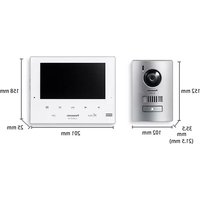
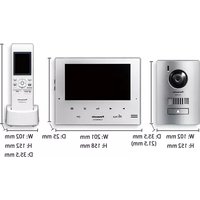
| Dimensions (approx.) | 200 x 150 x 50 mm (main unit) |
| Weight (approx.) | 0.5 kg (main unit) |
| Power Supply | AC adapter 12V DC |
| Power Consumption | Standby: 2W, Active: 5W |
| Main Functions | Two-way audio communication, door release, call button, intercom between units |
| Number of Stations | Up to 4 indoor stations (typical) |
| Wiring Type | 2-wire (non-polarized) |
| Operating Temperature | 0°C to 40°C |
| Material | ABS plastic (main unit) |
| Color | White (typical) |
| Maintenance & Cleaning | Wipe with a soft dry cloth; do not use chemical cleaners |
| Safety Features | Low voltage operation; designed for indoor use only |
| Spare Parts & Repairability | Replacement handsets, cables, and door release units available; repair by qualified technician recommended |
| Compliance | CE, RoHS |
| Warranty | Standard 2 years (check local regulations) |
| Installation | Wall mountable; requires drilling and wiring |
| Package Contents | Main unit, handset, mounting screws, user manual |
| General Information | For residential or small office use; expandable with additional stations |
Frequently Asked Questions - KX-TE82480X PANASONIC
How do I install the Panasonic KX-TE82480X intercom?
Install the main unit on a wall near the door. Connect the wiring to the door release and outdoor station. Follow the user manual for specific wiring diagrams.
How do I answer a call?
Pick up the handset when the unit rings. Press the Talk button if required. To end, replace the handset.
Can I adjust the volume?
Yes, use the volume control dial on the side of the unit. Turn clockwise to increase volume.
How do I operate the door release?
While on a call, press the Door Release button on the main unit. This will unlock the door momentarily.
What should I do if the intercom is not working?
Check the power adapter connection and ensure the wiring is secure. If the problem persists, consult the troubleshooting section in the manual.
Can I add more indoor stations?
Yes, the system supports up to 4 indoor stations. Purchase additional KX-TE82480X units and connect them in parallel.
How do I clean the intercom?
Wipe the surface with a soft, dry cloth. Do not use any chemical cleaners or water.
Is the intercom compatible with other Panasonic models?
This model is designed to work with compatible Panasonic outdoor stations. Check the compatibility list in the manual.
What is the power supply requirement?
It uses a 12V DC adapter. Use only the provided adapter to avoid damage.
Can I use the intercom without a door release?
Yes, you can use it solely for audio communication. The door release function is optional.
User questions about KX-TE82480X PANASONIC
0 question about this device. Answer the ones you know or ask your own.
Ask a new question about this device
No questions yet. Be the first to ask one.
Download the instructions for your Intercom in PDF format for free! Find your manual KX-TE82480X - PANASONIC and take your electronic device back in hand. On this page are published all the documents necessary for the use of your device. KX-TE82480X by PANASONIC.
USER MANUAL KX-TE82480X PANASONIC

Manual assistant
Powered by Anthropic
Waiting for your message
Product information
Brand : PANASONIC
Model : KX-TE82480X
Category : Intercom