TFTV812A - Television Palsonic - Free user manual and instructions
Find the device manual for free TFTV812A Palsonic in PDF.


Pick your language and provide your email: we'll send you a specifically translated version.
| Brand | Palsonic |
| Model | TFTV812A |
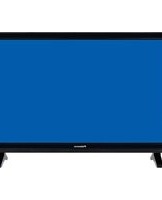
| Product Type | LCD Television |
| Screen Size | 81 cm (32 inches) |
| Display Technology | TFT Active Matrix |
| Resolution | 1366 x 768 pixels |
| Aspect Ratio | 16:9 |
| TV Tuner | DVB-T |
| Audio Power | 2 x 10W RMS |
| Speaker System | Integrated stereo |
| HDMI Ports | 2 |
| USB Ports | 1 |
| Composite Input | Yes |
| Component Input | Yes |
| Power Requirement | 220-240V ~50Hz |
| Power Consumption | 80W (max) |
| Standby Power Consumption | <1W |
| VESA Mount | 200 x 200mm |
| Dimensions with Stand | 780 x 520 x 220mm |
| Weight | 8.5kg |
| Remote Control | Included with battery |
| Cleaning Instructions | Soft dry cloth; avoid liquid cleaners |
| Safety Precautions | Keep away from moisture; leave ventilated |
| Repairability | Use authorized service centers; original parts |
| User Manual | English PDF available (33 pages) |
Frequently Asked Questions - TFTV812A Palsonic
How do I connect a DVD player to the TV?
Use an HDMI cable for the best picture quality. Connect one end to the DVD player and the other to an HDMI input on the back of the TV. Then press the Source button to select the matching HDMI channel.
How can I automatically tune in free-to-air channels?
Press Menu on the remote, navigate to Channel Setup, choose Auto Scan, and select your signal type (DTV or ATV). The TV will search and memorize all available channels. This may take a few minutes.
What should I do if there is no sound?
Check if the TV is muted and the volume is not turned down. If you are using external devices, ensure the audio cables are correctly connected. Also inspect the audio settings in the menu to verify the output is set to Speakers.
How do I clean the LCD screen safely?
Switch off and unplug your TV. Wipe gently with a soft, dry, lint-free cloth. For stubborn marks, dampen the cloth with pure water and wring it out fully. Do not spray liquids directly onto the screen.
Can I wall-mount the TV?
Yes, your TV supports a VESA 200x200mm mount. Use a certified wall bracket and make sure the wall can comfortably support the TV's weight (8.5kg). Always follow the mounting instructions included with the bracket.
How do I restore factory settings?
Open the Setup menu, scroll to System Reset or Factory Defaults, and press OK. You will be asked to confirm; selecting Yes resets the TV to the original factory configuration, erasing all personal settings.
What file types can I play via the USB port?
The USB port supports JPEG photos, MP3 music, and common video formats such as MPEG and AVI. Connect a USB drive, press Source, select USB, and browse with the remote.
Why is there a blue screen with no picture?
Check whether the correct input source is selected by pressing the Source button. Ensure the external device is powered on. If still no image, verify the video cable is connected firmly and the device is outputting a compatible resolution.
How can I reduce energy consumption?
Activate the Energy Saving mode in the Picture menu and lower the backlight level. Switching the TV off with the remote is not enough; use the power button or unplug to cut standby power (below 1W).
The remote control is not responding. What can I do?
First, check the batteries and replace them if flat. Make sure there are no obstacles between the remote and the TV's infrared receiver. Point directly at the receiver and try again. If it still fails, inspect the remote lens for dust and clean it gently.
User questions about TFTV812A Palsonic
0 question about this device. Answer the ones you know or ask your own.
Ask a new question about this device
No questions yet. Be the first to ask one.
Download the instructions for your Television in PDF format for free! Find your manual TFTV812A - Palsonic and take your electronic device back in hand. On this page are published all the documents necessary for the use of your device. TFTV812A by Palsonic.
USER MANUAL TFTV812A Palsonic
Manual assistant
Powered by Anthropic
Waiting for your message
Product information
Brand : Palsonic
Model : TFTV812A
Category : Television