TFTV151 - Television Palsonic - Free user manual and instructions
Find the device manual for free TFTV151 Palsonic in PDF.


Pick your language and provide your email: we'll send you a specifically translated version.
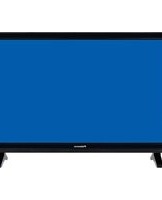
| Product Type | LCD Television |
| Brand | Palsonic |
| Model | TFTV151 |
| Display Size | 15 inches (38 cm) |
| Resolution | 1024 x 768 pixels (XGA) |
| Aspect Ratio | 4:3 |
| Brightness | 250 cd/m² |
| Contrast Ratio | 400:1 |
| Viewing Angle | 160° horizontal / 140° vertical |
| Audio Output | 2 x 3W stereo speakers |
| TV Tuner | Analog PAL/SECAM |
| Inputs | Composite AV, S-Video, VGA, RF antenna |
| Outputs | Headphone jack |
| Power Consumption | 45W (typical) |
| Standby Power | Less than 1W |
| Dimensions (with stand) | 365 x 310 x 155 mm (W x H x D) |
| Weight | 2.8 kg |
| VESA Mounting | 75 x 75 mm |
| Cleaning | Wipe gently with a soft dry cloth |
| Safety | Keep away from water and direct sunlight |
| Repairability | Spare parts available through authorized service centers |
Frequently Asked Questions - TFTV151 Palsonic
How do I connect my TFTV151 to a DVD player?
Connect the DVD player to the TV using the composite AV input (yellow, red, white cables). Plug the yellow cable into VIDEO, and the red/white cables into the corresponding AUDIO L/R jacks. Then press the AV button on the remote to select the AV source.
Why is there no picture but sound is working?
This usually means the input source is set incorrectly. Press the SOURCE or AV button on the remote to cycle through available inputs (TV, AV, S-Video, VGA). If the issue persists, check that the connected device is powered on and the cables are secure.
How should I clean the TV screen safely?
Turn off the TV and unplug it. Wipe the screen with a soft, dry microfiber cloth using gentle circular motions. Do not use water, alcohol, or cleaning sprays directly on the screen, as they may damage the display.
Can I mount this TV on a wall?
Yes, the TFTV151 supports VESA 75x75 mm wall mounting. Use a compatible wall bracket and follow the instructions provided with the bracket. Ensure the wall can support the weight of the TV (2.8 kg).
What is the resolution of the TFTV151?
The native resolution is 1024 x 768 pixels (XGA). This is standard for a 15-inch 4:3 LCD display. It supports up to SXGA signals via VGA, but the displayed image will be scaled to fit the panel's native resolution.
How can I connect external speakers or headphones?
Use the headphone jack located on the TV. You can connect headphones directly or use an adapter to connect powered speakers. When headphones are plugged in, the built-in speakers are automatically muted.
My remote control is not working. What should I do?
First, replace the batteries with fresh AAA batteries. Make sure you point the remote directly at the TV's infrared sensor from a distance of less than 5 meters. If it still fails, check if the sensor is blocked by obstructions or strong sunlight. Reset the TV by unplugging it for one minute and then trying again.
How do I scan for available TV channels?
Press the MENU button, select Channel Setup, then choose Auto Tuning or Auto Scan. The TV will search for all available analog channels and store them. After the scan, use the CH+/- buttons to browse channels.
Does the TV have a sleep timer?
Yes, the TFTV151 has a sleep timer function. Press the MENU button, navigate to Timer settings, and set the desired time (15, 30, 45, 60, 90, or 120 minutes). The TV will automatically switch to standby after the selected time.
Where can I get spare parts or service for this TV?
For spare parts or repairs, contact Palsonic's customer support or an authorized service center. Provide your TV's model number (TFTV151) and serial number. Visit the Palsonic website for a list of service centers in your area.
User questions about TFTV151 Palsonic
0 question about this device. Answer the ones you know or ask your own.
Ask a new question about this device
No questions yet. Be the first to ask one.
Download the instructions for your Television in PDF format for free! Find your manual TFTV151 - Palsonic and take your electronic device back in hand. On this page are published all the documents necessary for the use of your device. TFTV151 by Palsonic.
USER MANUAL TFTV151 Palsonic
Manual assistant
Powered by Anthropic
Waiting for your message
Product information
Brand : Palsonic
Model : TFTV151
Category : Television