
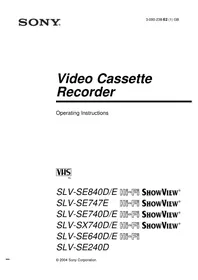
SLV-SE240D - VCR SONY - Free user manual and instructions
Find the device manual for free SLV-SE240D SONY in PDF.


Pick your language and provide your email: we'll send you a specifically translated version.
| Product Type | Video Cassette Recorder |
| Brand | Sony |
| Model | SLV-SE240D |
| Recording Format | VHS |
| Video Head Configuration | 4-head rotary system for clear playback and slow motion |
| Audio System | Hi-Fi stereo audio with long-play modes |
| Tuning System | Hyperband tuner with 99-channel preset memory |
| Timer Recording | Programmable for up to 8 recordings with daily and weekly repeat options |
| Tracking Control | Automatic tracking with manual override |
| Input/Output Connections | Antenna RF in/out, RCA audio/video in/out, front panel composite input |
| Remote Control | Infrared remote control included |
| Power Supply | 220-240 V AC, 50 Hz |
| Power Consumption | Approximately 22 W |
| Dimensions (W x H x D) | 430 x 95 x 340 mm |
| Weight | Approximately 4.5 kg |
| Maintenance | Use a dry cleaning cassette to clean video heads periodically |
| Safety Instructions | For indoor use only; do not expose to moisture and allow adequate ventilation |
| Repair and Spare Parts | Refer to qualified service technicians; use only genuine Sony spare parts |
| Accessories Included | Remote control, RF cable, antenna adapter, user manual |
Frequently Asked Questions - SLV-SE240D SONY
How do I connect the SLV-SE240D to my TV?
Use the supplied RF cable to connect the VCR's ANT OUT socket to the TV's antenna input. Then tune the TV to the VCR's output channel (usually CH 21 or 36). For better video quality, also connect the RCA AV outputs to your TV's audio/video inputs and switch the TV to the appropriate AV mode.
Can this VCR play S-VHS tapes?
The SLV-SE240D is designed for standard VHS tapes. It can play S-VHS cassettes, but they will only play in normal VHS quality, not in higher S-VHS resolution.
How do I set the clock on the VCR?
Press MENU on the remote control, select the Clock option, then use the +/- buttons to adjust the year, month, day, hour, and minute. Some models also support automatic clock setting via the TV signal if available.
How do I program timer recordings?
Insert a blank VHS tape, press TIMER REC repeatedly to access the timer program, set the start time, stop time, date, and channel using the +/- buttons. Press TIMER once to arm the timer. Make sure the VCR is in standby mode.
Why is the playback picture noisy or snowy?
A noisy picture often indicates dirty video heads or poor tracking. Clean the heads with a dry cleaning cassette for about 10 seconds, then try again. You can also adjust tracking manually with the TRACKING buttons to reduce noise.
How often should I clean the video heads?
Clean the video heads every 500-1000 hours of playback or when you notice a reduction in picture quality. Over-cleaning can damage the heads, so use a cleaning cassette only for the recommended duration.
Does the VCR come with a remote control?
Yes, the SLV-SE240D includes a wireless infrared remote control that operates all main functions. It requires two AA batteries, which are not included.
What is the maximum recording time?
The maximum recording time depends on the tape and the speed: in SP mode, an E-180 tape records for 3 hours; in LP mode, 6 hours; and in EP mode, up to 9 hours.
Can I play NTSC tapes on this PAL VCR?
The SLV-SE240D supports NTSC tape playback and converts it to the PAL video system, so you can view NTSC-recorded tapes on a PAL TV. Audio is also converted to the appropriate standard.
What should I do if the VCR will not power on?
Check that the power cord is firmly connected to both the VCR and a functional wall outlet. Verify that the outlet is delivering power. If the unit still does not turn on, it may require service; consult a qualified technician.
User questions about SLV-SE240D SONY
0 question about this device. Answer the ones you know or ask your own.
Ask a new question about this device
No questions yet. Be the first to ask one.
Download the instructions for your VCR in PDF format for free! Find your manual SLV-SE240D - SONY and take your electronic device back in hand. On this page are published all the documents necessary for the use of your device. SLV-SE240D by SONY.
USER MANUAL SLV-SE240D SONY


Manual assistant
Powered by Anthropic
Waiting for your message
Product information
Brand : SONY
Model : SLV-SE240D
Category : VCR