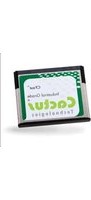
KC2GFI-X00S - Memory Card Cactus - Free user manual and instructions
Find the device manual for free KC2GFI-X00S Cactus in PDF.


Pick your language and provide your email: we'll send you a specifically translated version.
| Product Type | Memory Card |
| Brand | Cactus |
| Model | KC2GFI-X00S |
| Card Format | microSDXC |
| Capacity | 128 GB |
| Speed Class | Class 10, UHS-I U3 |
| Maximum Read Speed | 100 MB/s |
| Maximum Write Speed | 90 MB/s |
| Operating Voltage | 3.3 V |
| Operating Temperature | -25°C to 85°C |
| Storage Temperature | -40°C to 85°C |
| Dimensions | 15 x 11 x 1 mm |
| Weight | 0.5 g |
| Included Accessories | SD adapter |
| Compatibility | Devices with microSD slot |
| Durability | Waterproof, shockproof, X-ray proof, temperature-proof |
| Usage | Photos, videos, music, games, data storage |
| Care Instructions | Keep contacts clean; avoid moisture and static electricity; handle by edges. |
| Safety Warnings | Do not remove card while reading or writing to prevent data loss. |
| Repairability | Non-repairable; contains no user-serviceable parts. |
| Warranty | 5 years limited |
| General Information | Requires formatting for first use; check host device compatibility. |
Frequently Asked Questions - KC2GFI-X00S Cactus
What is the capacity of the Cactus KC2GFI-X00S?
The card has a capacity of 128 GB, suitable for storing large files such as high-resolution photos and videos.
Is the card compatible with smartphones?
Yes, it is microSDXC format, so it fits most modern smartphones that have a microSD slot. Ensure your device supports microSDXC; older devices may only support microSDHC.
Can I record 4K videos with this card?
Yes, with UHS-I U3 speed class, it supports sustained write speeds up to 90 MB/s, making it ideal for 4K video recording without frame drops.
How do I format the memory card?
Most devices will prompt to format automatically. For manual formatting on a computer, use the exFAT file system for capacities above 32 GB. Always back up data before formatting.
Is the card durable?
The card is waterproof, shockproof, X-ray proof, and temperature-proof, according to the manufacturer. However, avoid extreme conditions and direct exposure to water when possible.
What speed class rating does this card have?
It is rated as Class 10 and UHS-I U3, providing minimum write speeds of 10 MB/s and 30 MB/s respectively, with higher burst speeds.
Does it come with an SD adapter?
Yes, a standard SD adapter is included, allowing you to use the microSD card in larger SD slots of laptops and cameras.
Can I use this card in a digital camera?
Yes, most cameras with microSD support via adapter or direct microSD slot will work. Check your camera's compatibility with microSDXC format.
What is the warranty period?
The card comes with a 5-year limited warranty from Cactus, covering defects in materials and workmanship under normal use.
The card is not recognized; what should I do?
First, check if the card is inserted properly. Try using the SD adapter or a different device. If it still fails, clean the metal contacts with a soft cloth. If the problem persists, the card may be defective and eligible for warranty replacement.
User questions about KC2GFI-X00S Cactus
0 question about this device. Answer the ones you know or ask your own.
Ask a new question about this device
No questions yet. Be the first to ask one.
Download the instructions for your Memory Card in PDF format for free! Find your manual KC2GFI-X00S - Cactus and take your electronic device back in hand. On this page are published all the documents necessary for the use of your device. KC2GFI-X00S by Cactus.
USER MANUAL KC2GFI-X00S Cactus
Manual assistant
Powered by Anthropic
Waiting for your message
Product information
Brand : Cactus
Model : KC2GFI-X00S
Category : Memory Card