303-32 - Memory Card Cactus - Free user manual and instructions
Find the device manual for free 303-32 Cactus in PDF.


Pick your language and provide your email: we'll send you a specifically translated version.
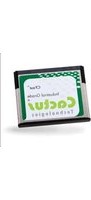
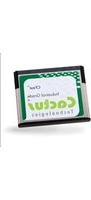
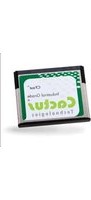
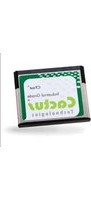
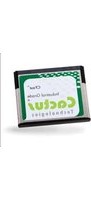
| Product Type | Memory Card |
| Brand | Cactus |
| Model | 303-32 |
| Storage Capacity | 32 GB |
| Form Factor | SD (Secure Digital) |
| Speed Class | Class 10 |
| Read Speed | Up to 80 MB/s |
| Write Speed | Up to 20 MB/s |
| Operating Voltage | 2.7 – 3.6 V |
| Operating Temperature | -25°C to 85°C |
| Storage Temperature | -40°C to 85°C |
| Dimensions (L x W x H) | 32.0 x 24.0 x 2.1 mm |
| Weight | Approx. 2 g |
| Write Protection Switch | Yes |
| Compatibility | Devices with SD card slot (cameras, smartphones, tablets, etc.) |
| Maintenance | Keep dry, avoid magnetic fields and static electricity |
| Cleaning | Gently wipe contacts with a soft, dry cloth |
| Safety | Keep out of reach of children; do not bend or apply pressure |
| Spare Parts | Not applicable – memory cards are not repairable |
| Repairability | Non-repairable; replace if defective |
| General Information | Designed for storing photos, videos, music, and documents; durable and shockproof |
Frequently Asked Questions - 303-32 Cactus
What is the storage capacity of the Cactus 303-32 memory card?
The Cactus 303-32 has a storage capacity of 32 GB, which is suitable for storing thousands of photos or hours of video.
Is the Cactus 303-32 compatible with my smartphone?
Yes, if your smartphone supports SD cards via a microSD adapter (common for Android devices) or has a full-size SD slot, it should work. For devices with a microSD slot, use an adapter.
How do I format the Cactus 303-32 memory card?
You can format the card using your camera, smartphone, or computer. In Windows, right-click the drive and select Format. Choose FAT32 for maximum compatibility or exFAT for larger files. Be sure to back up data first.
What is the write protection switch on the card for?
The write protection switch on the side of the SD card prevents data from being accidentally overwritten or deleted. Slide it to the Lock position to enable protection. To write data, slide it to the Unlock position.
Can I use this card in a GoPro or action camera?
Yes, the Cactus 303-32 is a Class 10 card, making it suitable for HD video recording including 1080p. Always check your camera's recommended speed class for optimal performance.
How long does the Cactus 303-32 memory card last?
The lifespan depends on usage. SD cards are rated for tens of thousands of write/erase cycles. Under normal use, you can expect several years of reliable performance. However, they should be replaced if errors occur.
What should I do if my device does not recognize the card?
First, ensure the card is inserted correctly. Try cleaning the metal contacts with a soft, dry cloth. If the problem persists, try the card in another device. The card may be faulty or require formatting.
Is the Cactus 303-32 waterproof?
SD cards are not fully waterproof, but they are generally resistant to moisture and splashes. Avoid prolonged submersion. The card is designed to withstand incidental exposure but should be dried immediately if wet.
Can I repair the memory card if it fails?
No, memory cards are not repairable. If the card fails, attempt to recover data using software (e.g., Recuva), but physical repair is not possible. Replace the card if it is defective.
Where can I find the user manual for the Cactus 303-32?
The user manual can be downloaded for free from notice-facile.com. Visit the product page and click the download button to get a PDF version.
User questions about 303-32 Cactus
0 question about this device. Answer the ones you know or ask your own.
Ask a new question about this device
No questions yet. Be the first to ask one.
Download the instructions for your Memory Card in PDF format for free! Find your manual 303-32 - Cactus and take your electronic device back in hand. On this page are published all the documents necessary for the use of your device. 303-32 by Cactus.
USER MANUAL 303-32 Cactus
Manual assistant
Powered by Anthropic
Waiting for your message
Product information
Brand : Cactus
Model : 303-32
Category : Memory Card