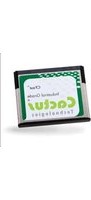
270P - Memory Card Cactus - Free user manual and instructions
Find the device manual for free 270P Cactus in PDF.


Pick your language and provide your email: we'll send you a specifically translated version.
| Type of product | Memory card (flash storage) |
| Brand | Cactus |
| Model | 270P |
| Compatible devices | Cameras, smartphones, tablets, laptops, and other devices with a compatible memory card slot |
| Storage capacity | Typically available in 16GB, 32GB, 64GB, 128GB (depending on specific variant) |
| Read speed | Up to 80 MB/s (Class 10, UHS-I) |
| Write speed | Up to 30 MB/s (Class 10, UHS-I) |
| Speed class | Class 10 – suitable for Full HD video recording |
| Dimensions | 32 mm × 24 mm × 2.1 mm (SD format) or 15 mm × 11 mm × 1 mm (microSD format) |
| Weight | Approximately 2 grams (SD), 0.5 grams (microSD) |
| Power consumption | Low power, powered by host device |
| Main functions | Store and transfer photos, videos, documents, and other digital data |
| Write protection | Mechanical write-protect switch on SD adapters (for microSD) |
| Durability | Shockproof, temperature-resistant, waterproof (up to IPX7) in high-grade models |
| Operating temperature range | -25°C to 85°C |
| Storage temperature range | -40°C to 85°C |
| Maintenance and cleaning | Clean contacts gently with a dry, soft cloth; do not use liquids or solvents |
| Safety precautions | Handle with care, avoid bending, keep away from magnetic fields and static electricity |
| Spare parts and repairability | Not repairable as a consumer item; replacement is the standard solution |
| Warranty | Limited lifetime warranty (manufacturer-specific) |
| Package contents | Memory card (with SD adapter if microSD) and user manual |
| General information | Plug-and-play, no external power source required |
Frequently Asked Questions - 270P Cactus
What types of devices are compatible with the Cactus 270P memory card?
The Cactus 270P is a flash memory card compatible with any device that has a matching memory card slot, such as digital cameras, camcorders, smartphones, tablets, laptops, and card readers. Check your device's specifications to confirm the required format (e.g., SD or microSD).
How do I format the Cactus 270P memory card?
Format the card using your device's built-in formatting option or a computer. Insert the card, open File Explorer (Windows) or Finder (Mac), right-click the card drive, select Format, and choose the recommended file system (FAT32 or exFAT). Always backup important data before formatting.
Why does my computer show a lower capacity than printed on the card?
The actual usable capacity is slightly lower due to file system overhead and the manufacturer using decimal units (1 GB = 1,000,000,000 bytes) while the operating system uses binary units (1 GB = 1,073,741,824 bytes). This is normal and not a defect.
Can I use the Cactus 270P for 4K video recording?
Yes, if the card is marked Class 10 or UHS-I, it supports sustained write speeds suitable for Full HD and even 4K video recording. For best results, ensure the card's speed meets the camera's requirements; check your camera manual for the recommended speed class.
How do I enable write protection on the card?
For SD cards, slide the write-protect switch on the left side of the card to the locked position. For microSD cards, use the included SD adapter which has a write-protect switch. When locked, the card becomes read-only to prevent accidental data overwrite.
What should I do if I accidentally delete files from the Cactus 270P?
Stop using the card immediately to avoid overwriting the deleted data. Use data recovery software like Recuva, PhotoRec, or Disk Drill to attempt recovery. In some cases, professional recovery services may be needed for severe corruption.
Is the Cactus 270P memory card waterproof?
Many Cactus cards are designed to be waterproof, shockproof, and temperature resistant to a certain degree. However, do not intentionally submerge the card in water or expose it to extreme conditions. Always dry the card before inserting it into a device.
How long does the Cactus 270P typically last?
Memory cards have a limited number of program/erase cycles (typically 10,000 to 100,000). Under normal usage, a quality card can last for years. Proper handling and avoiding constant rewrites can extend its lifespan.
Can I use the Cactus 270P in multiple devices?
Yes, the card is designed to be portable and can be moved between devices. However, ensure each device is powered off before inserting or removing the card. To avoid file corruption, always eject the card safely from your computer before removal.
What does the '270P' model designation mean?
The 270P is the specific model identifier used by Cactus to denote a particular line of memory cards. It typically indicates the card's class or series. Refer to the product label or official Cactus website for detailed specifications and supported features.
User questions about 270P Cactus
0 question about this device. Answer the ones you know or ask your own.
Ask a new question about this device
No questions yet. Be the first to ask one.
Download the instructions for your Memory Card in PDF format for free! Find your manual 270P - Cactus and take your electronic device back in hand. On this page are published all the documents necessary for the use of your device. 270P by Cactus.
USER MANUAL 270P Cactus
Manual assistant
Powered by Anthropic
Waiting for your message
Product information
Brand : Cactus
Model : 270P
Category : Memory Card