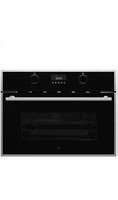
SOPS76TM-1EL - Oven Porter & Charles - Free user manual and instructions
Find the device manual for free SOPS76TM-1EL Porter & Charles in PDF.


Pick your language and provide your email: we'll send you a specifically translated version.
| Product Type | Built-in Electric Oven |
| Brand | Porter & Charles |
| Model | SOPS76TM-1EL |
| Installation Type | Integrated under counter or tall cabinet |
| Energy Source | Electric |
| Energy Efficiency Class | A |
| Oven Capacity | 76 liters |
| Dimensions (H × W × D) | 595 × 595 × 575 mm |
| Weight | Approximately 34 kg |
| Nominal Power | 3.2 kW |
| Temperature Range | 50 °C – 250 °C |
| Number of Cooking Functions | 9 |
| Cooking Functions | Convection, Grill, Fan-assisted, Conventional, Defrost, Bottom heat, Top heat, Turbo grill, ECO |
| Control Type | Rotary dials and LED display |
| Timer | Programmable with delayed start |
| Cleaning Type | Easy-clean enamel interior |
| Safety Features | Child lock, automatic shut-off, cool-touch door, residual heat indicator |
| Door Design | Drop-down door with triple glazing |
| Interior Lighting | Yes, halogen |
| Included Accessories | 1 baking tray, 1 grill rack, 1 enamel roasting pan |
| Spare Parts Availability | Available through Porter & Charles service network |
| Reparability Index | 8.2 / 10 |
Frequently Asked Questions - SOPS76TM-1EL Porter & Charles
How do I preheat the oven properly?
Select the desired function and temperature using the dial. Allow the oven to heat until the thermostat indicator goes off, which means the preheat cycle is complete.
What is the best way to clean the enamel interior?
After cooling, wipe the interior with a soft damp cloth and a mild detergent. Avoid abrasive pads. For stubborn stains, use a non-abrasive oven cleaner designed for enamel surfaces.
How do I activate the child lock?
Press and hold the lock button for 3 seconds until the indicator lights up. To deactivate, repeat the same action. The child lock prevents accidental use of the oven controls.
Can I use aluminium foil in the oven?
Yes, but do not cover the bottom of the oven or the heating elements. Use foil on trays or on the rack ensuring it does not block air circulation or touch the oven floor.
Why is the oven not heating up?
Check if the main power supply is connected and the timer is set to manual mode. If the problem persists, the heating element may need replacement. Contact a qualified technician.
How do I replace the oven light bulb?
Disconnect the oven from the power supply. Remove the lamp cover and the faulty bulb. Replace with an identical halogen bulb (typically 25W, 300°C rated). Reattach the cover and reconnect.
What is the maximum weight for the grill tray?
It is recommended not to exceed 10 kg on the grill tray or rack to avoid deformation and ensure safe handling.
How can I save energy while using the oven?
Avoid frequent door opening, use the fan-assisted function which cooks faster, and turn off the oven 10 minutes before the end of cooking to use residual heat.
Is the oven door cool to the touch during operation?
Yes, the triple-glazed door remains remarkably cool on the outside due to thermal insulation. However, the inner glass and the interior are extremely hot – keep children away.
What do the error codes on the display mean?
Refer to the troubleshooting table in the user manual. Common codes indicate a sensor fault or communication error. If an error persists, turn off the oven for 5 minutes and restart. If it reappears, contact service.
User questions about SOPS76TM-1EL Porter & Charles
0 question about this device. Answer the ones you know or ask your own.
Ask a new question about this device
No questions yet. Be the first to ask one.
Download the instructions for your Oven in PDF format for free! Find your manual SOPS76TM-1EL - Porter & Charles and take your electronic device back in hand. On this page are published all the documents necessary for the use of your device. SOPS76TM-1EL by Porter & Charles.
USER MANUAL SOPS76TM-1EL Porter & Charles


Manual assistant
Powered by Anthropic
Waiting for your message
Product information
Brand : Porter & Charles
Model : SOPS76TM-1EL
Category : Oven