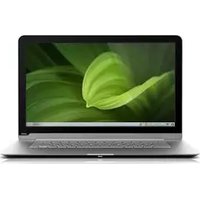
CN15-A1 - Laptop VIZIO - Free user manual and instructions
Find the device manual for free CN15-A1 VIZIO in PDF.


Pick your language and provide your email: we'll send you a specifically translated version.
| Type of product | Laptop |
| Brand | VIZIO |
| Model | CN15-A1 |
| Screen diagonal | 15.6 inches |
| Screen resolution | 1366 x 768 pixels (HD) |
| Processor | Intel Core i5-2430M (2.4 GHz) |
| RAM memory | 4 GB DDR3 |
| Storage capacity | 500 GB SATA hard drive |
| Graphics adapter | Intel HD Graphics 3000 |
| Operating system | Windows 7 Home Premium |
| Battery | 6-cell lithium-ion |
| Power adapter | 65 W AC adapter |
| Connectivity | Wi-Fi, Bluetooth, Gigabit Ethernet |
| Ports | 2 x USB 2.0, 1 x USB 3.0, HDMI, VGA, SD card reader |
| Webcam | 1.3 MP webcam with microphone |
| Audio | Stereo speakers |
| Keyboard | Full-size keyboard |
| Weight | Approximately 2.3 kg (5.1 lbs) |
| Dimensions (W x D x H) | 380 x 250 x 25 mm |
| Warranty | 1-year limited warranty |
| Included accessories | AC adapter, battery, user manual |
| Safety instructions | Ensure proper ventilation and avoid blocking air vents |
| Cleaning instructions | Wipe with a soft, dry cloth; do not use harsh chemicals |
| Spare parts and repairability | RAM, hard drive, and battery are user-replaceable |
Frequently Asked Questions - CN15-A1 VIZIO
How do I download the user manual for my VIZIO CN15-A1?
To download the manual, visit the notice-facile.com page for your model, click the Download button, and save the PDF file to your computer.
What are the specifications of the VIZIO CN15-A1?
The VIZIO CN15-A1 is a 15.6-inch laptop with an Intel Core i5 processor, 4 GB DDR3 RAM, and a 500 GB hard drive. It includes USB 3.0, HDMI, and a webcam.
How can I reset my VIZIO laptop to factory settings?
To reset, access the Recovery Manager by pressing F11 during startup, then follow the on-screen instructions to restore the original factory image.
How do I connect the VIZIO CN15-A1 to a TV via HDMI?
Use an HDMI cable to connect the laptop's HDMI port to the TV. Then press the Input button on the TV remote and select the correct HDMI source.
Can I upgrade the RAM on my VIZIO CN15-A1?
Yes, the RAM is user-replaceable. Remove the bottom panel to access the memory slot, and install a compatible DDR3 SODIMM module up to 8 GB.
Why is my laptop battery not charging?
Check the power adapter and the charging port for damage. If the battery is old, it may have reached its lifespan. Try removing the battery and reinserting it after cleaning the contacts.
How do I clean my laptop screen safely?
Use a soft, lint-free cloth slightly dampened with water or a screen cleaner. Gently wipe the screen from top to bottom, avoiding excessive moisture.
What should I do if the laptop overheats?
Ensure the ventilation vents are not blocked, place the laptop on a hard surface, and use a cooling pad. Clean the internal fan and heatsink if necessary.
How do I replace the hard drive in the VIZIO CN15-A1?
Turn off the laptop, remove the bottom panel, unscrew the hard drive bracket, and disconnect the drive. Install a new SATA 2.5-inch drive and reassemble.
Where can I find spare parts for my VIZIO laptop?
Spare parts like batteries, keyboards, and hard drives can be found online at retailers such as Amazon or eBay, or through authorized VIZIO service centers.
User questions about CN15-A1 VIZIO
0 question about this device. Answer the ones you know or ask your own.
Ask a new question about this device
No questions yet. Be the first to ask one.
Download the instructions for your Laptop in PDF format for free! Find your manual CN15-A1 - VIZIO and take your electronic device back in hand. On this page are published all the documents necessary for the use of your device. CN15-A1 by VIZIO.
USER MANUAL CN15-A1 VIZIO


Manual assistant
Powered by Anthropic
Waiting for your message
Product information
Brand : VIZIO
Model : CN15-A1
Category : Laptop