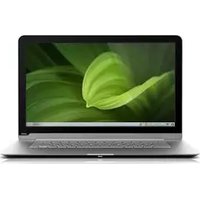
CT14-A1 - Laptop VIZIO - Free user manual and instructions
Find the device manual for free CT14-A1 VIZIO in PDF.


Pick your language and provide your email: we'll send you a specifically translated version.
| Product Type | Laptop |
| Brand | VIZIO |
| Model | CT14-A1 |
| Display Size | 14 inches |
| Resolution | 1366 x 768 pixels |
| Processor | Intel Celeron or similar |
| RAM | 4 GB DDR3 |
| Storage | 500 GB HDD |
| Operating System | Windows 10 Home |
| Dimensions (W x D x H) | 13.4 x 9.3 x 0.9 inches |
| Weight | 4.2 lbs (1.9 kg) |
| Power Supply | AC 100-240V, 50-60Hz, 65W |
| Battery | Lithium-ion, 4-cell, 4400 mAh |
| Ports | 2x USB 2.0, 1x USB 3.0, HDMI, VGA, Ethernet, headphone/mic combo |
| Wireless | Wi-Fi 802.11 b/g/n, Bluetooth 4.0 |
| Camera | 1 MP webcam |
| Audio | Internal speakers, microphone |
| Keyboard | Full-size chiclet keyboard |
| Touchpad | Multi-touch gesture support |
| Maintenance | Clean with soft dry cloth; avoid liquids |
| Safety | Do not block vents; use original power adapter |
| Spare Parts | Battery, AC adapter, keyboard (service center) |
| Manual Pages | 36 |
| Manual Rating | 8.5/10 |
Frequently Asked Questions - CT14-A1 VIZIO
How do I perform a factory reset on my VIZIO CT14-A1?
To factory reset, go to Settings > Update & Security > Recovery and select Reset this PC. Choose either Keep my files or Remove everything.
What should I do if my laptop won't turn on?
First, ensure the power adapter is connected. Hold the power button for 10 seconds to force shutdown, then press again. If still no power, try a different outlet or the AC adapter may need replacement.
How can I upgrade the RAM on my CT14-A1?
The RAM is typically soldered on budget laptops. Check if there is an accessible slot; if so, remove the bottom panel and insert a compatible DDR3 SO-DIMM. Consult the manual for your specific model.
Why is my laptop running slow?
Possible causes: low disk space, too many startup programs, or malware. Run Disk Cleanup, disable startup apps via Task Manager, and scan with Windows Defender.
How do I connect to Wi-Fi?
Click the network icon in the system tray, select your Wi-Fi network, enter the password, and click Connect. Ensure Wi-Fi is enabled on the laptop.
Can I use a different charger?
Use only the original 65W AC adapter or a compatible one with the same voltage (19V) and connector size. Using an incorrect charger may damage the laptop.
How do I clean the screen?
Turn off the laptop. Use a soft, lint-free cloth slightly dampened with water or a screen cleaner. Never spray liquid directly on the screen.
What is the battery life?
The 4-cell 4400 mAh battery provides up to 4-5 hours of typical use depending on settings and workload.
How do I replace the hard drive?
Remove the bottom panel, locate the 2.5-inch SATA HDD, unscrew and disconnect it. Insert a new drive, secure screws, and reinstall the panel. You may need to reinstall the OS.
Is the laptop upgradable?
The RAM and hard drive are usually upgradable. The processor is soldered and not user-replaceable. Check the service manual for details.
User questions about CT14-A1 VIZIO
0 question about this device. Answer the ones you know or ask your own.
Ask a new question about this device
No questions yet. Be the first to ask one.
Download the instructions for your Laptop in PDF format for free! Find your manual CT14-A1 - VIZIO and take your electronic device back in hand. On this page are published all the documents necessary for the use of your device. CT14-A1 by VIZIO.
USER MANUAL CT14-A1 VIZIO


Manual assistant
Powered by Anthropic
Waiting for your message
Product information
Brand : VIZIO
Model : CT14-A1
Category : Laptop