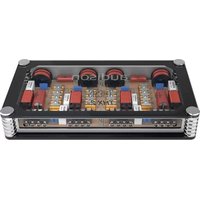
PIC 6 - Uncategorized AUDISON - Free user manual and instructions
Find the device manual for free PIC 6 AUDISON in PDF.


Pick your language and provide your email: we'll send you a specifically translated version.
| Type of product | Car audio crossover / processor |
| Brand | Audison |
| Model | PIC 6 |
| Product category | Car audio accessories |
| Dimensions (W × H × D) | 150 × 35 × 100 mm |
| Weight | 0.55 kg |
| Power supply | 12 V DC (11–15 V) |
| Current consumption | 0.5 A |
| Recommended fuse | 5 A |
| Input type | High-level speaker inputs, 6 channels |
| Output type | Low-level RCA outputs, 6 channels |
| Number of channels | 6 |
| Frequency response | 10 Hz – 20 kHz |
| Crossover frequency | 50 – 500 Hz, adjustable |
| Signal-to-noise ratio | > 100 dB |
| Total harmonic distortion | < 0.01 % |
| Main functions | Input level adjustment, crossover mode selection (HPF/LPF), bass boost, phase inversion |
| Installation | 4-screw mounting, wiring harness included |
| Maintenance and cleaning | Wipe with a dry cloth, avoid contact with liquids |
| Safety | Disconnect the battery before installation, respect polarity |
| Spare parts and repairability | Replaceable fuse, professional repair service available |
| General information | Built in Italy, CE certified |
Frequently Asked Questions - PIC 6 AUDISON
How do I install the Audison PIC 6?
Connect the high-level inputs to your car radio speaker outputs. Ensure the power supply is connected to a 12 V battery source and the ground is securely attached. Mount the unit with the provided screws.
What is the power supply requirement for the PIC 6?
The device operates on 12 V DC (11–15 V). Use a 5 A fuse in the power line for protection.
Can I connect the PIC 6 directly to a factory head unit?
Yes, the PIC 6 accepts high-level speaker signals, so it can be connected directly to factory or aftermarket head unit speaker outputs.
How do I adjust the crossover frequency?
Use the crossover controls on the device to set the desired frequency between 50 and 500 Hz. Turn the dial to the appropriate position for your speakers.
What is the purpose of the phase inversion switch?
The phase switch reverses the polarity of the output signal, helping to correct phase differences between speakers and improving bass response.
How should I clean the Audison PIC 6?
Use a soft dry cloth to wipe the surface. Never use water or cleaning agents, as they may damage the electronic components.
Does the PIC 6 come with a warranty?
Yes, the product includes a manufacturer warranty. Keep your receipt and contact the retailer for warranty claims.
Is the PIC 6 compatible with most car radios?
It is compatible with any radio that has speaker level outputs, including OEM and aftermarket units. The adjustable inputs ensure a proper match.
What should I do if there is no sound output?
Check the input connections and ensure the power and ground are correctly wired. Verify that the crossover settings are not muting the output. Also confirm the fuse is not blown.
How do I connect the PIC 6 to an external amplifier?
Connect the RCA outputs of the PIC 6 to the inputs of your amplifier. Adjust the output level on the PIC 6 to match the amplifier's input sensitivity.
User questions about PIC 6 AUDISON
0 question about this device. Answer the ones you know or ask your own.
Ask a new question about this device
No questions yet. Be the first to ask one.
Download the instructions for your Uncategorized in PDF format for free! Find your manual PIC 6 - AUDISON and take your electronic device back in hand. On this page are published all the documents necessary for the use of your device. PIC 6 by AUDISON.
USER MANUAL PIC 6 AUDISON
Manual assistant
Powered by Anthropic
Waiting for your message
Product information
Brand : AUDISON
Model : PIC 6
Category : Uncategorized