ECK DRC - Uncategorized AUDISON - Free user manual and instructions
Find the device manual for free ECK DRC AUDISON in PDF.


Pick your language and provide your email: we'll send you a specifically translated version.
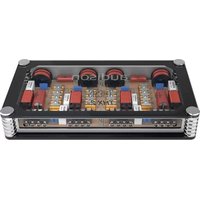
| Product Type | Digital Remote Control |
| Model | Audison ECK DRC |
| Dimensions (W x H x D) | 50 x 25 x 10 mm |
| Weight | 30 g |
| Power Supply | 12V DC (car electrical system) |
| Connection Cable Length | 3 m |
| Main Functions | Volume control, source selection, track navigation, subwoofer level adjustment |
| Compatibility | Audison amplifiers with DRC input (e.g., AP, AV, VR series) |
| Display Type | LED indicator |
| Installation | Dash or console mount with included bracket |
| Materials | Plastic, aluminum faceplate |
| Operating Temperature | -20°C to 70°C |
| Storage Temperature | -30°C to 85°C |
| Maintenance | Clean with a soft, dry cloth; avoid liquids |
| Safety | 12V only, do not expose to moisture |
| Spare Parts | Mounting bracket, connecting cable (available from Audison dealers) |
| Warranty | 2 years from date of purchase |
Frequently Asked Questions - ECK DRC AUDISON
How do I connect the ECK DRC to my Audison amplifier?
Connect the supplied cable to the DRC input on your Audison amplifier. The other end connects to the remote control. Ensure the amplifier is powered off during installation.
Can I use ECK DRC with any Audison amplifier?
No, it is compatible only with Audison amplifiers that have a dedicated DRC input. Check your amplifier's manual for compatibility.
What functions does the ECK DRC control?
It controls volume, source selection, track forward/backward, and subwoofer level (if supported by the amplifier).
How do I mount the ECK DRC?
Use the included mounting bracket to attach it to a flat surface (e.g., dashboard). Drill a hole for the cable if necessary. Secure with screws provided.
What is the cable length?
The connection cable is 3 meters long, allowing flexible placement.
How do I clean the remote control?
Unplug the remote, then gently wipe with a soft, dry cloth. Do not use water or cleaning agents.
Why is the LED not lighting up?
Check the cable connection to the amplifier. Ensure the amplifier is powered on and the DRC input is active. If still not working, inspect the fuse.
Can I replace the cable?
Yes, replacement cables are available from Audison dealers. Use only the specified cable to avoid damage.
Is it waterproof?
No, the ECK DRC is not waterproof. Keep it away from moisture to prevent malfunction.
What should I do if the remote stops working?
First, check the cable connection. Then test with another DRC-equipped amplifier. If it fails, contact Audison support or an authorized dealer.
User questions about ECK DRC AUDISON
0 question about this device. Answer the ones you know or ask your own.
Ask a new question about this device
No questions yet. Be the first to ask one.
Download the instructions for your Uncategorized in PDF format for free! Find your manual ECK DRC - AUDISON and take your electronic device back in hand. On this page are published all the documents necessary for the use of your device. ECK DRC by AUDISON.
USER MANUAL ECK DRC AUDISON


Manual assistant
Powered by Anthropic
Waiting for your message
Product information
Brand : AUDISON
Model : ECK DRC
Category : Uncategorized