JB121D0 - Oven JUNO - Free user manual and instructions
Find the device manual for free JB121D0 JUNO in PDF.


Pick your language and provide your email: we'll send you a specifically translated version.
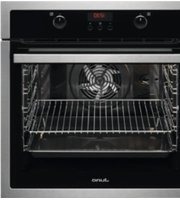
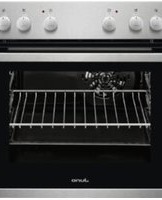
| Product Type | Built-in Electric Oven |
| Brand | Juno |
| Model | JB121D0 |
| Installation Type | Built-in |
| Dimensions (H × W × D) | 595 mm × 595 mm × 575 mm |
| Oven Capacity | 66 liters |
| Energy Efficiency Class | A |
| Temperature Range | 50°C – 275°C |
| Cooking Functions | Conventional, Top/Bottom Heat, Convection, Grill, Defrost |
| Control Type | Rotary knobs with electronic timer |
| Display | LED digital display |
| Door Type | Drop-down door with glass pane |
| Number of Glass Panes | 3 |
| Cleaning Type | Catalytic liners on back wall |
| Child Lock | Yes |
| Safety Features | Cool front door, automatic shut-off |
| Power Consumption (Conventional) | 0.95 kWh |
| Power Consumption (Convection) | 0.75 kWh |
| Voltage | 220-240 V |
| Frequency | 50 Hz |
| Weight | Approximately 32 kg |
| Accessories Included | Wire rack, baking tray, broiler pan |
| Warranty | 2 years |
Frequently Asked Questions - JB121D0 JUNO
What is the capacity of the Juno JB121D0 oven?
The Juno JB121D0 has a generous 66-liter oven capacity, making it ideal for large roasts and multiple trays of baking.
How do I install the oven correctly?
Installation must be carried out by a qualified electrician. Ensure the oven is level, securely fixed into the cabinet, and that all electrical connections comply with local regulations. Leave sufficient ventilation gaps as specified in the manual.
My oven is not heating up – what could be the cause?
First, check that the power supply is connected and the circuit breaker has not tripped. Verify that the timer is not in an automatic mode that delays heating. If issues persist, a faulty heating element or thermostat may require replacement.
How do I clean the catalytic liners?
The catalytic liners are self-cleaning. They absorb grease during cooking and burn it off at high temperatures. Wipe off any heavy residues with a soft cloth or brush. Do not use abrasive cleaners that could damage the coating.
Can I use the oven without the convection fan?
Yes. The oven offers conventional heating (top and bottom heat) as a separate function. When using this mode, the convection fan is inactive, which is suitable for recipes that require still air, such as delicate cakes.
What does the child lock feature do and how do I activate it?
The child lock prevents accidental changes to the oven settings or unintended operation. To activate, press and hold the child lock button for 3 seconds until the display shows the lock symbol. Repeat to deactivate.
How can I save energy when using this oven?
Use the convection mode rather than conventional heating when possible, as it cooks food faster at lower temperatures. Preheat only when the recipe requires it, and avoid opening the door frequently to retain heat. Also, switch off the oven 5-10 minutes before the end of cooking to use residual heat.
Why is there condensation on the oven door?
Condensation on the door glass is normal when baking moist foods. It occurs because steam meets the cooler surface. To reduce it, use the convection mode or dry the door after cooking. This is not a fault.
Are spare parts available for this model?
Yes. Genuine Juno spare parts are available through authorized service centers and online retailers. Common replacements include heating elements, door gaskets, and control knobs. Always quote the model number JB121D0 when ordering.
How do I set the timer and automatic cooking functions?
Use the electronic timer to program cooking duration and end time. Turn the function selector to a cooking mode, then set the desired cooking time and stop time. The oven will switch off automatically when the set duration ends. Refer to the manual for detailed steps.
User questions about JB121D0 JUNO
0 question about this device. Answer the ones you know or ask your own.
Ask a new question about this device
No questions yet. Be the first to ask one.
Download the instructions for your Oven in PDF format for free! Find your manual JB121D0 - JUNO and take your electronic device back in hand. On this page are published all the documents necessary for the use of your device. JB121D0 by JUNO.
USER MANUAL JB121D0 JUNO
Manual assistant
Powered by Anthropic
Waiting for your message
Product information
Brand : JUNO
Model : JB121D0
Category : Oven