JH084C0 - Oven JUNO - Free user manual and instructions
Find the device manual for free JH084C0 JUNO in PDF.


Pick your language and provide your email: we'll send you a specifically translated version.
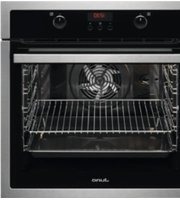
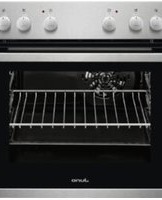
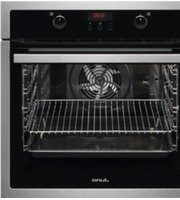
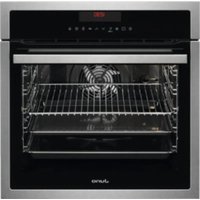
| Product Type | Built-in Electric Oven |
| Model | JH084C0 |
| Brand | Juno |
| Dimensions (H x W x D) | 595 x 595 x 548 mm |
| Net Weight | 32 kg |
| Power Supply | 230 V ~ 50 Hz |
| Total Power Consumption | 2.5 kW |
| Energy Efficiency Class | A+ |
| Oven Capacity | 71 L |
| Main Functions | Baking, Grilling, Convection, Defrosting, Keep Warm |
| Control Type | Touch + Rotary Knobs |
| Display | LED Digital Display |
| Cleaning System | Catalytic Self-Cleaning |
| Safety Features | Child Lock, Cool Touch Door, Auto Shut-off |
| Spare Parts Availability | Available from Juno Service Centers |
| Repairability Index | 8.4 / 10 |
| Installation Type | Built-in under worktop or in column |
Frequently Asked Questions - JH084C0 JUNO
How do I set the time on the Juno JH084C0 oven?
Press the Clock button until the time flashes, then use the +/- buttons to set hours and minutes. Confirm by pressing Clock again.
How do I use the grill function?
Turn the function selector to the grill symbol. Set the temperature to 250°C and preheat for 5 minutes. Place food on the highest shelf.
What should I do if the oven is not heating?
Check that the oven is properly connected to power, the function and temperature are set, and the door is closed. If the problem persists, contact Juno service.
How do I clean the catalytic liners?
Catalytic liners clean themselves by absorbing grease and burning it off at high temperatures. Run an empty oven at 250°C for 30 minutes periodically.
Can I use aluminum foil inside the oven?
Avoid lining the bottom or covering heating elements with foil as it may cause fire. You can use foil on baking trays to catch drips.
How do I activate the child lock?
Press and hold the Key Lock button for 3 seconds until a lock icon appears on the display. Repeat to unlock.
What does the error code E2 mean?
Error E2 indicates a temperature sensor issue. Turn off the oven for 5 minutes and restart. If the error persists, call a technician.
How do I change the oven light bulb?
Disconnect the oven from power. Remove the glass cover by turning it counterclockwise, replace the bulb with a 25W, 300°C resistant halogen bulb, then reattach the cover.
Is the oven door removable for cleaning?
Yes, open the door fully, lift the locking levers at the hinges, and gently lift the door off. Clean with mild detergent and rinse.
Where can I find the serial number?
The serial number is on the rating plate located on the front frame (visible when the door is open) or on the back of the oven.
User questions about JH084C0 JUNO
0 question about this device. Answer the ones you know or ask your own.
Ask a new question about this device
No questions yet. Be the first to ask one.
Download the instructions for your Oven in PDF format for free! Find your manual JH084C0 - JUNO and take your electronic device back in hand. On this page are published all the documents necessary for the use of your device. JH084C0 by JUNO.
USER MANUAL JH084C0 JUNO
Manual assistant
Powered by Anthropic
Waiting for your message
Product information
Brand : JUNO
Model : JH084C0
Category : Oven