D270A - Telephone SAGEMCOM - Free user manual and instructions
Find the device manual for free D270A SAGEMCOM in PDF.


Pick your language and provide your email: we'll send you a specifically translated version.
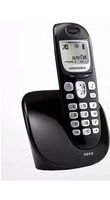
| Product Type | Cordless DECT telephone |
| Brand | Sagemcom |
| Model | D270A |
| Category | Telephone |
| Technology | DECT (Digital Enhanced Cordless Telecommunications) |
| Frequency Range | 1880 - 1900 MHz (EU region) |
| Indoor Range | Approx. 50 meters |
| Outdoor Range | Approx. 300 meters |
| Handset Dimensions (H x W x D) | 160 x 50 x 30 mm |
| Base Dimensions (H x W x D) | 100 x 100 x 50 mm |
| Handset Weight | 130 g |
| Base Weight | 100 g |
| Power Supply | 230 V AC, 6 V DC 400 mA adapter |
| Battery Type | 2 x AAA NiMH rechargeable batteries |
| Talk Time | Up to 10 hours |
| Standby Time | Up to 100 hours |
| Charging Time | Approx. 8 hours |
| Display | Monochrome LCD with backlight |
| Phonebook | Up to 50 names and numbers |
| Speakerphone | Yes, hands-free mode |
| Caller ID | Supported on compatible networks |
| Intercom | Yes, between handsets |
| Maintenance | Clean with a soft dry cloth; do not use solvents |
| Safety | Use only supplied adapter and batteries; keep dry |
| Spare Parts | Replacement batteries, chargers, and bases available |
| Repairability | Designed for easy replacement of batteries and handset |
| Warranty | 1-year limited hardware warranty |
Frequently Asked Questions - D270A SAGEMCOM
How do I register or pair a new handset to the D270A base?
To register a new handset, place it on the base or charger for a few seconds, then press and hold the paging or base registration button on the base for 10 seconds. On the handset, go to the menu and select Register or Add Handset. Enter the base PIN (usually 0000) and confirm. The handset will be automatically assigned.
What should I do if I hear no dial tone?
First, check that the telephone line cable is securely connected to the base and the wall jack. If the issue persists, try a different phone cable or test the jack with another phone. Also ensure the handset is in range and has sufficient battery charge. If none of these work, reset the base by unplugging it for 30 seconds and plugging it back in.
How do I replace the batteries in the handset?
Slide off the battery compartment cover on the back of the handset. Remove the old AAA NiMH rechargeable batteries and replace them with new ones of the same type. Insert the batteries according to the polarity markings, then slide the cover back on. Charge the handset for at least 8 hours before first use.
The ringer volume is too low or too high. How can I adjust it?
Press the Volume Up or Volume Down key on the handset while idle or during an incoming call to adjust the ringer volume. You can also go to the Sounds or Ringer menu in the handset settings and choose a volume level from Off to High.
What is the maximum range of the D270A?
The maximum range is approximately 50 meters indoors and 300 meters outdoors in clear line-of-sight conditions. Actual range may vary depending on building materials, walls, and electromagnetic interference.
How do I set the date and time on my Sagemcom D270A?
Press the Menu button, then navigate to Date/Time (or Clock Settings). Use the keypad to enter the current date and time, then press OK or Save. If your network sends time information, you may also enable Auto Time from the same menu.
Can I use the intercom or call between two handsets?
Yes, the D270A supports intercom calls between handsets registered to the same base. On the main handset, press the Intercom button (or go to Intercom in the menu), select the other handset number, and wait for the other handset to answer.
How do I view and clear missed calls?
Press the Caller ID or Missed Calls button on the handset to view the list of missed calls. Navigate through the list using the arrow keys. To clear the list, press Options, then select Clear All or Delete. The missed call indicator will turn off.
How do I reset the D270A to factory settings?
To perform a factory reset, go to Menu > Settings > Reset (or Restore Defaults). Enter the system PIN (0000 by default) and confirm. This will erase all custom settings, phonebook entries, and caller ID history. The phone will restart with default settings.
Can I use regular alkaline AAA batteries instead of rechargeable ones?
No, it is recommended to use only NiMH rechargeable AAA batteries (e.g., 550 mAh). Regular alkaline batteries are not designed for repetitive charging and may leak or damage the handset. Always replace both batteries as a pair.
User questions about D270A SAGEMCOM
0 question about this device. Answer the ones you know or ask your own.
Ask a new question about this device
No questions yet. Be the first to ask one.
Download the instructions for your Telephone in PDF format for free! Find your manual D270A - SAGEMCOM and take your electronic device back in hand. On this page are published all the documents necessary for the use of your device. D270A by SAGEMCOM.
USER MANUAL D270A SAGEMCOM

Manual assistant
Powered by Anthropic
Waiting for your message
Product information
Brand : SAGEMCOM
Model : D270A
Category : Telephone