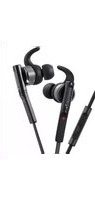
KHP-IR72 - Headphones KENWOOD - Free user manual and instructions
Find the device manual for free KHP-IR72 KENWOOD in PDF.


Pick your language and provide your email: we'll send you a specifically translated version.
| Product Type | Wireless Infrared Headphones |
| Brand | Kenwood |
| Model | KHP-IR72 |
| Wearing Style | Over-ear |
| Connectivity | Infrared (IR) wireless |
| Operating Range | Up to 7 m (line of sight) |
| Driver Size | 40 mm |
| Frequency Response | 20 Hz – 20 kHz |
| Impedance | 32 Ω |
| Battery Type | 2 x AAA (not included) |
| Battery Life | Approximately 20 hours |
| Weight | Approx. 240 g (without batteries) |
| Dimensions | Approx. 190 x 160 x 75 mm (W x D x H) |
| Controls | On/off switch and volume wheel on earcup |
| Included Accessories | IR transmitter, audio cable, instruction manual |
| Cleaning | Wipe with a soft, dry cloth |
| Safety | Do not expose to water or moisture; keep away from heat sources |
| Spare Parts | Replacement ear pads available through Kenwood support |
| Repairability | Authorized service centers for repairs |
| General Information | Compatible with TV, stereo, and most audio sources with analog output |
Frequently Asked Questions - KHP-IR72 KENWOOD
How do I connect the KHP-IR72 to my TV?
Connect the provided audio cable to the headphone output of your TV and the other end to the IR transmitter's audio input. Place the transmitter on a stable surface facing the listening area, then put on the headphones and ensure they are switched on. Adjust the volume to your preference.
Why is there no sound coming from the headphones?
Check that the headphones are powered with fresh AAA batteries and switched on. Ensure the IR transmitter is connected and powered, and that the headphones are positioned within the line-of-sight range of the transmitter. Also verify that the TV or audio source is playing and the volume is not muted.
Can I use the KHP-IR72 with Bluetooth devices?
No, the KHP-IR72 uses infrared transmission and is not compatible with Bluetooth. It requires the included IR transmitter, which accepts a standard analog audio input.
What type of batteries do the headphones require?
The headphones require 2 AAA batteries (not included). We recommend alkaline batteries for longer playback time; battery life is approximately 20 hours.
How do I clean and maintain the headphones?
Use a soft, dry cloth to wipe the ear pads and headband. Do not use water or cleaning agents. Remove the batteries if you do not plan to use the headphones for an extended period to prevent leakage.
Are replacement ear pads available for the KHP-IR72?
Yes, replacement ear pads can be ordered through Kenwood customer support or authorized parts distributors. Check the user manual for part numbers.
What is the effective range of the infrared signal?
The infrared signal works up to 7 meters in a direct line of sight. Obstacles such as walls or furniture may block the signal, so maintain a clear path between the transmitter and the headphones.
Can I connect the headphones to a PC or smartphone?
You can connect any device with a 3.5mm analog audio output to the IR transmitter. For smartphones without a headphone jack, you may need a USB-C/3.5mm adapter. The headphones themselves do not have a direct wired input.
How do I control the volume on the headphones?
The right earcup has a volume wheel. Rotate it upward to increase volume and downward to decrease. Ensure the volume on the audio source is set to a reasonable level as well.
Is it safe to use wireless headphones like the KHP-IR72?
Yes, infrared headphones are safe because they do not emit harmful radiation. However, to protect your hearing, avoid listening at high volumes for long periods. Always follow the safety instructions in the manual.
User questions about KHP-IR72 KENWOOD
0 question about this device. Answer the ones you know or ask your own.
Ask a new question about this device
No questions yet. Be the first to ask one.
Download the instructions for your Headphones in PDF format for free! Find your manual KHP-IR72 - KENWOOD and take your electronic device back in hand. On this page are published all the documents necessary for the use of your device. KHP-IR72 by KENWOOD.
USER MANUAL KHP-IR72 KENWOOD

Manual assistant
Powered by Anthropic
Waiting for your message
Product information
Brand : KENWOOD
Model : KHP-IR72
Category : Headphones