Erazer X87075 (MD 34611) - Desktop computer MEDION - Free user manual and instructions
Find the device manual for free Erazer X87075 (MD 34611) MEDION in PDF.


Pick your language and provide your email: we'll send you a specifically translated version.
| Type of product | Desktop computer |
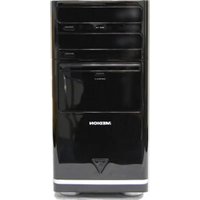
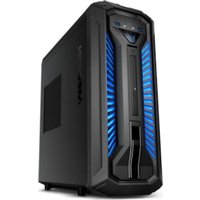
| Brand and model | MEDION Erazer X87075 (MD 34611) |
| Main functions | Gaming, multimedia, and productivity tasks |
| Processor | Intel Core i7-9700 (8 cores, up to 4.7 GHz) |
| Graphics card | NVIDIA GeForce RTX 2070 with 8 GB GDDR6 |
| Memory | 16 GB DDR4 RAM (expandable up to 32 GB) |
| Storage | 512 GB NVMe SSD + 1 TB HDD |
| Operating system | Windows 10 Home (upgradable to Windows 11) |
| Connectivity | Wi-Fi 5, Bluetooth 5.0, Gigabit Ethernet |
| External ports | USB 3.0, USB-C, HDMI, DisplayPort |
| Dimensions | Approx. 205 x 485 x 460 mm (W x H x D) |
| Weight | Approx. 12 kg |
| Power supply | 600 W power supply (80 PLUS certified) |
| Maintenance & cleaning | Regularly clean air vents with compressed air to prevent dust buildup |
| Safety instructions | Ensure proper grounding, avoid opening while powered, and protect from humid conditions |
| Spare parts & repairability | RAM, storage, power supply, and fans are user-replaceable; tool-less side panel access |
| General information | High-performance gaming desktop with liquid cooling for optimal thermal management |
Frequently Asked Questions - Erazer X87075 (MD 34611) MEDION
How do I set up my MEDION Erazer X87075 for the first time?
Connect your monitor, keyboard, and mouse. Plug in the power cable and press the power button. Follow the on-screen instructions to complete Windows setup. Ensure you have a stable internet connection for driver updates.
Can I upgrade the RAM in the Erazer X87075?
Yes, the desktop supports up to 32 GB DDR4 memory. Open the side panel, locate the DIMM slots, and install compatible memory modules.
How do I clean the internal components safely?
Turn off and unplug the PC. Use compressed air to remove dust from vents, fans, and heat sinks. Avoid touching components directly and never use liquids inside the case.
How do I connect additional monitors?
Check your graphics card ports, typically DisplayPort and HDMI. Connect each monitor to the dedicated GPU ports for multi-display setups, then enable them in Windows display settings.
What is the recommended way to update graphics drivers?
Visit the NVIDIA website or use GeForce Experience to download the latest drivers. Alternatively, check Windows Update for automatic driver installations.
Does the system support SSD upgrades?
Yes, there are M.2 and SATA slots available. Add NVMe SSDs for faster boot times and loading speeds. Ensure the system is off and unplugged before installing.
Why is my PC not turning on?
Check the power cable and outlet. Verify the power supply switch is on. If still no power, inspect the power button connection to the motherboard. Consult the manual for troubleshooting steps.
How can I reset Windows to factory settings?
Go to Windows Settings > Update & Security > Recovery, then choose Reset this PC. Select 'Remove everything' to restore the system to its original state, or use a recovery media.
Is the case easy to open for cleaning or upgrades?
The side panel features a tool-less latch. Slide the panel back and lift off to access internal components. Always power off and disconnect the system before opening.
Does the Medion Erazer X87075 include a warranty?
MEDION provides a standard 2-year warranty for this desktop. Keep your proof of purchase and do not remove warranty seals unless necessary. Check MEDION's support page for service options.
User questions about Erazer X87075 (MD 34611) MEDION
0 question about this device. Answer the ones you know or ask your own.
Ask a new question about this device
No questions yet. Be the first to ask one.
Download the instructions for your Desktop computer in PDF format for free! Find your manual Erazer X87075 (MD 34611) - MEDION and take your electronic device back in hand. On this page are published all the documents necessary for the use of your device. Erazer X87075 (MD 34611) by MEDION.
USER MANUAL Erazer X87075 (MD 34611) MEDION
Manual assistant
Powered by Anthropic
Waiting for your message
Product information
Brand : MEDION
Model : Erazer X87075 (MD 34611)
Category : Desktop computer