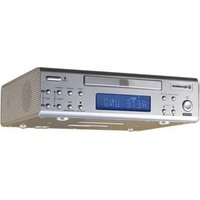
CD-910RDVD - Car Radio ROADSTAR - Free user manual and instructions
Find the device manual for free CD-910RDVD ROADSTAR in PDF.


Pick your language and provide your email: we'll send you a specifically translated version.
| Product Type | Car Radio with DVD Player |
| Brand | Roadstar |
| Model | CD-910RDVD |
| Chassis Dimension | Standard 1-DIN (178 x 50 x 155 mm) |
| Display | 3-inch TFT LCD screen |
| Disc Playback | CD, CD-R/RW, DVD, DVD-R/RW |
| Audio Codecs | MP3, WMA, WAV |
| Video Codecs | MPEG-4, DivX |
| Radio Tuner | FM/AM stereo tuner |
| Preset Stations | 30 FM + 15 AM |
| USB Input | Yes, front USB port |
| SD Card Slot | Yes, supports up to 32GB |
| Auxiliary Input | 3.5mm front AUX jack |
| Audio Output Power | 4 x 45W max. |
| RCA Pre-outs | 2 pairs (front/rear) |
| Power Supply | 12V DC (negative ground) |
| Remote Control | Yes, included |
| Detachable Face | Yes, anti-theft |
| Weight | Approx. 1.2 kg |
| Operating Temperature | -10°C to +60°C |
| Fuse Rating | 15A blade fuse |
| Cleaning Instructions | Wipe with a dry microfiber cloth |
Frequently Asked Questions - CD-910RDVD ROADSTAR
How do I install the car radio into my vehicle?
To install the Roadstar CD-910RDVD, first disconnect the negative battery terminal. Slide the mounting sleeve into the dashboard, connect the ISO connectors to the vehicle harness, then insert the unit until it clicks. Make sure all wires are properly insulated.
Which disc formats are supported?
The device supports CD, CD-R/RW, DVD, and DVD-R/RW. For video, it can play MPEG-4 and DivX files, while audio can be MP3, WMA, or WAV.
Can I play videos while driving?
For safety, the handbrake wiring must be connected. The video only plays when the handbrake is engaged unless the parking brake bypass is installed (not recommended). This is to comply with road safety regulations.
How do I tune and preset radio stations?
Press SRC to select tuner mode. Use the SEEK buttons to auto-scan, or manual tuning with the tuning dial. To store a station, press and hold one of the preset buttons (1-6) for a few seconds. You can store up to 30 FM and 15 AM stations.
How do I connect a USB drive?
Insert your USB device into the front USB port. The unit will automatically switch to USB mode. Use the controls to browse files. It supports USB drives up to 32GB formatted in FAT32.
How do I use the AUX input?
Connect your phone or MP3 player with a 3.5mm audio cable to the AUX-IN jack on the front panel. Press SRC until AUX appears on the display.
Does the unit come with a remote control?
Yes, a remote control is included. It lets you control volume, track selection, and other functions from a distance. Make sure to point it at the IR sensor on the front panel.
How do I set the clock?
In tuner mode, press and hold the DISP button for a few seconds. Use the tuning dial to adjust hours, then press again to adjust minutes. The time will be displayed when the unit is off.
What should I do if the unit does not power on?
First check the fuse (15A) located on the rear of the unit. If blown, replace it with the same rating. Also verify that the yellow (constant 12V) and red (switched 12V) wires are correctly connected. If the issue persists, consult a professional installer.
How do I clean the car radio?
Use a soft dry cloth to wipe the front panel and display. Do not use chemical solvents or water, as they can damage the finish or internal components. For the lens, a gentle air blower can remove dust.
User questions about CD-910RDVD ROADSTAR
0 question about this device. Answer the ones you know or ask your own.
Ask a new question about this device
No questions yet. Be the first to ask one.
Download the instructions for your Car Radio in PDF format for free! Find your manual CD-910RDVD - ROADSTAR and take your electronic device back in hand. On this page are published all the documents necessary for the use of your device. CD-910RDVD by ROADSTAR.
USER MANUAL CD-910RDVD ROADSTAR


Manual assistant
Powered by Anthropic
Waiting for your message
Product information
Brand : ROADSTAR
Model : CD-910RDVD
Category : Car Radio