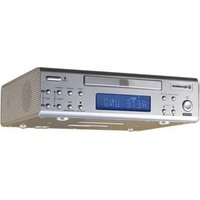
CD-804 - Car Radio ROADSTAR - Free user manual and instructions
Find the device manual for free CD-804 ROADSTAR in PDF.


Pick your language and provide your email: we'll send you a specifically translated version.
| Product Type | Car Radio with CD Player |
| Brand | Roadstar |
| Model | CD-804 |
| Installation Size | 1-DIN (ISO 7736) |
| Display | LCD with amber backlight |
| Tuner Type | AM/FM stereo |
| Radio Presets | 18 FM + 12 AM |
| CD Compatibility | CD, CD-R, CD-RW |
| Output Power | 4 x 15 W RMS |
| Audio Controls | Bass, treble, balance, fader |
| Aux Input | Front 3.5 mm |
| Remote Control | Included |
| Power Supply | 12 V DC (negative ground) |
| Dimensions (W x H x D) | 180 x 50 x 160 mm |
| Weight | 1.1 kg |
| Security | Detachable front panel |
| Maintenance | Clean with a soft dry cloth |
| Repair | Spare parts available; consult user manual |
| General Information | Fits standard car dashboards |
Frequently Asked Questions - CD-804 ROADSTAR
How do I install the Roadstar CD-804 car radio?
First, disconnect the vehicle's battery. Remove the existing radio if present, then wire the CD-804 using the standard ISO connectors. Slide the unit into the 1-DIN mount and secure it with the provided screws. Reconnect the battery and test the device.
Does the CD-804 support MP3 CDs?
Yes, the CD-804 can play MP3 files burned onto CD, CD-R, or CD-RW discs. Ensure the files are in standard ISO9660 format and within a compatible bitrate.
How can I set the clock on this car radio?
Press and hold the DISP button until the time flashes. Use the TUNE/TRK dial to adjust hours, then press DISP again to set minutes. Confirm by pressing DISP once more.
Can I connect my smartphone via the AUX input?
Absolutely. Use a 3.5 mm audio cable to connect your smartphone to the AUX IN jack on the front panel. Press the SRC button and select AUX as the source.
What should I do if the radio does not turn on?
Check the vehicle's power connection to the yellow and red wires, and ensure the black ground wire is properly connected. Also verify that the fuse is not blown and replace it if necessary.
How do I remove the detachable front panel?
Press the RELEASE button located on the top left of the front panel, then gently pull the panel towards you. Keep the panel in its protective case when not in use.
Why is there no sound from the speakers?
Check that the speaker wires are correctly connected to the vehicle's speaker outputs. Ensure the volume is not muted and the fader and balance are set to center. Also confirm that the correct source is selected.
How can I store radio presets?
Tune to the desired station, then press and hold one of the preset buttons (1-6) for about two seconds. The station will be stored and can be recalled by simply pressing that button.
Is there a USB port on the CD-804?
No, this model does not have a USB port. It offers a CD player and an AUX input for connecting external audio devices.
How do I adjust the audio balance and fader?
Press the SEL button repeatedly to cycle through bass, treble, balance, and fader settings. Rotate the VOL knob to adjust the selected setting to your preference.
User questions about CD-804 ROADSTAR
0 question about this device. Answer the ones you know or ask your own.
Ask a new question about this device
No questions yet. Be the first to ask one.
Download the instructions for your Car Radio in PDF format for free! Find your manual CD-804 - ROADSTAR and take your electronic device back in hand. On this page are published all the documents necessary for the use of your device. CD-804 by ROADSTAR.
USER MANUAL CD-804 ROADSTAR


Manual assistant
Powered by Anthropic
Waiting for your message
Product information
Brand : ROADSTAR
Model : CD-804
Category : Car Radio