DAV-6440 - Weather Station DAVIS - Free user manual and instructions
Find the device manual for free DAV-6440 DAVIS in PDF.


Pick your language and provide your email: we'll send you a specifically translated version.
| Product Type | Weather Station |
| Brand | Davis |
| Model | DAV-6440 |
| Measurement Locations | Indoor and outdoor |
| Wireless Range | Up to 300 meters (open area) |
| Wireless Frequency | 868 MHz (EU/UK) or 915 MHz (US/AU) |
| Indoor Temperature Range | 0°C to 60°C (32°F to 140°F) |
| Outdoor Temperature Range | -40°C to 65°C (-40°F to 149°F) |
| Humidity Range | 1% to 99% RH |
| Barometric Pressure Range | 880 hPa to 1080 hPa |
| Wind Speed Range | 0 to 180 km/h (0 to 112 mph) |
| Rainfall Resolution | 0.2 mm (0.01 in) |
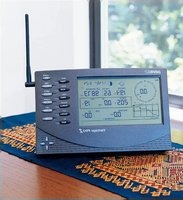
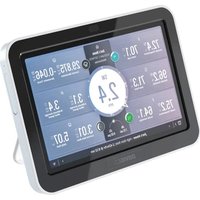
| Console Display | LCD with backlight, shows all measurements simultaneously |
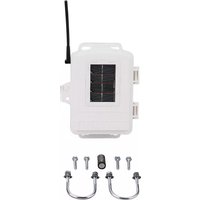
| Power Source | Console: 2 x AA batteries; Outdoor sensor: solar panel with CR123A backup |
| Console Dimensions | 152 x 80 x 25 mm |
| Console Weight | 250 g |
| Data Logging | Stores up to 3300 records (temperature, humidity, pressure, wind, rain) |
| Weather Alarms | High/low temperature, humidity, pressure, wind speed, rainfall |
| Maintenance | Clean rain gauge collector monthly; check wind cups for debris |
| Safety | Mount outdoor sensor securely on a pole or mast; avoid direct sunlight and rain exposure on console |
| Spare Parts & Repairability | Replacement parts available: wind cups, rain collector, temperature/humidity sensor, console AC adapter |
Frequently Asked Questions - DAV-6440 DAVIS
How do I set up my Davis DAV-6440 weather station?
First, install the outdoor sensor on a sturdy pole, ensuring it is level and away from obstructions. Place the console indoors within wireless range. Insert the batteries in the sensor (and solar backup) and the console. The console will automatically sync with the sensor within a few minutes. Refer to the manual for detailed step-by-step instructions.
What is the wireless transmission range of the DAV-6440?
The typical open-air range is 300 meters. Walls, trees, and metal objects can reduce this. For best performance, keep a clear line of sight between the sensor and console.
How do I change the batteries in the outdoor sensor?
Open the sensor housing carefully. Remove the old battery from the backup compartment and replace it with a fresh CR123A. If the sensor has a solar panel, ensure it is clean and unobstructed. The solar panel recharges a capacitor during daylight, extending battery life.
How do I calibrate the rain gauge?
To verify accuracy, pour a known amount of water through the funnel using a calibrated syringe. The console should display the expected rainfall amount. If it is off, adjust the calibration factor in the console settings (usually a +/- percentage). Clean the collector and check for obstructions before calibration.
How do I reset the console to factory defaults?
Press and hold the RESET button on the back of the console for 5 seconds with a paper clip. This clears all logged data and restores default settings. Note that this does not unmount the sensor or affect its calibration.
Can I connect the DAV-6440 to my computer or smartphone?
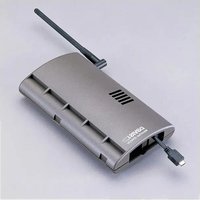
The DAV-6440 console features a USB port for connection to a PC. Using compatible software (e.g., WeatherLink), you can download historical data and monitor live conditions. For smartphone access, additional hardware (weather data logger) may be required.
What is the temperature accuracy of the DAV-6440?
The outdoor sensor has an accuracy of ±0.5°C (0.9°F) within the range of -40°C to 50°C. Indoor sensor accuracy is ±0.5°C as well. Humidity accuracy is ±3% RH under normal conditions.
How often should I clean the weather station sensors?
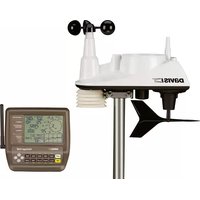
Clean the rain gauge monthly, removing leaves and debris. Check the wind cups and wind vane every three months for dust or insects. Wipe the temperature/humidity sensor with a soft damp cloth, avoiding any direct water contact.
How do I install the outdoor sensor securely?
Mount the sensor on a mast or pole using the included U-bolts. Ensure the wind vane is oriented north (or align the S-N mark). The sensor should be at least 2 meters above the ground and away from roofs, chimneys, and sprinklers. Tighten all hardware to prevent vibration.
What does the barometric pressure reading mean?
The barometric pressure (in hPa or inHg) indicates the air pressure at your location. Rapid drops usually signal an approaching low-pressure system (stormy weather), while rising pressure indicates clearing skies. The console shows both absolute and sea-level adjusted pressure for weather forecasting.
User questions about DAV-6440 DAVIS
0 question about this device. Answer the ones you know or ask your own.
Ask a new question about this device
No questions yet. Be the first to ask one.
Download the instructions for your Weather Station in PDF format for free! Find your manual DAV-6440 - DAVIS and take your electronic device back in hand. On this page are published all the documents necessary for the use of your device. DAV-6440 by DAVIS.
USER MANUAL DAV-6440 DAVIS
Manual assistant
Powered by Anthropic
Waiting for your message
Product information
Brand : DAVIS
Model : DAV-6440
Category : Weather Station