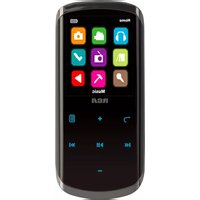
Lyra M4604 - Media player RCA - Free user manual and instructions
Find the device manual for free Lyra M4604 RCA in PDF.


Pick your language and provide your email: we'll send you a specifically translated version.
| Product type | Portable Media Player |
| Brand | RCA |
| Model | Lyra M4604 |
| Color | Black |
| Display | 1.8-inch LCD screen |
| Storage capacity | 4 GB internal flash memory |
| Audio formats supported | MP3, WMA, WAV |
| Photo viewer | JPEG, BMP |
| FM radio | Yes, with 20 presets |
| Voice recording | Yes, built-in microphone |
| Battery | Rechargeable lithium-ion |
| Battery life | Up to 8 hours of audio playback |
| Charging | USB port (5V DC) |
| PC interface | USB 2.0 High Speed |
| Dimensions (W × H × D) | 3.54 x 1.73 x 0.55 in (90 x 44 x 14 mm) |
| Weight | 1.9 oz (54 g) |
| Headphone jack | 3.5 mm stereo |
| Compatible operating systems | Windows 2000/XP/Vista, Mac OS X |
| Care instructions | Wipe with a soft, lint-free cloth. Do not use solvents. |
| Safety warnings | Do not expose to moisture, heat, or magnetic fields. |
| Repair and parts | No user-serviceable components. Contact RCA support for service. |
| Package contents | Device, USB cable, headphones, quick start guide |
Frequently Asked Questions - Lyra M4604 RCA
How do I transfer music to my Lyra M4604?
Connect the player to your computer via USB, then drag and drop files into the drive. For best results, use Windows Media Player to sync audio files.
How do I charge the device?
Use the provided USB cable to connect to a USB port on your computer or a USB charger. The battery indicator will show charging status.
What audio formats are supported?
The player supports MP3, WMA, and WAV files. For other formats, convert them using compatible software before transferring.
How do I reset the player if it freezes?
Locate the reset button or press and hold the power button for 10 seconds. Refer to the manual for the exact method.
Can I record audio with this device?
Yes, the Lyra M4604 has a built-in microphone. Navigate to the Voice mode menu and press record to start capturing audio.
How do I use the FM radio feature?
Switch to FM mode, plug in the earphones (they act as the antenna), and scan for stations. You can save up to 20 preset stations.
How do I update the firmware?
Visit the RCA support website to download the latest firmware. Connect the device in Update Mode and run the provided updater.
Is the battery replaceable?
The battery is internal and not user-replaceable. If the battery fails, contact RCA support for assistance.
How do I clean the device properly?
Use a soft, dry cloth to wipe the exterior. Avoid water, cleaning agents, and always power off the device before cleaning.
How long does the battery last on a full charge?
A fully charged battery provides up to 8 hours of music playback. Battery life varies with volume level and settings used.
User questions about Lyra M4604 RCA
0 question about this device. Answer the ones you know or ask your own.
Ask a new question about this device
No questions yet. Be the first to ask one.
Download the instructions for your Media player in PDF format for free! Find your manual Lyra M4604 - RCA and take your electronic device back in hand. On this page are published all the documents necessary for the use of your device. Lyra M4604 by RCA.
USER MANUAL Lyra M4604 RCA
Manual assistant
Powered by Anthropic
Waiting for your message
Product information
Brand : RCA
Model : Lyra M4604
Category : Media player