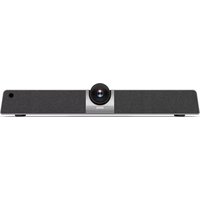
DL550C - Video Conferencing System BENQ - Free user manual and instructions
Find the device manual for free DL550C BENQ in PDF.


Pick your language and provide your email: we'll send you a specifically translated version.
| Product Type | Video Conferencing System |
| Brand | BenQ |
| Model | DL550C |
| Display Size | 55 inches (138.8 cm) |
| Resolution | 3840 x 2160 pixels (4K UHD) |
| Aspect Ratio | 16:9 |
| Brightness | 400 cd/m² |
| Contrast Ratio | 1200:1 |
| Viewing Angle | 178° horizontal / 178° vertical |
| Built-in Camera | Yes, 12 MP with 4K video support |
| Built-in Microphone | Yes, 8-element array microphone |
| Built-in Speakers | 2 x 10 W |
| Connectivity | HDMI x2, USB 2.0 x2, RJ45 LAN, Wi-Fi (802.11ac), Bluetooth 4.2 |
| Operating System | Android 8.0 (built-in video conferencing apps) |
| Wireless Screen Sharing | Yes, supports AirPlay, Miracast, and Chromecast |
| Dimensions (W x H x D) | 1236 x 710 x 66 mm (without stand) |
| Weight | 19.5 kg |
| Power Supply | AC 100–240V, 50/60 Hz |
| Power Consumption | 120 W (typical), <0.5 W standby |
| Mounting | VESA 400 x 400 mm |
| Panel Type | VA with Direct LED backlight |
| Maintenance | Clean the screen with a soft, dry microfiber cloth; avoid liquids and abrasive cleaners. |
| Safety Features | Built-in thermal protection, Kensington lock slot, and overload protection. |
| Spare Parts & Repairability | Replaceable power supply unit, mainboard, and LED backlight; designed for modular repair. |
| General Information | Designed for modern conference rooms, supporting 4K video calls and multi-device collaboration. |
Frequently Asked Questions - DL550C BENQ
How to perform a factory reset on the BenQ DL550C?
Go to Settings > System > Reset, then choose "Factory data reset". Confirm to restore default configurations. This will erase all personal data and installed apps.
How to connect a laptop wirelessly for screen sharing?
Ensure the DL550C and laptop are on the same network. Use the built-in screen sharing app or press the "Screen Share" button on the remote. On the laptop, select the display via Miracast or AirPlay, depending on your OS.
What are the recommended cleaning products for the screen?
Use a soft, dry microfiber cloth to gently wipe the display. Do not apply water, alcohol, or ammonia-based cleaners directly. If needed, dampen the cloth slightly and wipe, then dry.
How to update the firmware?
Download the latest firmware from the official BenQ website, save it to a USB drive, and insert it into the USB port. Navigate to Settings > System > Firmware Update and follow the on-screen instructions.
Can I use the DL550C as a standalone display without a PC?
Yes, the DL550C runs Android OS and includes built-in video conferencing apps, so you can use it independently for calls, presentations, or content playback.
How to adjust the camera angle?
The 12 MP camera is integrated and not adjustable. For a better view, adjust the height of the display using a compatible professional stand or wall mount.
What types of content can be displayed via USB?
The USB port supports playback of images, videos, and documents. Media formats include JPG, PNG, MP4, and PDF. You can playback directly from a USB flash drive using the media player.
Is the power supply built-in or external?
The DL550C has an internal power supply unit (PSU). It accepts AC 100–240V, meaning you only need a standard power cord.
How to mount the display on a wall?
Use a VESA 400 x 400 mm wall mount compatible with the DL550C's weight. Fix the mount to a sturdy wall, attach the brackets to the display, then securely screw them together. Follow the instructions provided in the mount kit.
What is the warranty period?
BenQ typically offers a 3-year limited warranty for commercial displays like the DL550C. Please contact your local BenQ distributor for exact terms and coverage.
User questions about DL550C BENQ
0 question about this device. Answer the ones you know or ask your own.
Ask a new question about this device
No questions yet. Be the first to ask one.
Download the instructions for your Video Conferencing System in PDF format for free! Find your manual DL550C - BENQ and take your electronic device back in hand. On this page are published all the documents necessary for the use of your device. DL550C by BENQ.
USER MANUAL DL550C BENQ

Manual assistant
Powered by Anthropic
Waiting for your message
Product information
Brand : BENQ
Model : DL550C
Category : Video Conferencing System