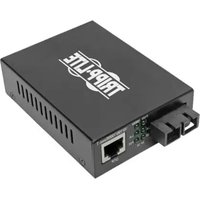
B157-002-HD - Audio/video converter Tripp Lite - Free user manual and instructions
Find the device manual for free B157-002-HD Tripp Lite in PDF.


Pick your language and provide your email: we'll send you a specifically translated version.
| Product Type | 2-Port HDMI Splitter (Audio/Video Converter) |
| Brand | Tripp Lite |
| Model | B157-002-HD |
| Input Ports | 1 x HDMI Female |
| Output Ports | 2 x HDMI Female |
| Max Resolution | 1920 x 1200 (1080p) at 60 Hz |
| Video Amplifier Bandwidth | 225 MHz |
| Signal Support | HDMI 1.3, HDCP 1.4 |
| Audio Support | Multi-channel digital audio (DTS, Dolby Digital) |
| Signal Equalization | Built-in equalizer supports cable runs up to 65 ft (20 m) |
| Power Supply | External 5V DC adapter (included) |
| Power Consumption | 2.5W max |
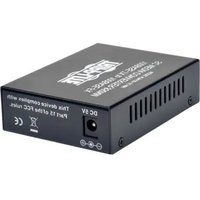
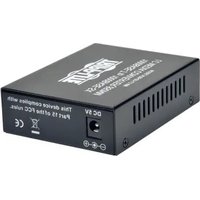
| Housing | Aluminum/metal enclosure |
| Dimensions (W x D x H) | 3.5 x 2.3 x 0.9 in (8.9 x 5.8 x 2.3 cm) |
| Weight | 3.2 oz (90 g) |
| Mounting | Wall-mountable with optional brackets |
| LED Indicators | Power, input signal, output status |
| Operating Temperature | 32° to 104°F (0° to 40°C) |
| Certifications | CE, RoHS, REACH |
| Warranty | 1-year limited warranty |
| Included Accessories | 5V DC power adapter, user manual |
| Care and Cleaning | Unplug before cleaning; wipe with a soft dry cloth |
| Security | Use only the supplied power adapter; keep away from moisture |
| Repairability | No user-serviceable parts; contact Tripp Lite for service |
Frequently Asked Questions - B157-002-HD Tripp Lite
What is the Tripp Lite B157-002-HD?
The B157-002-HD is a 2-port HDMI splitter that distributes one HDMI source to two displays simultaneously, supporting resolutions up to 1080p.
How do I connect the splitter?
Connect your HDMI source to the input port, then connect two HDMI displays to the output ports. Power the splitter with the included 5V adapter.
Does the splitter support 4K resolution?
No, this model supports resolutions up to 1080p (1920x1200). For 4K, consider Tripp Lite models with 4K support.
What should I do if there is no signal on my display?
Check that all HDMI cables are securely connected and the source is turned on. The splitter has an LED indicator for signal presence. Try different cables or output ports.
Can I extend the HDMI cable distance beyond the standard limit?
The built-in equalizer compensates for cable lengths up to approximately 20 meters (65 ft). For longer runs, use an active HDMI cable or extension extender.
Is the splitter compatible with HDCP-protected content?
Yes, it supports HDCP 1.4, allowing playback of protected content. Both source and display must be HDCP-compliant.
What power supply do I need?
The splitter uses an external 5V DC power adapter that is included. Always use the included adapter to prevent damage.
How do I clean and maintain the device?
Unplug the splitter before cleaning. Wipe the enclosure with a soft, dry cloth. Do not use liquids or harsh chemicals.
Both displays are not showing the same image. Why?
The splitter outputs at the lowest common resolution among connected displays. Verify each display supports the same resolution and that cables are properly connected.
Does the splitter require any software or drivers?
No, the splitter is plug-and-play. It works with Windows, macOS, Linux, and other HDMI-capable devices without additional setup.
User questions about B157-002-HD Tripp Lite
0 question about this device. Answer the ones you know or ask your own.
Ask a new question about this device
No questions yet. Be the first to ask one.
Download the instructions for your Audio/video converter in PDF format for free! Find your manual B157-002-HD - Tripp Lite and take your electronic device back in hand. On this page are published all the documents necessary for the use of your device. B157-002-HD by Tripp Lite.
USER MANUAL B157-002-HD Tripp Lite
Manual assistant
Powered by Anthropic
Waiting for your message
Product information
Brand : Tripp Lite
Model : B157-002-HD
Category : Audio/video converter