INN-110 - Scale Innoliving - Free user manual and instructions
Find the device manual for free INN-110 Innoliving in PDF.


Pick your language and provide your email: we'll send you a specifically translated version.
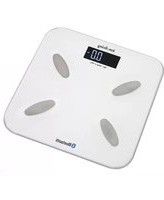
| Product Type | Digital Bathroom Scale |
| Brand | Innoliving |
| Model | INN-110 |
| Weighing Capacity | 180 kg (396 lb) |
| Graduation | 100 g (0.2 lb) |
| Display | LCD, 4-digit |
| Power Source | 1 x CR2032 battery (included) |
| Auto Power Off | Yes, after 10 seconds of inactivity |
| Low Battery Indicator | Yes, displays "Lo" symbol |
| Platform Material | Tempered glass |
| Anti-Slip Feet | Yes, 4 anti-slip pads |
| Dimensions (W x D x H) | 30 x 30 x 2.2 cm |
| Product Weight | 1.4 kg |
| Units of Measure | kg / lb / st |
| Step-On Activation | Yes, starts automatically when you step on |
| Overload Indication | Yes, displays "Err" if overloaded |
| Maintenance & Cleaning | Wipe with a damp cloth; do not immerse in water |
| Safety Instructions | Use on a dry, flat and stable surface |
| Spare Parts | Battery replacement only |
| Repairability | Non-user-serviceable; contact customer support |
Frequently Asked Questions - INN-110 Innoliving
How do I change the battery?
Locate the battery compartment on the back of the scale. Remove the old CR2032 battery and insert a new one with the positive side (+) facing up. Close the compartment securely.
What does the 'Lo' display mean?
The 'Lo' indicator means the battery is low. Replace the CR2032 battery with a fresh one to continue using the scale.
How can I change the unit from kg to lb or st?
Look for the unit button on the back or underside of the scale. Press it to toggle between kg, lb, and st according to your preference.
Why does the scale give inconsistent readings on carpet?
The scale requires a hard, flat surface to ensure accurate measurements. Carpet or uneven floors can cause unstable readings. Place the scale on a tiled or wooden floor before use.
How do I clean the scale safely?
Use a soft damp cloth with a mild detergent to wipe the glass surface. Avoid using abrasive materials, and never immerse the scale in water or any liquid.
How do I get a stable and accurate weight reading?
Step onto the scale with both feet and stand still until the display flashes and then locks the reading. Wait for the scale to auto-off after a few seconds to save battery.
What is the maximum weight the scale can handle?
The maximum capacity is 180 kg (396 lb). Exceeding this limit may damage the sensor or the glass platform. If overloaded, the display will show 'Err'.
Is the glass platform safe and durable?
Yes, the platform is made of tempered glass, which is designed to withstand normal use. However, avoid sharp impacts or dropping heavy objects on it to prevent cracking.
Can I use the scale on an uneven floor?
No, the scale must be placed on a level surface for accurate results. Uneven floors can affect the sensor calibration and produce incorrect readings.
How should I dispose of the battery?
Remove the battery and dispose of it according to local recycling regulations. Do not throw it in regular household trash; use designated battery recycling points.
User questions about INN-110 Innoliving
0 question about this device. Answer the ones you know or ask your own.
Ask a new question about this device
No questions yet. Be the first to ask one.
Download the instructions for your Scale in PDF format for free! Find your manual INN-110 - Innoliving and take your electronic device back in hand. On this page are published all the documents necessary for the use of your device. INN-110 by Innoliving.
USER MANUAL INN-110 Innoliving

Manual assistant
Powered by Anthropic
Waiting for your message
Product information
Brand : Innoliving
Model : INN-110
Category : Scale