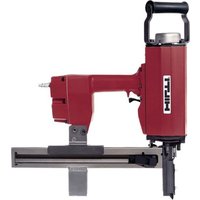
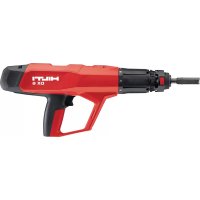
X-CC MX GA - Stapler HILTI - Free user manual and instructions
Find the device manual for free X-CC MX GA HILTI in PDF.


Pick your language and provide your email: we'll send you a specifically translated version.
| Product Type | Cordless Stapler |
| Brand | Hilti |
| Model | X-CC MX GA |
| Power Source | Rechargeable Li-ion battery |
| Battery Platform | Hilti Nuron |
| Battery Voltage | 22V |
| Staple Type | Hilti X-C staples (crown width 10 mm) |
| Staple Length Range | 6 - 14 mm |
| Magazine Capacity | 100 staples (strip-loaded) |
| Operation Modes | Sequential and bump-fire (contact trip) |
| Depth Adjustment | Tool-free, dial on nose |
| Safety Lock | Contact actuation safety trigger |
| Anti-Dryfire | Yes, prevents firing when magazine is empty |
| Weight (with battery) | 3.2 kg |
| Dimensions (L x W x H) | 340 x 90 x 230 mm |
| Fastening Power | Drives staples into soft woods, plywood, OSB |
| Material Compatibility | Wood, wood-based materials, drywall |
| Jam Clearing | Tool-free magazine opening for easy jam removal |
| Maintenance | Regular cleaning of magazine and lubricating moving parts |
| Warranty | Hilti 2-year warranty (extendable with Hilti service) |
Frequently Asked Questions - X-CC MX GA HILTI
What types of staples does the Hilti X-CC MX GA use?
The X-CC MX GA is designed for Hilti X-C staples, accepting fasteners from 6 to 14 mm in length with a 10 mm crown width. Always use high-quality staples to ensure consistent driving and to prevent jams.
How do I load staples into the magazine?
To load, first ensure the tool is switched off and the battery removed. Slide the magazine cover back to open, insert a strip of staples crown-side down, then close the cover until it clicks. A full magazine holds up to 100 staples.
Can I adjust the stapling depth?
Yes, the tool features a tool-free depth adjustment dial located on the nose. Turn the dial to increase or decrease the depth to suit the material hardness and desired fastener embedment.
What battery does the X-CC MX GA use?
It runs on Hilti's Nuron 22V lithium-ion battery platform. Any Nuron battery pack with a capacity of 2.6 Ah or higher will power the stapler. Always use Hilti genuine batteries for optimal performance and safety.
How do I clear a jammed staple?
First remove the battery. Open the magazine and pull out the jammed staple using needle-nose pliers if necessary. Also check the driver channel for debris. After clearing, close the magazine and reinsert the battery before resuming work.
What materials can this stapler be used on?
This stapler is intended for interior and exterior trim work, sheathing, framing, and fencing applications. It can drive staples into soft woods, plywood, OSB, and some drywall applications. Do not use on hard metals or concrete.
How often should I maintain the stapler?
Regularly clean the magazine and feed assembly with a cloth to remove dust and debris. Lubricate the moving parts with a few drops of non-residual oil every few thousand cycles. More frequent cleaning is needed in dusty environments.
Is the X-CC MX GA safe to operate one-handed?
Yes, the tool can be operated with one hand using the trigger, but you must always follow the safety guidelines. Do not disable the contact safety lock on the nose. For repetitive work, both hands are recommended to guide the stapler.
What safety features does this stapler have?
It includes a contact actuation safety trigger that prevents accidental firing, a trigger lock for continuous work, and an anti-dryfire mechanism that prevents driving when the magazine is empty. Additionally, the nose design reduces the risk of flying debris.
Can I replace parts if the stapler breaks?
Yes, Hilti supports the X-CC MX GA with a full range of spare parts, including magazines, triggers, nosepieces, and wear parts. Many repairs can be performed by a Hilti service center or a qualified technician under the Hilti 20-year service agreement.
User questions about X-CC MX GA HILTI
0 question about this device. Answer the ones you know or ask your own.
Ask a new question about this device
No questions yet. Be the first to ask one.
Download the instructions for your Stapler in PDF format for free! Find your manual X-CC MX GA - HILTI and take your electronic device back in hand. On this page are published all the documents necessary for the use of your device. X-CC MX GA by HILTI.
USER MANUAL X-CC MX GA HILTI
Manual assistant
Powered by Anthropic
Waiting for your message
Product information
Brand : HILTI
Model : X-CC MX GA
Category : Stapler