
AS-2200Ri-SL - Calculator CANON - Free user manual and instructions
Find the device manual for free AS-2200Ri-SL CANON in PDF.


| Product Type | Desktop Calculator |
| Brand | Canon |
| Model | AS-2200Ri-SL |
| Category | Calculator |
| Display Type | 12-digit LCD |
| Display Size | Approx. 30 x 10 mm |
| Number of Digits | 12 |
| Power Supply | Dual solar and battery |
| Battery Type | 1 x LR54 (AG10) |
| Dimensions (W x D x H) | 155 x 100 x 30 mm |
| Weight | 170 g |
| Material | ABS plastic |
| Key Functions | Addition, subtraction, multiplication, division, percent, square root, sign change |
| Memory Functions | Memory plus/minus, memory recall, one-touch memory |
| Additional Features | Non-slip rubber base, tilt display |
| Maintenance | Wipe with a dry soft cloth |
| Cleaning Advice | Avoid benzene, alcohol, and abrasive cleaners |
| Safety Notice | Keep away from moisture, direct sunlight, and high temperatures |
| Spare Parts | No user-serviceable parts inside |
| Repairability | Contact Canon authorized service center |
| Certification | CE, RoHS compliant |
Frequently Asked Questions - AS-2200Ri-SL CANON
User questions about AS-2200Ri-SL CANON
0 question about this device. Answer the ones you know or ask your own.
Ask a new question about this device
Download the instructions for your Calculator in PDF format for free! Find your manual AS-2200Ri-SL - CANON and take your electronic device back in hand. On this page are published all the documents necessary for the use of your device. AS-2200Ri-SL by CANON.
USER MANUAL AS-2200Ri-SL CANON
This calculator comes with a dual power source. The duration of silicone battery
depends entirely on individual usage. When the battery is exhausted, you can still use the solar cell to
power the calculator.
(Note: Do not attempt to change the battery by yourself. Have a Canon Service Center change the
■ Electrical power in the electricity device may move by directly and active at the
■ Exclerstragene, influence of electronic discharge may cause the display to matrixism of the contents of the memory to be lost or altered. Should this occur press the 106 key and to start your
conclusions that memory to be able to test our impact on the case, those the [14] key and to start your situation from the beginning.
CHECK AND CORRECT EU
CHECK AND CORRECT FUNCTION
The calculation has a 120 steps replay memory capacity which is useful for checking the calculation process. could data can be added by correcting the data.
The open indicator shows the number of steps of the net
- When reviewing the process with ▲▼ say "Percent" or "Constant" calculation
as "b", or "K" indicate:
- If a calculation proceeds 120 steps, the step indicator will blink and further calculations will not be
recorded within the rep
- The (2000) function can only work up to 119 steps. No correction can be made over 119 steps.
- The OEM function is operative only for complete equations finished with =.
50: Price (2) to scale through the calculation step which begins to end. And close
— 15 stop the stock option.
SPECIFICATION
Power Source: Solar cell and Alkaline battery (LHM4 X-1)
Automatic Power-off approx. 7 minutes
Olympic thermosorbate ΔC1H2N2C3 (27 + 15 to 40+)
Difflactins: 120ml (L) × 140ml (W) × 24ml (H), 7.7-9.64 (L) × 3.3804 (M) × 1.1132 (H) Weight: 2050 (7.20 oz)
Subject to charge with
(2) 1987年1月1日
DEUTSCH
STROMVERSORGUNG
"Account" is "2", oder "6" thereof.
- The following: (1) the first (of course). (2) the second (of course).
[图]:Entire
(Hoan) No plus 1942 - payee, no. 100% (Pain teacher 2008)
■ Un fond entis
2014年
Minimem, group automaticin: appearance 7 minutes
Temperature 0.3 ppm: 2°C ± 40°C (32°F ± 104°F)
Dimension: 150mm (long.) x 140mm (long.) x 34mm (short.)
FUNCTION REPLAY Y CORRECT
Ternophany River: Da T15, a 40% 40% 32%
Davonian: 195cm (L) x 160mm (L) x 34cm (A).
proponent of concanton aerogradus met "1/2" of "4"
- Releven, 2. Pehogen, was
4.1-fundle we all maximal 119 steps in, resulting send/qs
Nm, kg: 150mm (L) x (Box) 34mm (Hi)
■ I am a good, but the
- 100% of investors control by 120% in the investment strategy and the investment strategy is over the
- Futs an debting over disposal (2017), a debt持有人 who pay further debt, the other debt of the company.
- Try pse (mm) for all future German verbegrängen sind: In start to start, Cig trp pe (mm), [±], (+), [±]
in stopper bin a
SPECIFICATIONER
Energieinde: Solorle og Aktualne-batten (L344 X 1)
Automotive Stuc appouts. 7 minutter
Temperature: 0°C ≧ 40°C (52°F ≧ 104°F)
Vol: 193mm (L) x 140mm (R) x 24mm (H)
(Flat H andringer uden variel forbehoides)
/mqf: 204p
(1) 本说明仅供参考。
VIRTALÄHDE
- 2014 Annual visit: Thursday's hospital, in the Hospital "Lampster
[1] "Bosco" is an in the trimbustes, astra longum, is palan [49].
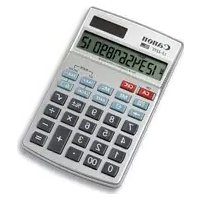


Brand : CANON
Model : AS-2200Ri-SL
Category : Calculator