Argon Ocelote - Mouse Ozone - Free user manual and instructions
Find the device manual for free Argon Ocelote Ozone in PDF.


Pick your language and provide your email: we'll send you a specifically translated version.
| Product Type | Gaming Mouse |
| Brand | Ozone |
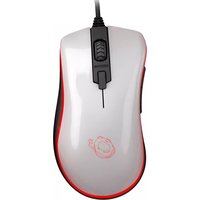
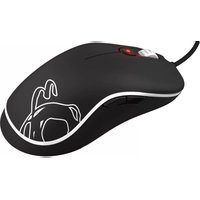
| Model | Argon Ocelote |
| Sensor Type | Optical |
| Maximum DPI | 12000 DPI |
| DPI Adjustment | 5 selectable profiles |
| Number of Buttons | 7 programmable buttons |
| Switch Lifecycle | 20 million clicks |
| Interface | Wired USB 2.0 |
| USB Cable Length | 1.8 meters braided cable |
| Polling Rate | 1000 Hz |
| Dimensions (W x H x D) | 125 x 43 x 68 mm |
| Weight | 98 grams |
| Lighting | 16.8 million RGB colors |
| Mouse Feet | PTFE glide pads |
| Material | Matte plastic surface |
| Compatibility | Windows 7/8/10/11, macOS |
| Software | Ozone Argon configuration software |
| Maintenance | Wipe with a soft dry cloth |
| Safety | Do not expose to liquids or extreme heat |
| Spare Parts | Replacement skates and cable available |
| Repairability | Modular bottom plate for switch access |
Frequently Asked Questions - Argon Ocelote Ozone
How do I change the DPI settings on the Ozone Argon Ocelote?
You can adjust DPI using the dedicated DPI button on the top of the mouse, cycling through 5 preset levels. For custom settings, use the Ozone Argon configuration software to set per-profile DPI values.
Is the mouse compatible with macOS?
Yes, the mouse functions as a standard USB pointing device on macOS. Advanced features like macro programming require the Windows version of the software.
How do I clean the mouse?
Use a soft, dry cloth to wipe the exterior. Do not use alcohol or abrasive cleaners. Unplug the mouse before cleaning.
Can I replace the mouse feet?
Yes, the PTFE glide pads are replaceable. You can purchase replacement skates that match the Ozone Argon Ocelote model and simply peel off the old ones.
Is the cable detachable?
No, the 1.8m braided cable is integrated into the mouse. If damaged, professional repair or replacement of the internal cable assembly is recommended.
How do I program the side buttons?
Install the Ozone Argon software, then navigate to the Button Configuration tab. Select the button you wish to remap and assign a macro, key press, or media function.
Does the mouse have built-in memory?
Yes, the mouse features on-board memory for storing up to 3 profiles, so your settings remain even when the software is not running.
Why is my cursor skipping?
Possible causes include a low battery (if wireless), a dirty sensor, or an unsuitable surface. Clean the sensor with a cotton swab and use a mouse pad for best tracking.
What is the warranty period?
The Ozone Argon Ocelote typically comes with a 2-year limited warranty against manufacturing defects. Check with your local retailer for exact terms.
Can I adjust the weight of the mouse?
No, the Argon Ocelote has a fixed weight of 98g. To change the feel, you can adjust the DPI and poll rate in the software.
User questions about Argon Ocelote Ozone
0 question about this device. Answer the ones you know or ask your own.
Ask a new question about this device
No questions yet. Be the first to ask one.
Download the instructions for your Mouse in PDF format for free! Find your manual Argon Ocelote - Ozone and take your electronic device back in hand. On this page are published all the documents necessary for the use of your device. Argon Ocelote by Ozone.
USER MANUAL Argon Ocelote Ozone

Manual assistant
Powered by Anthropic
Waiting for your message
Product information
Brand : Ozone
Model : Argon Ocelote
Category : Mouse