TM-1903 - Bread maker Tomado - Free user manual and instructions
Find the device manual for free TM-1903 Tomado in PDF.


Pick your language and provide your email: we'll send you a specifically translated version.
| Product Type | Bread Maker |
| Brand | Tomado |
| Model | TM-1903 |
| Power Supply | 220-240V, 50Hz |
| Rated Power | 700W |
| Bread Capacity | 750g (1.5lb) |
| Number of Programs | 12 preset programs |
| Control Panel | LED display with buttons |
| Delay Timer | Up to 13 hours |
| Crust Control | Light, Medium, Dark |
| Keep Warm Function | Yes |
| Non-stick Pan | Yes |
| Viewing Window | Yes |
| Mixing Blades | 1 kneading blade |
| Dimensions | Approx. 30 x 25 x 35 cm |
| Weight | Approx. 4.5 kg |
| Housing Material | BPA-free plastic |
| Bowl Material | Non-stick aluminum |
| Included Accessories | Measuring cup, spoon, paddle |
| Maintenance | Wipe with damp cloth |
| Safety Features | Overheat protection, cool-touch handle |
| Repairability | Spare parts available |
Frequently Asked Questions - TM-1903 Tomado
How do I use the delay timer on the Tomado TM-1903?
Select your desired baking program on the LED display, then press the timer button and set the hours until you want the bread to be ready. The machine will automatically start so the loaf finishes at your chosen time.
What is the maximum bread capacity of the TM-1903?
The TM-1903 can bake a large loaf of up to 750 grams (about 1.5 pounds), perfect for medium-sized households.
Can I make gluten-free bread with this machine?
Yes, the TM-1903 includes a dedicated gluten-free program that adjusts the kneading and rising times for gluten-free flour blends.
How do I clean the bread pan and kneading blade?
Remove the pan after cooling and wash it with warm soapy water using a soft sponge. The pan has a non-stick coating, so do not use abrasive cleaners. Wipe the blade clean; do not put them in the dishwasher.
Why is my bread not rising properly?
Check that your yeast is fresh and have not expired. Ensure flour is measured accurately and liquids are at room temperature. Also, the kneading blade must be correctly attached.
What programs are available on the Tomado TM-1903?
The machine offers 12 preset programs, including Basic, Whole Wheat, French, Sweet, Cake, Jam, Dough, and Gluten-Free, giving you versatile baking options.
Can I control the crust color?
Yes, you can choose among light, medium, or dark crust settings before starting the program.
How long does a basic loaf take to bake?
A standard basic bread program takes approximately 3 hours, including kneading, rising, and baking. Times vary by selected program and crust setting.
Is the bread pan dishwasher safe?
We recommend hand washing the pan and blade to prolong the non-stick coating. Using the dishwasher may damage the surface.
What safety features does the TM-1903 have?
It includes overheat protection, a cool-touch handle, and non-slip feet. The machine also stops automatically if the lid is opened during operation for safety.
User questions about TM-1903 Tomado
0 question about this device. Answer the ones you know or ask your own.
Ask a new question about this device
No questions yet. Be the first to ask one.
Download the instructions for your Bread maker in PDF format for free! Find your manual TM-1903 - Tomado and take your electronic device back in hand. On this page are published all the documents necessary for the use of your device. TM-1903 by Tomado.
USER MANUAL TM-1903 Tomado
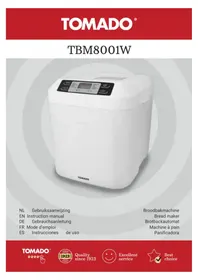
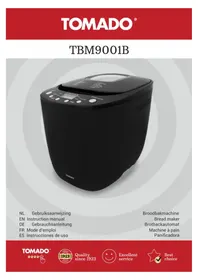


Manual assistant
Powered by Anthropic
Waiting for your message
Product information
Brand : Tomado
Model : TM-1903
Category : Bread maker