ATMT-502 - Remote control TRUST - Free user manual and instructions
Find the device manual for free ATMT-502 TRUST in PDF.


Pick your language and provide your email: we'll send you a specifically translated version.
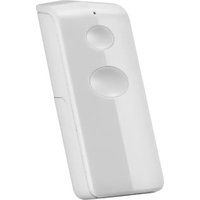
| Product Type | Universal Remote Control |
| Brand | Trust |
| Model | ATMT-502 |
| Compatibility | TVs, DVD players, satellite receivers and audio amplifiers |
| Number of Keys | 43 |
| Control Method | Infrared (IR) |
| Operating Range | Up to 10 m (33 ft) |
| Power Source | 2 x AAA batteries |
| Battery Life | Up to 6 months (approx.) |
| Dimensions (W x H x D) | 48 x 230 x 24 mm |
| Weight | 98 g (with batteries) |
| Color | Black |
| Display | None |
| Learning Function | Yes (learns from original remote) |
| Backlit Keys | No |
| Supported Devices | 4 devices (TV, DVD, SAT, AMP) |
| Code Setup | Manual code entry and auto-scan |
| Programming Manual | Included code booklet |
| Operating Temperature | 0°C to 40°C |
| Storage Temperature | -10°C to 50°C |
| Cleaning Instructions | Wipe with a soft, dry cloth |
| Safety | Do not expose to water or moisture |
| Spare Parts | Standard AAA batteries |
| Repairability | Replaceable batteries only; no other user-serviceable parts |
| General Information | For indoor use only |
Frequently Asked Questions - ATMT-502 TRUST
How can I program the Trust ATMT-502 remote for my TV?
To program the remote, turn on your TV and press the device key (e.g., TV) and hold the SETUP button until the LED lights up. Then enter the 4-digit code from the code list. If the code is correct, the LED turns off. If not, try the next code or use the auto-search function.
Which devices are compatible with the ATMT-502?
The ATMT-502 works with most TVs, DVD players, satellite receivers, and audio amplifiers from leading brands. Check the code booklet for a list of supported manufacturers.
How do I perform an automatic code search?
Press and hold the SETUP button and the device key until the LED blinks. Then point the remote at the device and press the POWER button repeatedly. The remote will send a codes list; when the device turns off, press ENTER to save the code.
What type of batteries does the remote require?
The remote uses two AAA batteries. Open the battery compartment on the back and insert the batteries observing the polarity marks. Replace them when the range or response decreases.
Why is my remote not responding?
First, check that the batteries are fresh and correctly installed. Ensure the infrared emitter is not blocked and is pointed directly to the device. Also, confirm you are within the 10-meter range and there is no strong light interfering.
How far can the ATMT-502 control a device?
The effective operating range is up to 10 meters (about 33 feet) when pointing directly at the device's infrared receiver.
Can I reset the remote to factory settings?
Yes, remove the batteries, press and hold any key for 5 seconds, then reinsert the batteries. This clears all programmed codes and settings.
How should I clean the remote control?
Use a soft, dry cloth to wipe the surface. Do not use abrasive or liquid cleaners. Avoid getting moisture into the remote.
Will I lose my settings when changing batteries?
The remote does not have permanent memory; it may lose programmed codes when batteries are removed. Always have a spare code list and reprogram after battery replacement if needed.
Is the remote backlit?
The ATMT-502 is not backlit; it relies on ambient light. For use in dark rooms, consider a light source or choose a backlit model.
User questions about ATMT-502 TRUST
0 question about this device. Answer the ones you know or ask your own.
Ask a new question about this device
No questions yet. Be the first to ask one.
Download the instructions for your Remote control in PDF format for free! Find your manual ATMT-502 - TRUST and take your electronic device back in hand. On this page are published all the documents necessary for the use of your device. ATMT-502 by TRUST.
USER MANUAL ATMT-502 TRUST

Manual assistant
Powered by Anthropic
Waiting for your message
Product information
Brand : TRUST
Model : ATMT-502
Category : Remote control