CURV 500 WM BL - Loudspeaker LD Systems - Free user manual and instructions
Find the device manual for free CURV 500 WM BL LD Systems in PDF.


Pick your language and provide your email: we'll send you a specifically translated version.
| Product Type | Column loudspeaker |
| Brand | LD Systems |
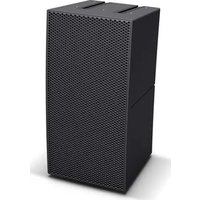
| Model | CURV 500 WM BL |
| Enclosure Material | ABS plastic with metal grille |
| Speaker Configuration | 2-way passive loudspeaker |
| Frequency Response | 100 Hz - 20 kHz |
| Nominal Impedance | 8 ohms |
| Power Handling | 80 W RMS |
| Peak Power Handling | 160 W peak |
| Sensitivity | 90 dB SPL 1W/1m |
| Connections | 2 x Speakon-compatible jacks |
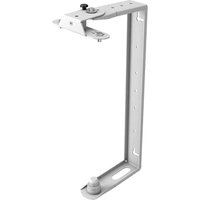
| Mounting Options | Wall mount bracket included |
| Dimensions (W x H x D) | 100 x 200 x 150 mm |
| Weight | 1.5 kg |
| Operating Temperature | -10°C to 40°C |
| Protection Cap | Built-in overload protection |
| Cleaning Instructions | Wipe with a dry soft cloth |
| Safety Warning | Keep away from water and moisture |
| Spare Parts and Repair | Only qualified service technicians should replace components |
| Intended Use | Professional audio sound reinforcement |
Frequently Asked Questions - CURV 500 WM BL LD Systems
How do I connect the LD Systems CURV 500 WM BL to an amplifier?
Use the Speakon-compatible jacks on the rear panel. Connect the amplifier output to the INPUT jack and, if daisy-chaining, run a cable from the LINK output to the next speaker.
What is the recommended mounting height for the wall-mounted speaker?
For optimal sound dispersion, install the speaker so that the tweeter is at ear level (about 1.5 to 1.8 meters). Ensure the wall bracket is securely anchored to a load-bearing wall.
Can I use the CURV 500 WM BL outdoors?
This speaker is designed for indoor use only. Exposure to rain, high humidity, or extreme temperatures may damage the components and void the warranty.
Does the CURV 500 WM BL require a separate amplifier?
Yes, this is a passive loudspeaker. You need an external amplifier with an output rating between 40 and 100 W RMS per channel at 8 ohms to drive it correctly.
How should I clean the speaker?
Disconnect the speaker from any equipment. Wipe the exterior with a soft, dry cloth. Do not use water, solvents, or abrasive cleaners, as they can damage the finish and the drivers.
What is the warranty period for the LD Systems CURV 500 WM BL?
LD Systems typically offers a 2-year warranty on loudspeaker enclosures. Check your local dealer or the included manual for specific warranty terms and conditions.
How can I prevent damage to the speaker?
Avoid overdriving the amplifier, which can cause distortion and damage the drivers. Also ensure that the speaker is placed on a stable surface and that connections are secure to prevent signal interruptions.
Can I connect multiple CURV 500 speakers in a chain?
Yes, you can daisy-chain multiple speakers using the LINK output. Make sure the total impedance does not fall below the amplifier's minimum rating, typically 4 ohms when connecting two 8-ohm speakers.
What should I do if the speaker produces no sound?
First, check the amplifier and connections. Ensure that the output is not muted and that the cables are intact. If the issue persists, the speaker may have a faulty driver or crossover - contact qualified service personnel.
Where can I find the full manual for the CURV 500 WM BL?
The complete manual is available as a PDF download on this site (notice-facile.com). It includes detailed installation instructions, safety information, and specifications.
User questions about CURV 500 WM BL LD Systems
0 question about this device. Answer the ones you know or ask your own.
Ask a new question about this device
No questions yet. Be the first to ask one.
Download the instructions for your Loudspeaker in PDF format for free! Find your manual CURV 500 WM BL - LD Systems and take your electronic device back in hand. On this page are published all the documents necessary for the use of your device. CURV 500 WM BL by LD Systems.
USER MANUAL CURV 500 WM BL LD Systems

Manual assistant
Powered by Anthropic
Waiting for your message
Product information
Brand : LD Systems
Model : CURV 500 WM BL
Category : Loudspeaker