SB-700 - Soundbar Sven - Free user manual and instructions
Find the device manual for free SB-700 Sven in PDF.


Pick your language and provide your email: we'll send you a specifically translated version.
| Product Type | Soundbar |
| Brand | Sven |
| Model | SB-700 |
| Dimensions (W x H x D) | 90 x 6 x 8 cm |
| Weight | 2.5 kg |
| Power Supply | AC 100-240V, 50/60Hz |
| Total Output Power | 40W RMS |
| Connectivity | Bluetooth, AUX, USB, HDMI ARC |
| Frequency Response | 50Hz - 20kHz |
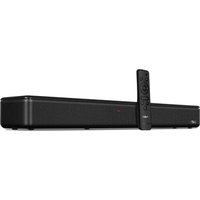
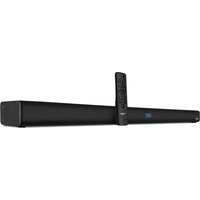
| Remote Control | Included |
| Wall Mountable | Yes, with included brackets |
| LED Indicators | Yes |
| Material | Plastic housing with metal grille |
| Warranty | 1 year |
| Spare Parts Availability | Available through Sven service centers |
| Cleaning Instructions | Wipe with a soft, dry cloth |
| Safety Precautions | Do not expose to water or moisture |
| Repairability | Designed for component-level repair by qualified technicians |
Frequently Asked Questions - SB-700 Sven
How do I connect the soundbar to my TV via Bluetooth?
Turn on the soundbar and enable Bluetooth on your TV. Select 'SB-700' from the available devices and pair. If a PIN is required, enter 0000.
Can I wall-mount the SB-700?
Yes, the SB-700 includes wall mounting brackets. Use the drilling template to mark holes, then secure the brackets and attach the soundbar.
What is the total power output of the soundbar?
The SB-700 delivers 40W RMS across its drivers, suitable for small to medium rooms.
How should I clean the soundbar?
Use a soft, dry cloth to wipe the surface. Do not use solvents or water as they may damage the electronics.
The soundbar doesn't turn on. What should I check?
First, verify that the power cord is firmly connected to both the soundbar and a working outlet. Then check the power switch on the side.
Can I play music from a USB flash drive?
Yes, the USB port supports playback of MP3 files directly from a USB flash drive.
How do I adjust bass and treble levels?
Use the remote control to enter the sound settings menu and adjust bass and treble with the + and - buttons.
Is the soundbar compatible with all TVs?
It connects via Bluetooth, AUX, HDMI ARC, or optical, so it works with most modern TVs. For HDMI ARC, ensure your TV has an ARC-enabled HDMI port.
Does the package include a remote control?
Yes, a remote control is included in the box, along with batteries.
What should I do if there is no sound?
Check that the selected input source matches your connection. Make sure the volume is not muted and all cables are intact. A simple restart also helps.
User questions about SB-700 Sven
0 question about this device. Answer the ones you know or ask your own.
Ask a new question about this device
No questions yet. Be the first to ask one.
Download the instructions for your Soundbar in PDF format for free! Find your manual SB-700 - Sven and take your electronic device back in hand. On this page are published all the documents necessary for the use of your device. SB-700 by Sven.
USER MANUAL SB-700 Sven

Manual assistant
Powered by Anthropic
Waiting for your message
Product information
Brand : Sven
Model : SB-700
Category : Soundbar