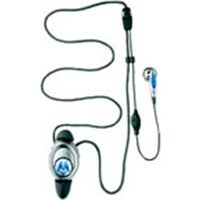
MotoPURE H15 - Earphones MOTOROLA - Free user manual and instructions
Find the device manual for free MotoPURE H15 MOTOROLA in PDF.


Pick your language and provide your email: we'll send you a specifically translated version.
| Product Type | In-Ear Wireless Earphones |
| Brand | Motorola |
| Model | MotoPURE H15 |
| Connectivity | Bluetooth 2.1 + EDR |
| Battery Type | Rechargeable Lithium-Ion |
| Talk Time | Up to 7 hours |
| Standby Time | Up to 120 hours |
| Charging Time | Approximately 2 hours |
| Wireless Range | 10 meters (33 feet) |
| Noise Reduction | DSP (Digital Signal Processing) |
| Weight | 12 grams (with ear tip) |
| Dimensions | 1.6 x 0.8 x 0.5 inches (40 x 20 x 13 mm) |
| Ear Coupling | In-Ear with silicone tips |
| Controls | Multi-function call button, volume +/- |
| LED Indicator | Pairing, battery status, charging |
| Compatibility | Bluetooth-enabled smartphones and devices |
| Voice Prompts | Yes, for pairing and status |
| Multipoint | Pair with two devices simultaneously |
| Cleaning | Wipe with dry cloth; wash ear tips separately |
| Safety | Avoid exposure to moisture and extreme temperatures |
Frequently Asked Questions - MotoPURE H15 MOTOROLA
How do I pair the MotoPURE H15 with my phone?
Turn on the earphones and press the Multi-function button until the LED flashes red and blue. Select "MotoPURE H15" in your phone's Bluetooth menu.
How long does the battery last?
The earphones provide up to 7 hours of talk time and 120 hours of standby time. A full charge takes about 2 hours.
What is the charging procedure?
Connect the micro-USB cable to the charging port and a USB power source. The LED glows red while charging and blue when fully charged.
Can I use these earphones with any Bluetooth device?
Yes, they use standard Bluetooth and can connect to any Bluetooth-enabled device such as smartphones, tablets, and computers.
What is DSP and how does it help?
DSP (Digital Signal Processing) filters out background noise to deliver clearer voice quality during calls.
How should I clean the earphones?
Wipe the exterior with a soft, dry cloth. Remove the silicone ear tips and rinse them with water, then dry thoroughly before reattaching.
What should I do if the earphones don't turn on?
Ensure they are charged. If still not working, press the Multi-function button for 10 seconds to perform a reset.
Are the ear tips replaceable?
Yes, the silicone ear tips are replaceable. You can order genuine replacements or use compatible sizes for a comfortable fit.
Can I pair the earphones with two phones at once?
Yes, the Multipoint feature enables simultaneous connection to two devices. To use it, pair each device sequentially.
Is it safe to listen at high volume?
Prolonged exposure to high volumes can damage hearing. Set a moderate level and take breaks to protect your ears.
User questions about MotoPURE H15 MOTOROLA
0 question about this device. Answer the ones you know or ask your own.
Ask a new question about this device
No questions yet. Be the first to ask one.
Download the instructions for your Earphones in PDF format for free! Find your manual MotoPURE H15 - MOTOROLA and take your electronic device back in hand. On this page are published all the documents necessary for the use of your device. MotoPURE H15 by MOTOROLA.
USER MANUAL MotoPURE H15 MOTOROLA


Manual assistant
Powered by Anthropic
Waiting for your message
Product information
Brand : MOTOROLA
Model : MotoPURE H15
Category : Earphones