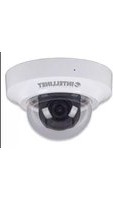
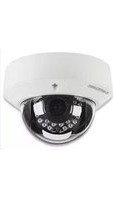
Intellinet

Pro Series Network Dome Camera 550420 - Security Camera Intellinet - Free user manual and instructions

Find the device manual for free Pro Series Network Dome Camera 550420 Intellinet in PDF.

📄 128 pages English EN Download 💬 AI Question 10 questions ⚙️ Specs
Notice Intellinet Pro Series Network Dome Camera 550420 - page 3
Pick your language and provide your email: we'll send you a specifically translated version.
Product type Network dome camera
Model Pro Series Network Dome Camera 550420
Brand Intellinet
Image sensor 1/2.7" CMOS sensor
Resolution 4 MP (2560 x 1440)
Lens 3.6 mm fixed lens
Field of view Approx. 90°
Night vision Built-in IR LEDs up to 30 m
Video compression H.264 / H.265
Power supply 12 V DC / PoE 802.3af
Power consumption Max. 8 W
Operating temperature -20°C to 50°C
Dimensions Ø 105 x 95 mm (approx.)
Weight 650 g (approx.)
Protection rating IP67 weatherproof
Housing material Aluminum + polycarbonate
Mounting Ceiling or wall mount
Connectivity Ethernet 10/100 RJ45
Protocols IPv4, IPv6, HTTP, RTSP, TCP/IP
Storage MicroSD card slot up to 128 GB
Security features User access rights, network encryption
Maintenance Clean dome lens with soft dry cloth
Spare parts Bracket, lens, IR LEDs available
Documentation Free PDF manual from notice-facile.com

Frequently Asked Questions - Pro Series Network Dome Camera 550420 Intellinet

How do I connect the Intellinet 550420 dome camera to my network?
Connect the camera to a PoE switch using a CAT5/CAT6 cable, or use the 12 V DC adapter with an Ethernet cable. Use the IP finder utility on the included CD or the manufacturer's website, then log in through a web browser.
What is the default IP address and login?
The default IP address is usually 192.168.0.20 (check the sticker on the camera), and the default login is often admin/admin. Change the password immediately after the first login.
How do I reset the camera to factory settings?
Press and hold the reset button on the camera for about 10 seconds while the camera is powered. Wait for the LEDs to blink, then release. The camera restores all factory defaults, including IP settings.
Does this camera support Power over Ethernet (PoE)?
Yes, the Intellinet 550420 supports IEEE 802.3af PoE. This allows both data and power to be supplied through a single Ethernet cable, simplifying installation.
How far can I see at night?
With its built-in IR LEDs, the camera provides black-and-white night vision up to approximately 30 meters, depending on the scene and infrared reflection.
Can I store recordings locally?
Yes, insert a MicroSD card (up to 128 GB) into the slot and configure continuous or motion-triggered recording in the camera's web interface or mobile app.
Is the camera suitable for outdoor use?
Yes, the housing has an IP67 weatherproof rating, so it is protected against dust, rain, and temporary immersion. Use a proper weatherproof junction box for the connectors.
How do I access the camera remotely?
Configure port forwarding on your router or use the manufacturer's P2P/cloud service. You can also integrate the camera with an ONVIF-compatible NVR or VMS and use dynamic DNS for remote access.
How do I clean the dome lens?
Gently wipe the dome cover with a soft, lint-free microfiber cloth. Avoid alcohol, ammonia, or abrasive cleaners that can damage the IR-transmitting coating. Clean regularly to prevent blurry images.
What maintenance does the camera require?
Check all cable connections, inspect the dome glass for dirt or condensation, and keep the firmware updated through the web interface to maintain security and reliability.

User questions about Pro Series Network Dome Camera 550420 Intellinet

0 question about this device. Answer the ones you know or ask your own.

Ask a new question about this device

The email remains private: it is only used to notify you if someone responds to your question.

No questions yet. Be the first to ask one.

Download the instructions for your Security Camera in PDF format for free! Find your manual Pro Series Network Dome Camera 550420 - Intellinet and take your electronic device back in hand. On this page are published all the documents necessary for the use of your device. Pro Series Network Dome Camera 550420 by Intellinet.

USER MANUAL Pro Series Network Dome Camera 550420 Intellinet

Manual assistant
Powered by Anthropic
Waiting for your message
Product information

Brand : Intellinet

Model : Pro Series Network Dome Camera 550420

Category : Security Camera