KEW 8133 - Measurement Kyoritsu - Free user manual and instructions
Find the device manual for free KEW 8133 Kyoritsu in PDF.


Pick your language and provide your email: we'll send you a specifically translated version.
| Product Type | Digital Clamp Meter |
| Brand | Kyoritsu |
| Model | KEW 8133 |
| Measurement Functions | AC/DC current, AC/DC voltage, resistance, continuity, frequency |
| Display | LCD with backlight |
| Jaw Size | 40 mm (1.6 in) |
| Safety Rating | CAT III 600 V |
| Power Supply | 9 V battery |
| Battery Life | Approx. 100 hours continuous use |
| Auto Power Off | Yes, after 15 minutes of inactivity |
| Operating Temperature | 0°C to 40°C (32°F to 104°F) |
| Storage Temperature | -20°C to 60°C (-4°F to 140°F) |
| Humidity | < 80% relative humidity |
| Dimensions | 230 x 82 x 45 mm |
| Weight | 300 g (including battery) |
| Standard Compliance | IEC 61010-1, EN 61010-1 |
| Accessories Included | Test leads, carrying case, printed manual |
| Maintenance | Wipe with dry cloth; do not use solvents |
| Calibration | Recommended annually for optimal accuracy |
| Repairability | Authorized service center; spare parts available |
Frequently Asked Questions - KEW 8133 Kyoritsu
How do I measure AC current with the KEW 8133?
Set the rotary switch to the appropriate AC current range. Open the clamp jaws and place the conductor inside. The measured value is displayed on the LCD. For accurate readings, ensure the conductor is centered in the jaw.
Can this clamp meter measure DC current?
Yes, the KEW 8133 can measure DC current. Select the DC current mode, perform zero adjustment if necessary, and clamp around the conductor. The reading will be displayed with polarity.
What is the maximum voltage measurement this device can handle?
The KEW 8133 is designed to measure up to 600 V AC/DC. It complies with CAT III 600 V safety standards. For higher voltages, a different instrument is required.
How do I replace the battery?
Turn off the device and remove it. Locate the battery compartment at the back, unscrew the cover, and replace the 9V battery. Reattach the cover and tighten.
What does the HOLD button do?
The HOLD button freezes the current displayed reading, making it easier to record measurements in difficult positions. Press HOLD to capture the reading and press again to release.
Why does the display show OL?
The OL (overload) indication means the input exceeds the measurement range of the meter. This is not a malfunction; switch to a higher range if available, or stop measuring to protect the device.
How should I clean and maintain the clamp meter?
Wipe the device with a soft dry cloth to remove dust or dirt. Never use harsh chemicals, solvents, or water. Keep the jaws free of debris for accurate measurements.
How often should calibration be performed?
For accurate and reliable measurements, it is recommended to calibrate the instrument annually at an authorized Kyoritsu service center. Environmental conditions may require more frequent calibration.
Is the KEW 8133 safe to use on live electrical circuits?
The device has a CAT III 600 V safety rating, making it suitable for industrial electrical installations. Always follow safety precautions, wear appropriate PPE, and use the device only within its rated limits.
Can I measure both AC and DC voltage with this instrument?
Yes, the KEW 8133 offers both AC and DC voltage measurement functions. Choose the corresponding setting on the rotary switch, connect the test leads, and read the display.
User questions about KEW 8133 Kyoritsu
0 question about this device. Answer the ones you know or ask your own.
Ask a new question about this device
No questions yet. Be the first to ask one.
Download the instructions for your Measurement in PDF format for free! Find your manual KEW 8133 - Kyoritsu and take your electronic device back in hand. On this page are published all the documents necessary for the use of your device. KEW 8133 by Kyoritsu.
USER MANUAL KEW 8133 Kyoritsu
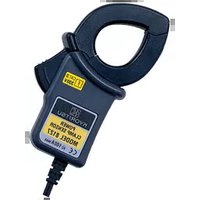
Manual assistant
Powered by Anthropic
Waiting for your message
Product information
Brand : Kyoritsu
Model : KEW 8133
Category : Measurement