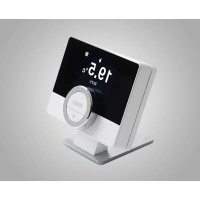
TM-1 - Thermostat Baxi - Free user manual and instructions
Find the device manual for free TM-1 Baxi in PDF.


Pick your language and provide your email: we'll send you a specifically translated version.
| Product Type | Room Thermostat |
| Brand | Baxi |
| Model | TM-1 |
| Intended Use | Temperature regulation for residential heating systems |
| Temperature Range | 5°C to 35°C (41°F to 95°F) |
| Power Supply | 2 x AAA batteries (1.5V) or 230 V AC depending on version |
| Display | LCD with backlight |
| Programmable | 7-day / 24-hour programmable |
| Program Periods | Up to 4 time periods per day |
| Sensitivity | ±0.5°C / ±1°F |
| Mounting | Wall-mounted |
| Dimensions (W x H x D) | 120 x 80 x 25 mm |
| Weight | 0.15 kg |
| Switching Capacity | 3 A / 230 V AC |
| Protection Rating | IP20 (indoor only) |
| Frost Protection | Built-in |
| Battery Low Warning | Yes |
| Program Memory | Non-volatile memory retains settings |
| Installation | Requires qualified technician |
| Cleaning | Wipe with soft dry cloth |
| Compatibility | Compatible with most gas, oil and electric heating systems |
| Warranty | 2 years |
Frequently Asked Questions - TM-1 Baxi
How do I program the daily schedule on the Baxi TM-1 thermostat?
Press the Program button and set the time periods and temperatures using the + and − keys. Store each period with OK. The thermostat can hold up to 4 periods per day.
How do I replace the batteries in the TM-1?
Remove the front cover by gently pulling it off. Replace the two AAA batteries with new ones, respecting the polarity. Reattach the cover and wait for the display to update.
What is the temperature range of the Baxi TM-1?
The thermostat can be set between 5°C and 35°C. The frost protection activates automatically when the temperature falls below 5°C.
Why is the display of my TM-1 not showing anything?
Check if the batteries are installed correctly or need replacing. Remove the cover and press the Reset button for 5 seconds. If the problem persists, contact support.
How do I connect the Baxi TM-1 to my heating system?
The TM-1 has two terminal connections for the heating system. Loosen the screws, insert the wires, then tighten. This must be done by a qualified installer to avoid damage.
Is the TM-1 compatible with my boiler?
It is compatible with most 24V or 230V heating systems. Check the boiler manual or ask a technician if your model is suitable.
How do I set the current time and day on the thermostat?
Press Menu and select Clock. Use + and − to adjust hours, minutes and the day. Confirm with OK.
What does the frost protection function do?
When activated, the TM-1 keeps the room temperature at 5°C to prevent pipes from freezing while you are away. It can be enabled or disabled in the settings.
How do I clean and maintain the Baxi TM-1?
Turn off the device and wipe the surface with a soft dry cloth. Do not use solvents or water. Check the batteries twice a year for leakage.
What do I do if the TM-1 shows an error code?
Refer to the manual or press Reset to restore factory settings. If the error persists, contact Baxi support for assistance.
User questions about TM-1 Baxi
0 question about this device. Answer the ones you know or ask your own.
Ask a new question about this device
No questions yet. Be the first to ask one.
Download the instructions for your Thermostat in PDF format for free! Find your manual TM-1 - Baxi and take your electronic device back in hand. On this page are published all the documents necessary for the use of your device. TM-1 by Baxi.
USER MANUAL TM-1 Baxi
Manual assistant
Powered by Anthropic
Waiting for your message
Product information
Brand : Baxi
Model : TM-1
Category : Thermostat