FMR-7033 - Access Control System BOSCH - Free user manual and instructions
Find the device manual for free FMR-7033 BOSCH in PDF.


Pick your language and provide your email: we'll send you a specifically translated version.
| Product Type | Access Control System |
| Brand | Bosch |
| Model | FMR-7033 |
| Dimensions (H x W x D) | Approx. 120 x 80 x 30 mm |
| Weight | Approx. 0.25 kg |
| Power Supply | 12 VDC, 200 mA |
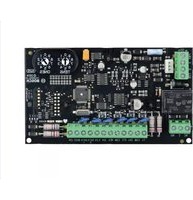
| Main Functions | Door access control, card reader interface, relay output for lock, tamper alarm |
| Supported Card Types | 125 kHz proximity cards, 13.56 MHz MIFARE |
| Maximum Users | 1000 |
| Communication Interface | Wiegand 26/34, RS-485 |
| Operating Temperature | -10°C to 50°C |
| Protection Rating | IP54 (indoor use recommended) |
| Maintenance | Wipe with dry cloth; avoid liquids |
| Safety Features | Tamper switch, anti-passback support, encryption |
| Spare Parts Availability | Power supply, card reader, mounting bracket |
| Repairability | Modular design; replaceable components |
| General Information | Part of Bosch Access Control portfolio; compatible with Bosch central units |
Frequently Asked Questions - FMR-7033 BOSCH
How do I install the Bosch FMR-7033 access control system?
Mount the unit on a wall near the door using the provided bracket. Connect the power supply (12 VDC) and wire the lock relay, card reader, and communication lines (Wiegand/RS-485) according to the wiring diagram in the manual. Ensure tamper switch is properly secured.
What types of cards are compatible with the FMR-7033?
It supports standard 125 kHz proximity cards and 13.56 MHz MIFARE cards. For other formats, check compatibility with the reader module.
How many users can be stored in the FMR-7033?
The device can store up to 1000 user credentials. This includes card IDs and PIN codes if applicable.
Can I use the FMR-7033 with an existing Bosch security system?
Yes, it is designed to integrate with Bosch access control panels and software. Use the RS-485 interface for communication with central units.
What should I do if the FMR-7033 does not power on?
Check the 12 VDC power supply and connections. Ensure the voltage is stable and within range. Verify the fuse or circuit breaker. If the issue persists, contact Bosch support.
How do I add or delete users from the system?
User management is typically done via the central software or keypad. Refer to the manual for specific commands. You can either enroll cards directly at the reader or via the management interface.
What is the maximum cable length for Wiegand connection?
For reliable operation, keep Wiegand cable length under 150 meters (492 feet). Use shielded twisted-pair cable to avoid interference.
Does the FMR-7033 have a tamper alarm?
Yes, it includes a tamper switch that triggers an alarm if the device is opened or removed from its mounted location. This switch can be connected to the alarm input of the central panel.
How do I reset the FMR-7033 to factory settings?
Press and hold the reset button (located inside the unit) for 10 seconds while power is applied. All user data and settings will be cleared. After reset, reconfigure the system via the software.
What is the warranty period for Bosch FMR-7033?
Bosch typically offers a 2-year warranty on access control hardware. Check your purchase documentation or contact Bosch for specific terms.
User questions about FMR-7033 BOSCH
0 question about this device. Answer the ones you know or ask your own.
Ask a new question about this device
No questions yet. Be the first to ask one.
Download the instructions for your Access Control System in PDF format for free! Find your manual FMR-7033 - BOSCH and take your electronic device back in hand. On this page are published all the documents necessary for the use of your device. FMR-7033 by BOSCH.
USER MANUAL FMR-7033 BOSCH

Manual assistant
Powered by Anthropic
Waiting for your message
Product information
Brand : BOSCH
Model : FMR-7033
Category : Access Control System