EK701 - Knife BLACK & DECKER - Free user manual and instructions
Find the device manual for free EK701 BLACK & DECKER in PDF.


Pick your language and provide your email: we'll send you a specifically translated version.
| Product Type | Electric Knife |
| Brand | Black & Decker |
| Model | EK701 |
| Power Source | Corded Electric |
| Voltage | 120 V |
| Power Consumption | 150 W |
| Cord Length | 6 feet (1.8 m) |
| Blade Length | 7.5 inches (19 cm) |
| Blade Material | Stainless Steel |
| Blades Included | 2 (carving and utility) |
| Safety Features | On/Off trigger switch, blade guard |
| Dimensions (L x W x H) | 12 x 3 x 2.5 inches |
| Weight | 1.2 lbs (0.54 kg) |
| Ergonomic Handle | Yes, soft grip |
| Dishwasher Safe Parts | Blades only |
| Cleaning Instructions | Wipe handle with damp cloth; blades hand wash recommended |
| Storage Case | Not included |
| Warranty | 2-year limited |
| Repairability | Blades replaceable; motor not user-serviceable |
| Certifications | UL, ETL |
Frequently Asked Questions - EK701 BLACK & DECKER
How do I attach the blades to my Black & Decker EK701?
Press the blade release button and insert the blade into the slot until it clicks. Ensure both blades are aligned and securely locked before use.
Can I wash the blades in the dishwasher?
Yes, the blades are dishwasher safe. However, hand washing is recommended to prolong sharpness. Dry thoroughly before storing.
How do I clean the handle?
Unplug the knife. Wipe the handle with a damp cloth and mild soap. Do not immerse in water or use abrasive cleaners.
What types of food can I cut with the EK701?
This electric knife is ideal for carving meats, slicing bread, and cutting vegetables. Use light pressure and let the blade do the work.
How do I remove the blades?
Ensure the knife is unplugged. Press the blade release button on both sides and gently pull the blades out. Handle with care.
What safety precautions should I take?
Always unplug when not in use. Keep hands and utensils away from moving blades. Use the blade guard when storing. Never cut towards yourself.
Why is my knife not turning on?
Check that it is properly plugged into a working outlet. Ensure both blade release buttons are fully engaged. If problem persists, contact support.
Can I use the knife to cut frozen food?
No, the EK701 is designed for fresh or thawed foods. Attempting to cut frozen items may damage the blades or motor.
How do I sharpen the blades?
The blades are not intended for sharpening. Replace them when they become dull. Use only Black & Decker replacement blades.
Where can I purchase replacement blades?
Replacement blades are available at most hardware stores or online retailers. Search for Black & Decker EK701 replacement blades.
User questions about EK701 BLACK & DECKER
0 question about this device. Answer the ones you know or ask your own.
Ask a new question about this device
No questions yet. Be the first to ask one.
Download the instructions for your Knife in PDF format for free! Find your manual EK701 - BLACK & DECKER and take your electronic device back in hand. On this page are published all the documents necessary for the use of your device. EK701 by BLACK & DECKER.
USER MANUAL EK701 BLACK & DECKER

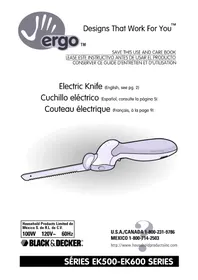
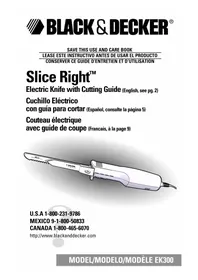
Manual assistant
Powered by Anthropic
Waiting for your message
Product information
Brand : BLACK & DECKER
Model : EK701
Category : Knife