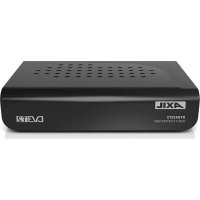
PW3000 - Access Point Engel Axil - Free user manual and instructions
Find the device manual for free PW3000 Engel Axil in PDF.


Pick your language and provide your email: we'll send you a specifically translated version.
| Product Type | Access Point |
| Brand | Engel Axil |
| Model | PW3000 |
| Dimensions (approx.) | 200 x 150 x 30 mm |
| Weight (approx.) | 0.5 kg |
| Power Supply | 12V DC, 1A or PoE 802.3af |
| Wi-Fi Standards | 802.11b/g/n |
| Frequency Bands | 2.4 GHz |
| Maximum Data Rate | 300 Mbps |
| Antenna Type | Internal omnidirectional |
| Ethernet Ports | 1 x 10/100 Fast Ethernet |
| Security | WPA2-PSK, WPA3 |
| Management | Web interface, SNMP |
| Operating Temperature | 0°C to 40°C |
| Humidity | 10% to 90% non-condensing |
| Mounting | Wall or ceiling mountable |
| Included Accessories | Mounting kit, power adapter, quick start guide |
| Maintenance | Keep dry and dust-free; clean with soft cloth |
| Safety | Use only supplied or certified power adapter |
| Spare Parts | Power adapter, mounting brackets |
Frequently Asked Questions - PW3000 Engel Axil
How do I set up the PW3000 Access Point?
Connect the access point to your router via Ethernet and power it on. Access the web interface using the default IP (usually 192.168.1.1). Follow the setup wizard to configure SSID and security.
What is the default login for the PW3000?
The default username is typically admin and the password is admin or blank. Check the label on the device for specifics.
Can I use the PW3000 as a range extender?
Yes, the PW3000 supports multiple modes, including access point, repeater, and bridge. Switch modes via the web interface.
How to reset the PW3000 to factory defaults?
Locate the reset button on the device. Press and hold it for about 10 seconds using a paperclip until the LEDs blink. The device will reboot with factory settings.
What security protocols does the PW3000 support?
It supports WPA2-PSK and WPA3 for wireless security. It is recommended to use WPA3 if all client devices support it.
How to update the firmware on the PW3000?
Download the latest firmware from the Engel Axil website. In the web interface, go to Administration > Firmware Upgrade, upload the file, and wait for the process to complete. Do not power off during update.
What is the maximum range of the PW3000?
Indoor range is approximately 30-50 meters depending on obstacles. Outdoor range can be up to 100 meters line-of-sight.
Can I connect multiple PW3000 devices to create a mesh network?
The PW3000 does not support mesh networking natively. However, you can configure multiple units as repeaters with the same SSID for extended coverage.
The PW3000 is not powering on. What should I do?
Check the power adapter connection and try a different outlet. If using PoE, ensure your switch provides PoE. If still not working, contact support for possible replacement.
How to mount the PW3000 on a wall?
Use the included mounting bracket. Drill holes according to the template, insert wall plugs, screw the bracket, then slide the access point onto the bracket until it clicks.
User questions about PW3000 Engel Axil
0 question about this device. Answer the ones you know or ask your own.
Ask a new question about this device
No questions yet. Be the first to ask one.
Download the instructions for your Access Point in PDF format for free! Find your manual PW3000 - Engel Axil and take your electronic device back in hand. On this page are published all the documents necessary for the use of your device. PW3000 by Engel Axil.
USER MANUAL PW3000 Engel Axil


Manual assistant
Powered by Anthropic
Waiting for your message
Product information
Brand : Engel Axil
Model : PW3000
Category : Access Point